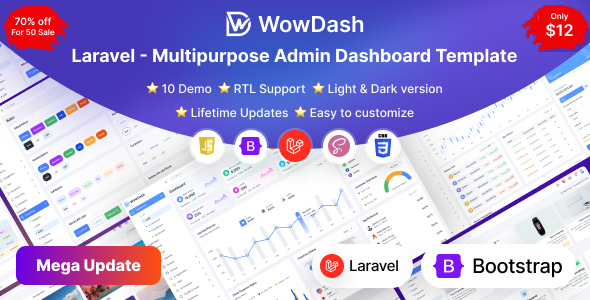
WowDash is a Laravel admin dashboard template with multiple demo layouts for AI, CRM, eCommerce, and more. It's for developers building backend interfaces who need a solid starting point.
WowDash Laravel Admin Dashboard: A Practical Look for Developers
Let's cut to the chase. WowDash is a Laravel admin dashboard template. It comes with a bunch of pre-built demos, covering areas like AI tools, CRM systems, and eCommerce backends. If you're kicking off a new project that needs a functional admin panel and you're working within the Laravel framework, this template aims to give you a head start.
Who Should Consider WowDash and Who Should Look Elsewhere
This template is squarely aimed at developers who are comfortable with Laravel and want to quickly set up a standard admin interface. If you're building a typical web application, a project management tool, or an internal dashboard, the included demos and components can save you significant time on the initial setup and styling. It’s particularly useful if you need to quickly get a functional dashboard for AI related projects or a CRM system.
However, if your project demands a highly unique backend architecture, deep custom logic beyond what a typical dashboard requires, or if you're not using Laravel, this template won't be a good fit. It's also not for designers who just want a frontend UI kit; this is a backend framework.
Solving the "Blank Slate" Problem for Laravel Backends
The main problem WowDash solves is the time sink of building a standard admin interface from scratch. Setting up navigation, forms, tables, charts, and basic authentication pages can easily eat up days, if not weeks. WowDash provides these elements out of the box, built on Bootstrap and SASS, which are industry-standard tools.
The inclusion of multiple demo layouts means you can pick one that closely matches your project's domain, like an eCommerce website template or an AI analytics dashboard, and then customize from there. This avoids the common issue of starting with a generic template and having to heavily refactor it to fit a specific niche.
Layouts, Pages, and Components for Real Projects
You get a decent number of pre-built pages and components. The demos offer variations for different industries, and there are over 80 inner pages. This includes things like user management, product listings, and data tables. When we tested the kit on a demo site, the layout handled long text in tables reasonably well, which is a common real-world issue.
The UI components are standard but functional. You'll find charts, forms with validation, and various widgets. This is pretty much what you'd expect from a template in this category, and it’s what you need to build out the core functionality of most admin panels.
Code Quality and Developer Experience
The template is built with Laravel and uses Bootstrap. The code is described as commented and organized, which is crucial for maintainability. For developers, this means less time deciphering spaghetti code and more time integrating your application's logic. The use of Webpack and Gulp indicates a modern build process, which generally leads to better asset management and faster loading times for the end-user.
While it mentions SASS support, it's worth noting that the CSS organization within such templates can vary. In our experience with similar frameworks, a well-structured SASS architecture makes it easier to override styles without breaking the entire theme, which is a big win for long-term projects.
Responsiveness and Compatibility
The template is built to be responsive, meaning it should adapt to different screen sizes from desktops to tablets and mobile phones. This is non-negotiable these days, and it's good to see it's a core feature. All modern browsers are listed as supported, which is standard but important for broad usability.
SEO Readiness for Admin Panels
For an admin dashboard, strict SEO isn't the primary concern like it is for public-facing websites. However, a clean semantic structure is still beneficial for accessibility and for search engines indexing any public-facing parts of your application that might be built on this foundation. The mention of W3C validated code suggests a baseline level of adherence to web standards.
A Solid Foundation for Backend Development
WowDash provides a practical starting point for Laravel developers needing an admin dashboard. It offers a good selection of pre-built demos and components that address common backend requirements. While it's not going to reinvent the wheel, it efficiently solves the problem of building a functional and presentable admin interface, allowing you to focus on your application's unique features rather than boilerplate styling. For those looking to quickly implement a CRM system or an eCommerce dashboard, it's a sensible investment.
FAQ
What kind of custom backend logic can I implement with WowDash?
WowDash is designed for standard admin panel functionalities. You can integrate your custom backend logic by connecting your application's data and features to the provided UI components and routes within the Laravel framework.
How does the template handle asset loading for speed?
The template uses modern build tools like Webpack and Gulp, which are designed to optimize asset loading. This generally means your dashboard will load faster for users, improving their experience.
Is the template suitable for building a highly specialized AI tool dashboard?
Yes, it includes an AI demo specifically. While the core template provides the structure, you'll need to integrate your specific AI functionalities and data visualization requirements on top of the provided components.