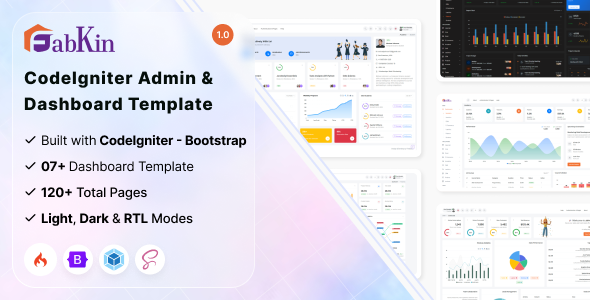
Fabkin CodeIgniter admin dashboard template is a pre-built UI kit designed for developers who need to quickly deploy an administrative interface for their CodeIgniter applications.
Evaluating Fabkin for CodeIgniter Project Management Interfaces
This template addresses the common workflow problem of building an admin UI from scratch for CodeIgniter projects. For teams creating internal tools, client portals, or any application needing a backend interface, Fabkin saves significant front-end development time on boilerplate features like data tables, forms, and navigation. It's a smart investment for agencies looking to reduce initial setup hours when developing a CodeIgniter backend UI, allowing developers to focus on core application logic.
Technical Standards and Code Quality in Fabkin's Architecture
Fabkin is built on a familiar and stable stack: CodeIgniter and Bootstrap. This means most front-end developers will find the structure easy to navigate and modify. The SCSS architecture for styling is a practical choice, making it more maintainable than templates relying heavily on inline styles or monolithic CSS files. In our experience with similar frameworks, this approach helps keep maintenance costs lower in the long run.
The asset loading and bundling, handled by Webpack, is standard practice. While not groundbreaking, it provides a solid foundation for managing dependencies and optimizing build times, which can contribute to better perceived performance for administrators.
- The SCSS organization is reasonably clean, making it easier to track and modify styles compared to some templates that just dump everything into one giant file. This translates to lower maintenance costs.
- It uses standard Bootstrap components, which means familiarity for most front-end developers and predictable behavior across devices. This ensures a consistent user experience.
- The Webpack setup is there, handling asset compilation. While not revolutionary, it provides a solid foundation for managing dependencies and optimizing build times.
- The mobile menu behavior is responsive and functional, adapting well to smaller screens without breaking layouts. This is crucial for administrators who might need to access the dashboard on the go.
- It supports LTR and RTL layouts out of the box, which is a practical consideration for projects targeting diverse language markets. This broadens the template's applicability.
What Impresses in This CodeIgniter Admin Dashboard Template
The most impressive aspect is the speed at which you can get a functional admin panel up and running. The one-click layout changes and multiple color options are genuinely useful for quickly demonstrating different looks to clients or iterating on internal branding without diving deep into code. The responsive design is well-executed, handling data tables and complex forms without major breakpoint issues. After building multiple agency sites with tools like this, the ability to rapidly deploy a presentable CodeIgniter admin dashboard template is its main draw.
Who Fabkin is For and Who Should Consider Alternatives
This template is for development teams and agencies primarily working with CodeIgniter applications who need a quick start for internal tools, client dashboards, or basic CRM interfaces. It's particularly useful for projects where a solid, functional admin panel is needed fast, without requiring deep, custom UI/UX design from scratch. It's not for projects requiring highly bespoke, pixel-perfect front-end designs that deviate significantly from Bootstrap's aesthetic, or for applications needing extremely complex, custom backend logic deeply integrated with the UI framework itself.
Limitations of Fabkin as a Backend UI Solution
While functional, the overall design aesthetic feels fairly standard Bootstrap. There isn't much in the way of truly unique visual flair or cutting-edge UI components that stand out from the average admin template. The documentation, while present, could offer more in-depth examples for integrating custom CodeIgniter modules beyond basic CRUD operations, which would further enhance its utility for complex projects.
Final Thoughts: Is it worth it?
If you're running a CodeIgniter project and need a functional, maintainable admin interface without investing weeks in UI development, Fabkin delivers. It provides a solid foundation, saving significant time on boilerplate setup. For the right project, it’s a pragmatic choice that allows developers to focus on core application logic rather than reinventing the wheel on common UI elements.
FAQ
Does Fabkin support modern CodeIgniter features?Yes, it's built on CodeIgniter, so it integrates well with the framework's standard practices and features for routing, controllers, and views.
How easy is it to add custom pages and forms?Adding custom pages and forms is straightforward, as it leverages Bootstrap for components and a clear file structure. You'll primarily be working with standard CodeIgniter views and controllers.
What about performance and Core Web Vitals impact?The template is reasonably optimized, using standard asset bundling via Webpack. For most admin uses, it should offer decent performance, but heavy custom additions will require further optimization efforts.
Is the template suitable for multi-user admin panels?Yes, the foundational structure supports typical multi-user scenarios, allowing you to build out user management, roles, and permissions within your CodeIgniter application using the provided UI components.
.png)