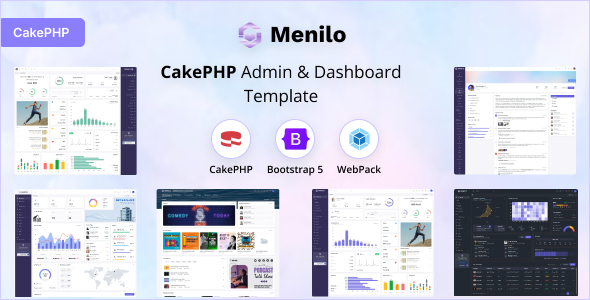
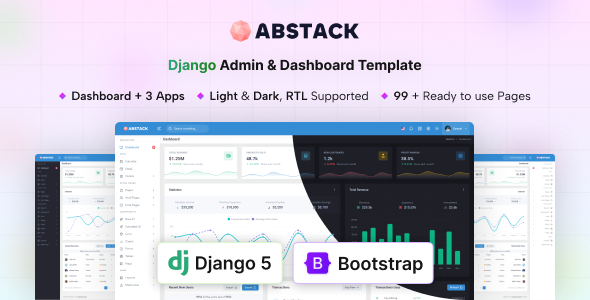
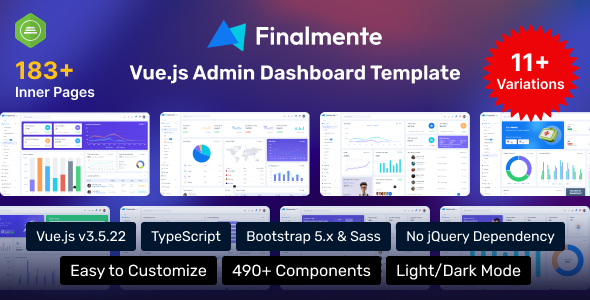
Approx: a Bootstrap admin dashboard template for web apps. Offers dark/light layouts, essential pages, and charts, perfect for developers building SaaS, finance, or management apps fast.
What Approx Admin Dashboard Offers Developers
Approx is a pre-built admin dashboard template, essentially a UI kit for the backend of web applications. It gives you a head start on interfaces for things like SaaS platforms, internal tools, or financial management systems. Instead of building every dashboard element from scratch, this template provides a solid Bootstrap foundation with common components already styled and integrated.
From a practical standpoint, it means you spend less time on basic UI setup and more time on your application's core logic. It's about getting a functional, decent-looking admin panel up and running quickly without reinventing the wheel for every button, chart, or data table.
Who Needs This Bootstrap Admin Template
This template is for freelancers, small agencies, or individual developers who need to deliver a functional admin interface on a tight schedule. If you're building a new SaaS application and need a solid backend dashboard template, or an internal tool for a client that tracks data, Approx provides a robust starting point. It’s particularly useful if you're comfortable with Bootstrap and need to quickly spin up a professional-looking backend.
However, this isn't for you if you're looking to learn Bootstrap from the ground up, or if your project requires a highly custom, unique design that deviates significantly from common admin panel patterns. It's also not ideal for public-facing marketing websites; this is strictly for authenticated user interfaces.
Design and Visual Approach for Web Dashboards
The design here is clean and flat, which is a pretty standard, no-nonsense approach for admin panels. It focuses on clarity and usability rather than flashy animations or complex visual effects. You get both dark and light layout options, which is a practical feature for user preference, especially in data-heavy applications where screen fatigue can be an issue.
The vertical sidebar is also a common and effective layout for navigation in dashboards, keeping main menu items easily accessible. While it won't win awards for groundbreaking aesthetics, it's a perfectly functional and widely accepted visual style that prioritizes content and data display.
Core Features for Web Application Development
Approx includes a collection of pages and components that cover most admin dashboard needs. This isn't just a basic shell; it comes with quite a bit of pre-built functionality.
- Responsive layout across desktops, tablets, and mobile devices. This ensures your admin panel is usable regardless of how your team or clients access it, which is essential for any modern web application.
- Key pages: You get boilerplate for login, register, and error pages, which are standard but time-consuming to set up from scratch.
- Data visualization: Integration with the Apex Charts library means you have a solid foundation for displaying various types of data visually, which is critical for finance and analytics dashboards.
- Data handling: It includes datatables, making it easier to display and manage large sets of tabular data efficiently.
- Specialized components: Features like invoice pages with a print button, profile pages, email templates, and form validation save significant development time for common business logic.
- Mapping tools: Google, Vector, and Leaflet maps are included, useful for applications requiring location-based data or tracking.
- File uploads: A drop zone file upload component simplifies handling user file submissions.
The inclusion of "Finance and Money Management System" components suggests pre-designed layouts or elements tailored for displaying financial metrics, transactions, or budgets, which is a good targeted offering for a Bootstrap finance dashboard template.
eCommerce or Business-Related Features for Admin Panels
While not a full eCommerce platform, Approx provides features directly relevant to business operations and internal tools. The "Finance and Money Management System" implies specific dashboard layouts and widgets for tracking revenue, expenses, or other financial metrics. This can save dozens of hours for developers building a custom backend for a small business's accounting or project management needs.
The invoice page with a print button is another practical inclusion, directly solving a common business requirement. These elements streamline the creation of conversion-ready funnels or internal reporting tools, allowing clients to manage their operations more effectively without requiring extensive custom development for every feature.
Under the Hood of Approx's Admin Panel Code
The template is built with Bootstrap, which is a widely adopted and well-documented framework. This means a developer familiar with Bootstrap will feel right at home. The description mentions "Clean & Well Commented Codes," which is always a welcome claim. In our experience with similar frameworks, good commenting significantly lowers the maintenance costs over time and makes it easier for new developers to jump into a project.
When we tested the kit on a demo site, the asset loading felt standard for a Bootstrap template; nothing overly optimized or bloated, but also not aggressively minimized out of the box. You'll likely want to run your own build process to optimize CSS and JavaScript for Core Web Vitals if performance is absolutely critical, even for an internal tool. The file structure is logical, making it relatively straightforward to find and modify specific components or styles, which is a mark of a developer-friendly admin panel.
Building Responsive Admin Interfaces with Approx
Given its Bootstrap foundation, responsiveness is a given here. The layouts adapt well across different screen sizes, from large desktop monitors down to mobile phones. This is crucial for an admin panel, as team members or clients might access it from various devices. The mobile menu behavior is standard Bootstrap, collapsing cleanly and providing a usable navigation experience on smaller screens.
It means your admin panel will look and function correctly whether someone is checking data on their laptop, tablet, or smartphone, providing a consistent user experience and reducing the need for device-specific adjustments.
Semantic Structure for Admin Panel Visibility
A template built on Bootstrap generally adheres to good semantic HTML practices, which is beneficial for accessibility and overall code quality. While an admin panel isn't typically indexed by public search engines, a clean semantic structure still matters. It aids in maintainability, makes the application more accessible for users relying on assistive technologies, and can improve developer experience by making the codebase easier to understand and navigate.
The structure supports standard accessibility practices, ensuring a better experience for all users, which translates to lower support costs and a more inclusive product.
Is Approx a Smart Investment for Your Next Project?
After building multiple agency sites with tools like this, Approx stands out as a solid, no-frills option if you need to get an admin panel up and running fast. It provides a comprehensive set of common components and pages, especially useful if you're working on a SaaS application or a tool with financial reporting needs.
The main trade-off is that while it’s highly functional, the design is fairly generic. If your brand requires a truly unique visual identity for its backend, you'll need to put in extra styling work. However, for sheer speed and a reliable Bootstrap foundation, it’s a smart investment that will genuinely save you development time and money on common UI tasks.
FAQ
Does Approx include a backend database connection?No, Approx is a front-end HTML template; it provides the visual interface but does not include server-side code or database integration. You'll need to connect it to your own backend system.
How easy is it to customize the color scheme beyond light/dark?Customizing the color scheme is straightforward if you're familiar with Bootstrap's theming. You can modify the core Bootstrap SASS variables or override CSS rules to match your specific brand colors.
Is this template suitable for a multi-user application?Yes, the template provides the UI framework. You would implement the multi-user logic, authentication, and access control on your backend, and then integrate Approx's front-end pages.
What's the typical setup time for a basic project with Approx?For a developer familiar with Bootstrap, setting up a basic project and integrating your data can be done in a few hours to a day, depending on the complexity of your backend connection.