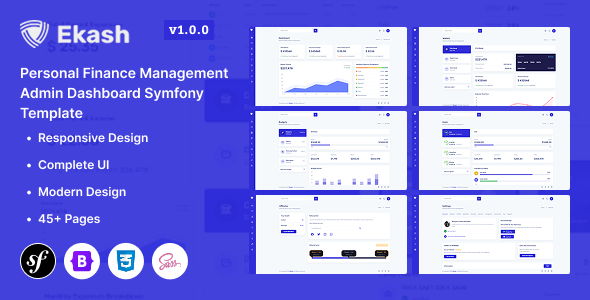
Ekash is a Symfony-based admin dashboard template designed for developers building financial or analytics web applications. It offers a professional starting point with pre-built pages and UI components for rapid development.
Ekash Symfony Dashboard: A Developer's First Look
When we first looked at Ekash, it presented itself as a Symfony admin template, which immediately tells us it's for developers who need a solid front-end structure for their backend applications, particularly in the finance and analytics space. The key here is "Symfony-based," meaning it's not a standalone CMS theme but rather a collection of Twig files and front-end assets designed to integrate with a Symfony application. This is crucial for anyone looking to build custom financial dashboards or internal tools.
Streamlining Financial Application Development
The primary workflow problem Ekash aims to solve is the time spent on repetitive UI tasks for financial applications. Instead of building out basic components like data tables, charts, and form elements from scratch, Ekash provides these ready to go. We found the inclusion of pre-built pages for Wallets, Budgets, and Transaction History particularly useful for quickly prototyping or even building out core sections of a personal finance management app. This template offers a significant head start, saving hours on styling and basic layout work.
Assessing Ekash's Component Library and Structure
Ekash comes packed with over 150 UI components, which is a good number for this category. We noticed that the CSS structure feels reasonably organized, making it easier to override styles when needed, which is a common requirement when integrating a template into an existing project. The template uses Bootstrap 5.3, which is a standard in the industry, meaning most developers will be familiar with its grid system and utility classes. This familiarity lowers the learning curve for customization. The asset loading felt standard, with CSS and JavaScript files being manageable, which is important for Core Web Vitals and overall site performance. We also appreciate the inclusion of W3C validated code, which contributes to cleaner HTML for better SEO and accessibility.
Customization and Flexibility for Niche Applications
For those building niche financial tools, customization is key. Ekash offers multiple dashboard variations and supports both light and dark modes, which is a nice touch for user preference. We found the ability to easily change colors and layouts to be straightforward, adhering to standard practices for theming. While it provides a good foundation, it's important to note that for extremely complex, bespoke backend logic, this is purely a front-end solution. It doesn't dictate your server-side architecture, which is a good thing for flexibility.
Real-World Workflow Considerations
In our experience with similar frameworks, the ease of integrating custom data is paramount. Ekash provides interactive chart examples using ApexCharts, which is a popular choice. The data tables include sorting and filtering, which are essential for managing financial data effectively. However, we did notice that while it offers many components, the "out-of-the-box" feel is very much a generic dashboard. Tailoring it to a specific brand identity or a unique user flow requires dedicated effort. For developers needing to quickly build an investment tracking dashboard or a personal budgeting app layout, this template offers a solid, if standard, starting point.
Who Should Use Ekash and Who Should Skip It
Ekash is ideal for developers and agencies needing to rapidly build the front-end for financial management applications, analytics platforms, or internal business tools using Symfony. If you're looking for a quick way to get a professional-looking dashboard interface without reinventing the wheel, this is a smart choice. It’s particularly well-suited for projects where the primary focus is data visualization and user interaction within a structured application. However, this template is not for those who need a full CMS solution or a backend framework in itself. It’s also not the best fit if your project requires highly unconventional UI elements not covered by standard Bootstrap components.
Final Thoughts on Ekash for Developers
Ekash provides a well-structured Symfony admin template that significantly cuts down development time for financial and analytics dashboards. Its standard Bootstrap foundation, ample UI components, and pre-built pages make it a practical asset for developers aiming for faster project completion and a polished user interface. While it requires integration with a backend, it delivers a robust front-end foundation that justifies its investment for targeted application development.
FAQ
What is the primary benefit of using Ekash for a Symfony project?Ekash provides a pre-built, professional front-end structure for financial and analytics dashboards, saving significant development time on UI components and page layouts.
Is Ekash suitable for building a general-purpose website or blog?No, Ekash is specifically an admin dashboard template designed for web applications, not for public-facing websites or content management systems.
How does Ekash handle responsiveness across different devices?The template is built with a fully responsive design using Bootstrap, ensuring it adapts well to desktops, tablets, and mobile devices.
Can Ekash be easily customized to match a specific brand's color scheme and style?Yes, Ekash offers extensive customization options for colors, layouts, and components, making it adaptable to different branding requirements.
What kind of support can we expect if we encounter issues with Ekash?The product description mentions regular updates and dedicated support for assistance with customization and troubleshooting.