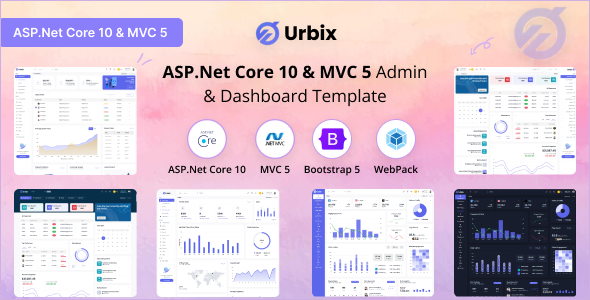
Urbix is an ASP.Net Core 9 and MVC 5 admin dashboard template built on Bootstrap, providing a solid backend UI foundation for developers.
Urbix: A Practical Admin Dashboard Template for ASP.Net Development
As a developer who has wrestled with building admin panels from scratch more times than I care to admit, Urbix feels like a breath of fresh air for ASP.Net projects. This isn't a flashy marketing gimmick; it's a collection of well-structured components and pages designed to save you serious time when setting up the backend of an application. It focuses on providing a functional, maintainable base rather than a custom, unique design.
The core value here is getting a fully wired-up UI for your ASP.Net Core admin dashboard template without spending weeks on common elements. It takes care of the mundane, allowing you to focus on your application's specific business logic.
Who Benefits from Urbix and Who Should Skip It
This template is for ASP.Net developers, especially those working with Core 9 or MVC 5, who need to deploy an administrative interface quickly. Agencies on tight deadlines will find it particularly useful for spinning up client portals or internal tools. If you're building a new web application and need a functional, well-organized backend UI kit right out of the gate, Urbix fits the bill.
However, if you're a frontend developer not working with ASP.Net, this isn't for you. It's also not ideal if your project demands a completely bespoke, highly artistic UI that deviates significantly from standard Bootstrap patterns. This isn't a blank canvas; it's a well-equipped workshop.
Layouts, Pages, and UI Components for Backend Efficiency
Urbix comes packed with a decent set of pre-built assets. You get multiple dashboard layouts, various page templates, and a good collection of UI elements. This means less time spent on boilerplate and more time on features specific to your project.
- The template includes 4+ dashboards, giving you different starting points for data visualization.
- There are 7+ layouts and 11+ layout modes, offering flexibility in how you arrange your admin panel.
- You'll find 58+ UI elements, covering common needs like forms, tables, charts, and notifications.
- With 5K+ icons, you have plenty of visual options without hunting for external libraries.
- The 114+ pages provide ready-made structures for various admin tasks, from user management to settings.
This comprehensive collection means you're not building basic components from scratch. You can adapt what's there, which saves significant development hours on styling complex data tables or setting up navigation.
Code Quality and Developer Experience with Urbix
From a developer's perspective, the use of Webpack for asset management is a plus. It suggests a modern build process, which generally translates to optimized asset loading and better Core Web Vitals performance for the end-user. The SCSS integration makes styling changes, like adjusting theme colors or modifying component looks, a straightforward process rather than a hunt through scattered CSS files.
The code structure feels organized, as you'd expect from a Bootstrap 5 admin panel for MVC. It follows standard practices, making it relatively easy to navigate and extend. In our experience with similar frameworks, this kind of clean foundation reduces long-term maintenance costs and makes onboarding new team members smoother.
Responsiveness and Compatibility for All Devices
Urbix is built with adaptive responsive design in mind, meaning your admin panel will look and function correctly across various devices, from desktops to mobile phones. This is standard for any modern template built on Bootstrap, but it's executed well here. The mobile menu behavior is predictable and the layouts adjust without awkward breaks, ensuring a consistent user experience regardless of screen size.
SEO Readiness and Semantic Structure
While an admin dashboard isn't typically public-facing, a clean semantic structure is still beneficial for maintainability and any internal tools that might interact with it. Urbix uses standard HTML semantics, which is good practice. This foundation supports accessibility features inherent in Bootstrap and helps ensure that any content within the admin panel is well-structured, even if it's not directly indexed by search engines.
Final Verdict on the Urbix Admin Template
If you're an ASP.Net developer looking to cut down on frontend development time for your backend interfaces, Urbix is a solid choice. It's not trying to reinvent the wheel with groundbreaking design; instead, it delivers a functional, well-organized, and developer-friendly backend UI kit. The value proposition is clear: you save significant hours on building common admin features, allowing you to allocate that time to your application's unique logic. After building multiple agency sites with tools like this, I can confirm that a good admin template like Urbix genuinely accelerates project delivery and reduces development headaches.
FAQ
Is Urbix easy to customize?Yes, Urbix is built with SCSS, making it straightforward to change colors, fonts, and other styling elements without deep diving into complex CSS files.
Can I use Urbix with other backend technologies like Node.js or PHP?No, Urbix is specifically built and integrated with ASP.Net Core 9 and MVC 5, so it's not designed for use with other backend frameworks out of the box.
What's the learning curve like for a new developer using Urbix?If you're familiar with Bootstrap and ASP.Net MVC/Core, the learning curve is quite gentle, as the structure follows common development patterns.