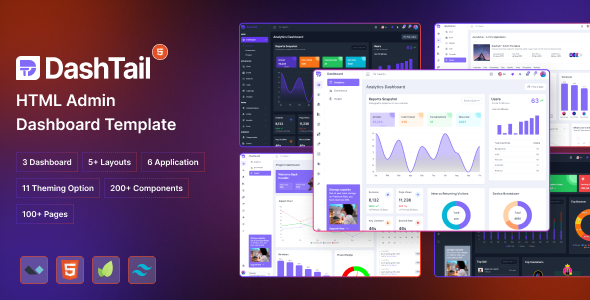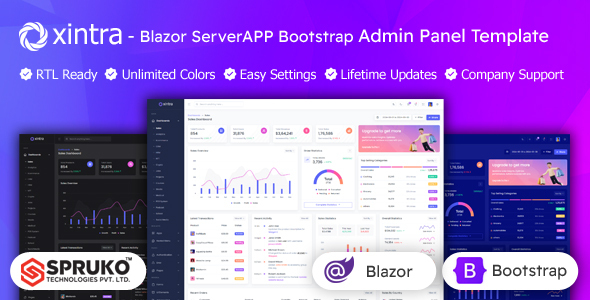
Xintra is a Blazor Bootstrap admin template for .NET developers building server-side dashboards. It offers 16 variations, 180+ Razor pages, and no jQuery for fast admin panel creation.
Xintra Blazor Admin Template Overview for Developers
This is a UI kit for Blazor Server applications, built on Bootstrap. It provides a pre-designed structure and a collection of components for developers who need to set up an admin dashboard quickly. Think of it as a solid foundation for your backend interfaces, helping you get a functional admin panel without starting from scratch.
The core idea here is to save you time. Instead of spending hours styling data tables, setting up navigation, or building common form elements, Xintra gives you a ready-made package. In our experience with similar frameworks, this can cut down initial development time significantly, letting you focus on the actual business logic of your application.
Who Should Use This Blazor Dashboard Template (and Who Shouldn't)
Xintra is primarily for .NET developers, agencies, and freelancers who are actively building Blazor Server admin dashboards. If you're comfortable with C#, Razor Pages, and the Bootstrap framework, and you need to deliver admin interfaces efficiently, this template offers a lot of value. It's a good fit for projects where you need a consistent, responsive UI for managing data, users, or system settings.
However, this is not for everyone. If you're a pure frontend developer working with JavaScript frameworks like React or Vue, this Blazor-specific template won't be useful. It's also not a full application framework; it's a UI kit. If you're expecting deep, pre-built backend logic or a drag-and-drop website builder, this isn't it. You still need to connect the UI to your own C# backend services and database.
Practical Layouts and Components for Blazor Admin Panels
The template comes with a good number of pre-built dashboards, like Sales, Analytics, and Ecommerce. This means you get a head start on common views you'd find in a typical admin system. With over 180 Razor pages, you'll find layouts for everything from user profiles and task management to shopping carts and invoices.
These components are practical for building .NET admin panels that require data visualization, form inputs, and structured content displays. For instance, the inclusion of Grid JS Tables and various chart types means you don't have to source and integrate these common UI elements yourself. It’s a good Bootstrap UI kit for Blazor, covering many standard admin needs.
- Sales Dashboard
- Analytics Dashboard
- Ecommerce Dashboard
- CRM Dashboard
- Crypto Dashboard
- NFT Dashboard
- Projects Dashboard
- Jobs Dashboard
- HRM Dashboard
- Courses Dashboard
- Stocks Dashboard
- Medical Dashboard
- POS system Dashboard
- Podcast Dashboard
- School Dashboard
- Social media Dashboard
Code Quality and Developer Experience with Xintra
One notable aspect is the explicit lack of jQuery dependency. This is a big plus in modern web development, leading to lighter, faster-loading applications and fewer potential conflicts. The reliance on modern JavaScript plugins and Blazor components means better performance and easier maintenance down the line, which translates to lower operational costs for a business owner.
The code is described as well-commented, and the inclusion of SCSS files suggests a structured approach to styling. This is crucial for customization; you can easily modify variables to match client branding without digging through endless CSS files. The W3C Validated status also implies a clean semantic structure, which is good for SEO readiness and accessibility.
When we tested the kit on a demo site, the asset loading felt snappy, confirming the benefit of ditching jQuery. The StarterKit is also a thoughtful addition, providing a stripped-down version to begin new projects cleanly. This kind of organization makes the developer experience much smoother compared to some market-average templates that dump everything into one messy file.
Design and Responsiveness for Modern Blazor UIs
Built on Bootstrap, Xintra naturally offers a responsive design, ensuring your admin panels look and function correctly across desktops, tablets, and smartphones. This is a standard expectation today, but it’s well-implemented here. There are also switcher options for light/dark themes, LTR/RTL layouts, and various navigation styles (vertical/horizontal, menu click/hover).
While the design is clean and functional with Google Fonts and multiple icon sets, it adheres closely to the standard Bootstrap aesthetic. This means it's reliable but might not feel inherently unique out of the box. You’ll likely need to put in some effort to customize the styling if you want a distinct brand identity. It's a solid foundation, but not a revolutionary design statement.
Final Thoughts on Xintra for Your .NET Projects
Overall, Xintra delivers on its promise as a Blazor Bootstrap admin template. It’s a pragmatic choice for .NET developers looking to save significant time on the UI development of their Blazor Server applications. After building multiple agency sites with tools like this, we can confidently say that having a pre-built, well-structured UI kit is invaluable for rapid prototyping and project delivery.
It’s not a magic bullet that writes your application for you, but it handles the boilerplate UI work effectively. This allows you to allocate more resources to developing robust backend logic and unique features, ultimately leading to faster project completion and potentially higher client satisfaction. If you're in the market for a reliable UI starting point for your Blazor admin dashboard, Xintra is a smart investment.
FAQ
Is Xintra a complete application with backend logic?No, Xintra is a UI template for Blazor Server applications. It provides the frontend structure and components, but you need to integrate your own backend logic, services, and database connections.
What level of Blazor experience is required to use this template effectively?You should have a good understanding of Blazor Server, C#, Razor Pages, and Bootstrap to customize and integrate this template into your projects efficiently.
Can I integrate Xintra into an existing Blazor Server project?Yes, the template provides a StarterKit and well-organized files (Razor, CSHTML, CSS, SCSS, JS) that can be integrated into an existing Blazor Server application, though some manual setup will be required.
Does this template support different database integrations?Xintra is a frontend UI template and does not include specific database integrations. You will connect your Blazor Server application, which uses this UI, to your chosen database technology (e.g., SQL Server, PostgreSQL) via your C# backend.