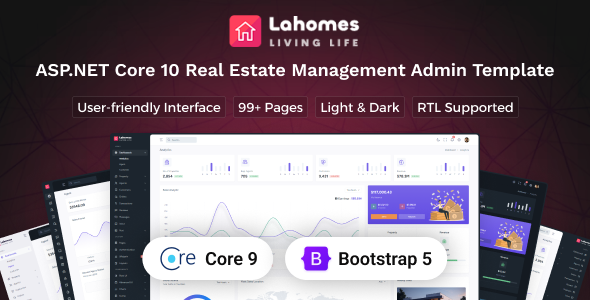
Lahome is an ASP.NET Core admin template designed for building real estate management dashboards. It offers a solid foundation with numerous pre-built components for agencies and developers needing a quick start on property management applications.
ASP.NET Core Admin Template for Real Estate Dashboards
When we first looked at Lahome, it was clear this is aimed squarely at developers building backend systems, specifically for real estate. It’s an ASP.NET Core template, which means it’s not a front-end-only solution you’d drop onto a WordPress site. Instead, it’s a framework for the administrative side of an application, providing the structure and UI elements needed to manage properties, agents, and customer data.
This template is best suited for development teams that need to rapidly build a functional real estate management system. If you’re an agency focused on delivering custom property management software or a startup needing to get a dashboard online quickly, Lahome can save significant initial development time. The inclusion of ASP.NET Core 10 and Bootstrap 5 means it’s built on widely adopted technologies, which is always a plus for long-term maintenance and finding developers familiar with the stack.
Streamlining Property Management Application Development
The primary workflow problem Lahome solves is the sheer grunt work of building a data-heavy admin interface from scratch. We found that setting up common elements like property listings with search and filter options, agent profiles, and customer management screens can easily eat up weeks of development time. Lahome provides these pages pre-built, which is a huge time saver. We can focus on the unique business logic of a real estate platform rather than reinventing standard UI patterns.
The template’s structure, with its emphasis on SCSS variables for styling, makes it reasonably straightforward to adapt the look and feel. For developers who appreciate organized CSS architecture, this is a welcome feature. It means changing the primary color scheme or typography across the entire application is less of a manual chore. We also noted that the Gulp workflow is present, which helps automate tasks like compiling SCSS and minifying assets, leading to faster build times and cleaner production code, ultimately impacting the performance of the final application.
Practical UI Components and Layout Options
Lahome comes with a substantial collection of over 400 UI components and more than 85 pages. This extensive library means most common dashboard needs are covered. We particularly appreciated the variety of form elements, validation options, and wizard components, which are crucial for data entry tasks in real estate management, like property listings or agent onboarding. The chart library is also well-integrated, providing developers with ready-to-use tools for visualizing property trends or sales data.
The multiple layout options, including light and dark modes, different sidebar configurations (condensed, hover, hidden), and both LTR and RTL support, offer flexibility for different user preferences and regional requirements. In our experience, having these layout variations built-in reduces the need for custom coding to achieve basic responsive and user-friendly interfaces. We did find that while the components are plentiful, some might feel a bit standard compared to highly specialized UI kits, but for a broad admin template, this breadth is expected and useful.
Considering the Trade-offs for Real Estate Websites
While Lahome provides a strong foundation, it’s important to understand its limitations. This is an admin template, not a full-fledged website builder or a CMS theme. If you're looking for a front-end site template for a real estate agency that clients will see directly, this isn't it. Its purpose is the backend management system. Also, while the customization through SCSS is good, deep architectural changes or integrating complex third-party JavaScript libraries might require more effort than with a more modular framework.
One area that feels standard, rather than exceptional, is the asset loading. While it uses a Gulp workflow for optimization, the way JavaScript and CSS are bundled might not be as cutting-edge as some modern SPA frameworks. For a backend dashboard, this is usually acceptable, but for applications where initial page load speed is absolutely critical, we’d want to pay close attention to how assets are managed and potentially optimize further. The clean semantic structure for SEO is present in the generated HTML, which is good for internal admin pages, but not the primary focus for public-facing SEO.
Final Thoughts on Lahome for Developers
Lahome is a practical choice for development teams building ASP.NET Core powered real estate management applications. It significantly cuts down the initial setup time for common dashboard features and provides a well-organized set of UI components. If your project involves managing properties, agents, and customer data within an ASP.NET Core environment, this template offers a solid and efficient starting point, allowing you to deliver functional applications faster. It’s a smart investment for projects where speed to market for the administrative backend is a key requirement.
FAQ
Is Lahome suitable for building a public-facing real estate listing website?
No, Lahome is an admin dashboard template for backend management systems, not for public-facing websites.
How easy is it to integrate Lahome with an existing ASP.NET Core application?
Integration difficulty depends on your existing application's architecture, but it's designed to be a framework for new backend development or a substantial refactor.
Does Lahome include features for handling real estate transactions and payments?
It includes pages for orders and transactions, providing the UI structure, but you will need to implement the actual payment gateway integrations and business logic.
What level of customization can we expect with the styling?
Styling is managed through SCSS variables, allowing for good control over colors, typography, and spacing across the template.