

WowDash is an ASP.NET MVC 5 admin dashboard template with Bootstrap, providing a complete UI for project management, CRM, and e-commerce backends. It's ideal for developers needing a fast start.
Understanding the WowDash ASP.NET MVC Admin Dashboard Template
This product is an admin dashboard template specifically built for ASP.NET MVC 5 applications, using Bootstrap for the frontend. It aims to give you a ready-made user interface for common backend systems like CRM, content management systems, e-commerce admin panels, or internal project management tools. Essentially, it saves you from building the entire dashboard UI from scratch.
Who This Backend UI Kit Is For (and Who It's Not)
WowDash is a solid option for developers and agencies already working within the ASP.NET MVC 5 ecosystem. If you need to quickly set up a functional, presentable admin panel for a client or an internal tool, this template provides a significant head start. It's particularly useful for those who value a consistent design and pre-built components for common tasks.
However, if you are primarily a frontend developer working with different frameworks, or if your project requires a highly unique, custom UI that deviates heavily from Bootstrap's conventions, this might not be the best fit. It's also not for static marketing sites; its value is in its backend integration capabilities.
Design and Visual Approach for Admin Interfaces
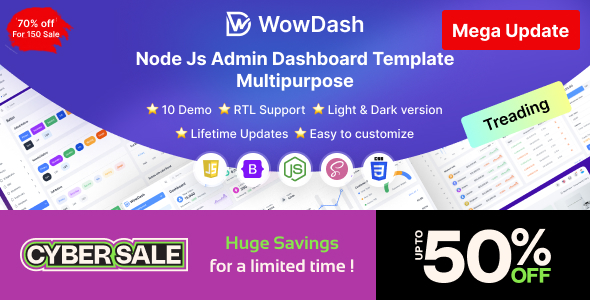
The template follows a clean, modern aesthetic based on Bootstrap. It's not trying to reinvent the wheel visually, but it delivers a functional and easy-to-navigate interface. Having both dark and light modes is a standard expectation these days, and it's implemented well here, offering users a choice based on preference or environment.
The "retina-ready" aspect means the visuals will look sharp on high-resolution screens, which is a small detail that contributes to a polished feel for users who spend hours in an admin panel.
Layouts and Components for Data Management
WowDash comes with multiple dashboard variations, which is genuinely useful. You can pick a layout that best suits whether you're building an e-commerce backend focused on sales metrics or a project management dashboard with task lists. It includes all the standard UI components you'd expect: various charts, data tables, forms, and buttons.
- Charts and Graphs: Integrated with popular libraries, which means you get interactive data visualization without the heavy lifting of setting up charting from scratch. This helps business owners quickly grasp data insights.
- Forms and Tables: The pre-designed form elements and data tables with sorting, filtering, and pagination are huge time-savers. Setting these up properly can take days, and having them ready means faster data entry and easier data management for staff.
- Authentication Pages: Login, registration, and password recovery pages are included. This takes care of a critical security and user management piece right out of the box, saving development time on a common but essential feature.
Code Quality and Developer Experience for ASP.NET MVC
From a developer's perspective, the template is built with Bootstrap and uses SASS for its styling. This SASS architecture is a plus because it means the CSS is organized and modular. Changing global colors, fonts, or other branding elements becomes a much more straightforward task, which translates to lower maintenance costs for any business owner down the line.
The mention of W3C validated code is a good sign for semantic HTML structure. This helps with overall web standards, accessibility, and can indirectly contribute to better search engine indexing if parts of the admin are ever publicly exposed. In our experience with similar frameworks, well-commented and organized code, as claimed here, significantly reduces the onboarding time for new team members.
Responsiveness and Browser Compatibility
The template is responsive, meaning it adapts well to different screen sizes, from desktops to tablets and mobile phones. This is a baseline expectation for any modern web application, ensuring that administrators can access and manage their systems from any device. It also claims support for "all modern browsers," which is standard but essential for reaching a wide range of users without compatibility headaches.
SEO Readiness for Internal Dashboards
While an admin dashboard typically isn't a public-facing asset needing deep SEO optimization, the underlying clean semantic structure and W3C validated code are good practices. This foundation means that if any parts of the dashboard were ever to become public, or if you integrate it with publicly accessible content, it adheres to good web standards. Proper use of headings and accessible components also contributes to a better overall web experience, even for internal users.
Final Thoughts on WowDash for Your Project Needs
If you're an ASP.NET MVC 5 developer or an agency needing a solid, functional ASP.NET MVC 5 admin dashboard template, WowDash is a pragmatic choice. It handles all the common UI elements and patterns you'd otherwise spend a lot of time building and styling from scratch. The time saved on core features like charts, forms, and authentication pages alone makes this a smart investment for faster project delivery. It's not trying to be groundbreaking, but it provides a reliable, efficient starting point. One thing I'd personally look for in future iterations, or add myself, would be more explicit attention to advanced accessibility features beyond just basic responsiveness, which is crucial for internal tools used by diverse teams.
FAQ
Does this template work with newer ASP.NET versions like .NET Core or .NET 6?This template is built specifically for ASP.NET MVC 5, which is an older framework. While some UI elements might be reusable, direct integration with newer .NET Core or .NET 6 projects would require significant refactoring and adaptation of the backend logic.
Can I use this WowDash template for a completely custom backend application that isn't a typical CRM or e-commerce platform?Yes, you can. The template provides a comprehensive set of UI components and layouts, making it flexible enough to adapt to various custom backend applications. You'll primarily be leveraging its frontend structure and components, integrating them with your specific business logic.
How easy is it to change the overall color scheme or branding of the dashboard?Since the template uses SASS, changing the overall color scheme and branding is relatively straightforward. You'd typically modify a few SASS variables, and those changes would cascade throughout the entire dashboard, making global style updates efficient.


.__large_preview.png)