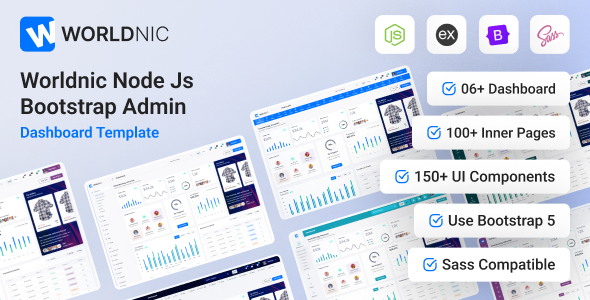
Worldnic is a Node.js admin dashboard template built with EJS and Bootstrap, offering 70+ pages and UI components. It's a solid foundation for Node.js backend interfaces.
Worldnic Node.js Admin Dashboard Template for Backend Interfaces
This is an admin dashboard template designed specifically for Node.js projects using EJS for templating. It gives you a pre-built UI foundation for the backend or administrative sections of web applications. Think of it as a starter kit for your Node.js application's control panel, packed with common components like charts, tables, forms, and various UI elements.
After building multiple agency sites with tools like this, the main draw here is the significant time saving. Instead of wiring up basic admin UI elements from scratch, you get a comprehensive set of pages and components ready to integrate with your Node.js backend logic. It tackles the initial setup headache, letting you focus on the application's core functionality rather than repetitive UI work.
Who Should Use This EJS Admin Panel and Who Should Skip It
This Node.js admin dashboard template is a good fit for specific types of developers and projects. It is ideal for freelancers and agencies needing to quickly spin up an administrative interface for a Node.js application, especially if your team is comfortable with EJS, jQuery, and Bootstrap.
If you are building a custom CRM, a project management tool, or any internal system that needs a robust backend dashboard with user management, data visualization, and content editing, Worldnic provides a strong head start. It's also suitable for developers who prefer a server-side rendering approach with Node.js and want to avoid the complexity of a separate modern JavaScript frontend framework like React or Vue.
However, this template is not for everyone. If your project demands a purely API-driven backend with a separate, highly interactive frontend built with a framework like React, Angular, or Vue, then this EJS-based template might not be the right choice. It is also less suited for developers who prefer to build every UI component from the ground up or those looking for a minimalist approach with very few external dependencies.
Customizing the Worldnic Dashboard's Look and Feel
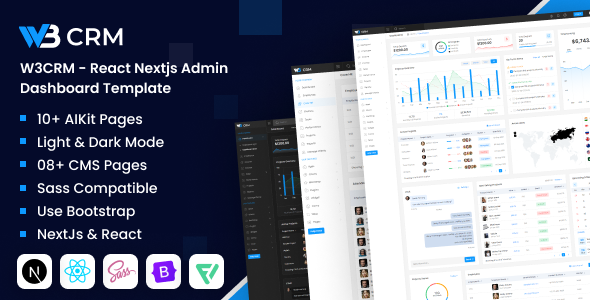
Worldnic provides a decent range of visual customization options. You get multiple color skins, along with both dark and light modes, which is a standard expectation for admin panels these days. The template also includes flexible options for header and sidebar configurations, allowing you to tailor the navigation experience to your specific content and user needs.
From a developer's perspective, the inclusion of SASS files is a plus. This means you are not stuck digging through compiled CSS; you can easily modify variables, colors, and styles in an organized way. This structure makes it much easier to align the dashboard with a client's brand identity without incurring high maintenance costs for future changes.
Exploring the Worldnic Admin UI Kit Pages and Features
The template comes packed with over 70 EJS pages, which is a substantial number for an admin UI kit. This includes various menu styles, specific "AIKIT Pages" (likely pre-configured layouts for AI-related data or settings), and "CMS Pages" for content management. Having these pre-built pages saves a lot of development time, as you are not designing common admin views from scratch.
The list of included components from the original description is extensive, featuring various charting libraries (Amcharts, Apexchart, Chart.js), advanced data tables, rich text editors (CKEditor), file upload zones (Dropzone), and full calendars. This means most common dashboard functionalities are already integrated and styled, solving the headache of setting up and styling complex data presentations or input forms.
Worldnic's Code Structure and Developer Workflow
Worldnic provides EJS, jQuery, JavaScript, CSS, and SASS files. The description mentions "Clean Coded" and "Well Commented" files, which in our experience with similar frameworks, is crucial for long-term maintainability. Good comments and an organized file structure mean new developers can get up to speed faster, and debugging issues becomes less of a chore. This directly translates to lower development costs for the business owner.
The template leverages Bootstrap for its foundational UI, which ensures a consistent and responsive design out of the box. However, the sheer number of third-party libraries listed in the credits (from various chart libraries to UI components like Sweetalert and Toastr) suggests a feature-rich but potentially heavy build. While this provides comprehensive functionality, it also means a larger initial footprint, which might require careful asset loading optimization to ensure high-speed performance, especially if you only use a fraction of the included features.
Ensuring Worldnic Works Across Devices and Browsers
The template is designed to be super responsive for all modern browsers and mobile devices, and it also promises cross-browser compatibility. This is largely thanks to its Bootstrap foundation, which handles most of the responsive layout heavy lifting. For a business owner, this means administrators can access and manage their application from any device, whether it is a desktop, tablet, or smartphone, without encountering broken layouts or functionality issues. This consistent user experience is essential for productivity and accessibility.
Technical SEO Considerations for Admin Dashboards
While SEO for an admin dashboard (which is typically behind a login) is less about public search rankings, "SEO Optimized" in this context usually refers to clean, semantic HTML structure. A well-structured HTML document, as supported by Bootstrap, helps with accessibility and overall code quality. The use of free Google Web Fonts ensures fast and GDPR-ready font loading, which contributes to a good user experience and technically sound front-end performance.
Is Worldnic a Smart Investment for Your Node.js Project?
Worldnic is a solid choice if you need to build a comprehensive Node.js admin dashboard quickly and efficiently, especially if your team is already working with EJS and jQuery. It solves the significant problem of developing a robust administrative UI from scratch, saving potentially hundreds of hours on component integration and styling.
The template provides a feature-rich environment with many pre-built pages and components, which is a clear advantage for rapid development. However, the trade-off for this extensive functionality is the large number of included libraries. In our experience, while these offer immense power, they might require a careful review and potentially some optimization or selective inclusion to keep the final application as lean as possible. If I could change one thing, it would be to offer a more modular build process to easily shed unused dependencies.
Ultimately, if you are looking for a Node.js admin dashboard template that offers a fast start and a wide array of ready-to-use UI elements, Worldnic delivers. It is a smart investment for developers focused on quickly bringing a functional backend interface to life.
FAQ
Does Worldnic support modern JavaScript frameworks like React or Vue?No, Worldnic is built with EJS and jQuery for server-side rendering and traditional client-side scripting, not modern component-based frameworks like React or Vue.
How easy is it to integrate this template with an existing Node.js backend?Integration is relatively straightforward if your backend also uses Node.js and Express, as the EJS templating aligns well with this stack. You will primarily connect the frontend forms and UI actions to your backend routes and APIs.
Will using this template impact my application's loading speed?The template includes many JavaScript libraries for its extensive features, which can impact initial loading speed. You might need to optimize asset loading or selectively remove unused libraries to improve performance.
Can I remove features or libraries I don't need?Yes, since you get the full EJS, CSS, and JavaScript files, you can technically remove or comment out features and their associated libraries. However, this requires careful code review to avoid breaking dependencies.