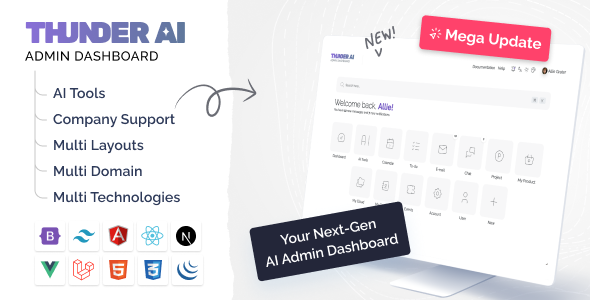
Thunder AI is an admin dashboard UI kit and HTML template designed for building backend interfaces across various niches, particularly useful for developers needing a quick start on SaaS or internal tools.
Streamlining Backend Development for SaaS and AI Applications
Starting a complex admin dashboard from scratch is a significant time sink. This kit addresses that by offering a wide array of pre-built modules for common SaaS needs, like HRMS or project management. For agencies, this can mean shaving off a solid 20-30 hours per project on initial UI scaffolding, allowing teams to focus on backend integration and custom business logic instead of laying out basic components.
It's a smart investment for anyone regularly spinning up admin panels or internal tools, especially those with specialized requirements. Building a custom UI for something like an EV charging station dashboard or a hospital management system usually involves extensive bespoke design, but this template provides a solid foundation.
Examining the Thunder AI Dashboard Template's Technical Foundation
The core of Thunder AI is an HTML, CSS, and Bootstrap framework, with additional starter kits provided for various JavaScript frameworks and Laravel. This means the underlying structure is familiar and relatively easy to work with for most front-end developers. For a business owner, this translates to lower development costs and faster iteration cycles, as developers can quickly understand and modify the existing codebase.
The sheer breadth of niche modules is notable. These aren't just generic dashboards; they attempt to include specific screens and data representations relevant to those industries. For instance, the hospital module includes patient, doctor, pharmacy, and lab screens, which usually require extensive custom design work. This level of detail, even in a template, provides a significant head start.
- CSS Structure: The template leverages Bootstrap with CSS Variables. This setup makes global style adjustments, like changing brand colors or typography, straightforward. You can modify a few variables to impact the entire theme, which is great for maintaining consistency and speeding up branding efforts.
- Asset Loading: In our experience with similar frameworks, the asset loading feels standard for a Bootstrap-based template. It's not inherently bloated, but it's also not aggressively optimized for Core Web Vitals out of the box. You'll still need to implement standard practices like image compression and lazy loading if performance is a critical factor for your dashboard users.
- Mobile Responsiveness: The layouts generally adapt well to various screen sizes. The mobile menu collapses predictably, and data tables typically scroll horizontally when content overflows, preventing layout breaks. This ensures a consistent experience for users accessing the dashboard from different devices, which is crucial for any internal tool.
- Semantic HTML: The template generally follows standard semantic HTML practices for headings and sectioning elements. This provides a decent baseline for accessibility and search engine visibility. However, for complex interactive components, additional ARIA attributes might be necessary to meet strict WCAG compliance.
- Framework Starter Kits: The inclusion of starter kits for React, Angular, Vue, Next.js, and Laravel is a significant advantage. This means you're not just getting static HTML; you have a starting point for integrating it into a dynamic application, saving time on initial setup and componentization.
What Impresses in this Admin Dashboard UI Kit
The most impressive aspect of Thunder AI is the sheer number of specialized modules it offers. It goes beyond a generic dashboard, providing specific UI for very distinct business needs, from HR management to crypto trading and even EV charging stations. This depth of pre-built, niche-specific UI is a real time-saver.
Compared to market-average templates, Thunder AI stands out by offering domain-specific layouts that are usually absent or rudimentary. This means less custom design and development work for common industry-specific features, allowing teams to allocate resources to more unique aspects of their product.
Identifying the Ideal User for the Thunder AI Template
This template is ideal for agencies needing fast turnarounds on client portals, startups launching SaaS products that require a feature-rich admin panel quickly, or internal development teams building specialized tools. It's particularly strong for projects that align with its pre-built niche modules, offering a significant head start on complex interfaces.
However, this template is not for those needing deep custom backend logic tightly integrated with the UI out of the box, or projects where the design needs to be entirely unique from the ground up, deviating significantly from Bootstrap's aesthetic.
Honest Limitations of the Thunder AI Admin Template
While the variety of modules is extensive, the UI/UX consistency across all of them isn't always perfect. Some sections feel more polished and thoughtfully designed than others, which is a common trade-off in large, multi-purpose kits. The visual design, while clean and functional, is quite standard Bootstrap. For a product marketed with "AI" in its name, I expected a slightly more distinct or futuristic visual language, but it largely sticks to a familiar, safe design.
Final Thoughts: Is it worth it?
Thunder AI offers substantial value for developers and teams looking to accelerate their admin panel development, especially for niche applications. The breadth of pre-built modules and framework starter kits means you're buying a significant head start, not just a barebones template. For the time it saves on initial UI setup and component development, it’s a logical investment that frees up resources for core business logic and custom features.
FAQ
Does this template include backend functionality?No, Thunder AI is a front-end HTML/CSS/JavaScript UI kit. It provides the visual structure and interactive components, but you will need to integrate your own backend logic and database connections.
Can I use this with a different JavaScript framework than the ones listed?While starter kits are provided for Angular, React, Vue, and Next.js, the core HTML and CSS can technically be adapted to any front-end framework. However, integrating it with a framework not explicitly supported might require more manual effort to componentize the HTML.
How easy is it to customize the overall theme colors and fonts?The template leverages CSS Variables, making global color and typography changes relatively straightforward. You can modify these variables to quickly adjust the branding without extensive CSS overrides.
Are the "AI Tools" modules actual functional AI integrations?The "AI Tools" modules provide UI layouts and components designed for AI use cases like text generation or image processing interfaces. They are visual templates and do not include actual AI model integration or processing capabilities; you would connect your own AI services.