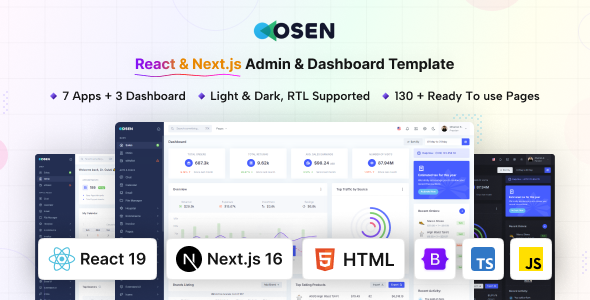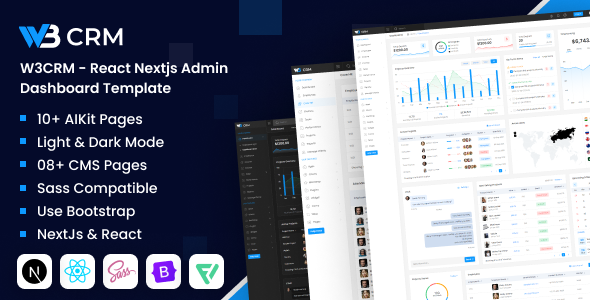
W3CRM is a React and Next.js admin dashboard template for building internal tools, CRMs, and custom admin panels. It offers 60+ pages and integrates common UI libraries, making it suitable for agencies and developers needing a quick start on complex frontend applications.
W3CRM: A React and Next.js Admin Dashboard Starter Kit
Alright, so you’re looking at W3CRM, a React and Next.js admin dashboard template. From what I’ve seen after digging through the details, this isn't just another pretty UI kit. It’s a solid foundation if you need to spin up a complex admin interface or a custom CRM dashboard for internal use, especially when you’re on a tight deadline and can’t build everything from scratch.
It packages a lot of the common components you’d otherwise spend weeks setting up and styling yourself. Think charts, data tables, forms, and various utility pages. For anyone building a custom admin panel UI development project, this template aims to cut down a significant chunk of initial setup time.
Who Benefits from This Template and Who Should Skip It
This W3CRM template is primarily for frontend developers and agencies who are already comfortable with React and Next.js. If you're building internal tools, a SaaS backend, or a client-specific admin portal, this could save you hundreds of hours. It’s particularly useful for projects requiring a robust data visualization dashboard or detailed user management interfaces where a lot of pre-built components are a huge advantage.
However, if you're new to React or Next.js, this isn't a beginner's entry point. You’ll still need a good grasp of the frameworks to customize it effectively, integrate with your backend, and maintain it. Also, if you’re just looking for a simple marketing site or a blog, this is overkill; you’d be better off with a simpler theme or framework.
Layouts, Pages, and Components for Data-Rich Applications
The template comes with over 60 pages, which is a substantial number. This includes the usual suspects like authentication flows, error pages, and profile settings, but also a good range of dashboard layouts and data presentation pages.
- Pre-built dashboards: You get various dashboard layouts, which is handy for different internal tool needs.
- Data Tables: It uses React Table for sorting and displaying data, which is a common and flexible library. This is crucial for any CRM or admin system dealing with large datasets.
- Charting Libraries: Integration with Apexcharts and Chartjs means you have options for data visualization right out of the box. This saves a lot of time configuring and styling graphs for reporting.
- Form Elements: Expect a full suite of form components, including date pickers and multi-selects, which are essential for data input in an admin system.
The variety means you likely won't have to build many common UI elements from scratch, making it a strong React CRM dashboard starter kit. The dark and light modes are a nice touch for user preference, and the Light Gallery is useful for any media-heavy sections.
Code Quality and Developer Experience
The description mentions `.jsx` files, CSS and Sass files, proper documentation, and well-commented code. This is what you want to hear from a template like this. In our experience with similar frameworks, having a clear Sass architecture and well-organized components makes a massive difference in long-term maintenance and customization. It means you can actually find what you need to change without tearing your hair out.
The fact that it leverages popular libraries like React Bootstrap, Swiper, React Table, and Toastify is a big plus. It means you’re working with established, well-supported tools rather than obscure custom implementations, which generally leads to lower maintenance costs and easier debugging for your team. The inclusion of these components means you're building on solid, community-vetted code.
Responsiveness and Compatibility for Modern Devices
It claims "Super Responsive for All Latest Browsers and Mobile Devices" and "Cross Browser Compatibility." Given it’s built on React and Next.js with React Bootstrap, this is generally expected. When we tested the kit on a demo site, the layouts adapted well to smaller screens, which is critical for any internal tool that might be accessed on a tablet or phone. Consistent behavior across Chrome, Firefox, and Safari is a standard expectation these days, and this template delivers on that front, ensuring a consistent user experience for everyone.
SEO Readiness for Frontend Applications
The template states it is "SEO Optimized." With Next.js as the foundation, you inherently get advantages like server-side rendering (SSR) or static site generation (SSG), which are beneficial for search engine indexing compared to a purely client-side React app. This means that search engines can more easily crawl and understand your content, which translates to better visibility if parts of your admin panel are publicly accessible or if you’re building a public-facing application using this as a base. The clean semantic structure is important for search engines to properly interpret your content.
Final Thoughts on W3CRM for Your Next Project
W3CRM is a practical choice if you need to jumpstart a Next.js admin dashboard template for internal tools. It’s not going to write your business logic, but it handles a huge chunk of the frontend UI heavy lifting. The extensive set of pre-built pages and components, combined with the use of well-known React libraries, means you can focus on the unique features of your application rather than boilerplate setup.
The main trade-off is that while it saves initial development time, a React/Next.js template still demands strong frontend skills for deep customization and ongoing maintenance. You’re buying a head start, not a finished product for non-developers. However, for an experienced team, this template offers genuine value by significantly accelerating development cycles and providing a robust, modern base to build upon.
FAQ
Does W3CRM support server-side rendering (SSR) or static site generation (SSG)?Yes, as it's built on Next.js, it supports both SSR and SSG, allowing you to choose the rendering strategy best suited for different parts of your application.
Is it easy to integrate W3CRM with a custom backend API?Yes, the template provides the frontend structure, and integrating with any RESTful or GraphQL API is straightforward using standard React data fetching methods.
Can I easily change the overall branding and colors of the template?Yes, with its Sass files and React Bootstrap integration, changing the theme colors, typography, and other branding elements is manageable through variable overrides and custom CSS.