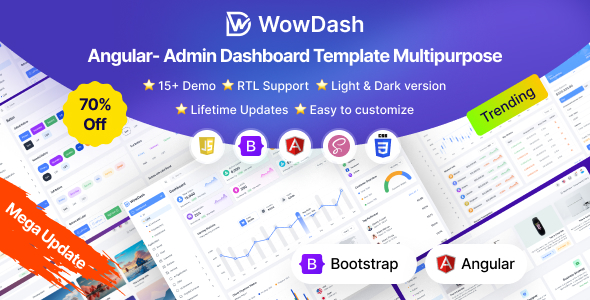
Webdash is a Bootstrap 5 admin dashboard HTML template for building complex web applications like CRMs, SaaS platforms, and financial dashboards. It's best suited for developers needing a solid foundation for data-heavy interfaces.
Webdash: A Bootstrap 5 Admin Template for Data-Intensive Applications
Alright, let's talk about Webdash. If you're building anything that needs to display a lot of data – think CRMs, SaaS backends, financial dashboards, or project management tools – this Bootstrap 5 admin template gives you a solid starting point. It's essentially a pre-built structure with a bunch of ready-made pages and components that save you from reinventing the wheel for common dashboard elements.
Who Should Use Webdash and Who Should Skip It
This template is a good fit for agencies and freelancers who need to get complex admin interfaces up and running quickly. If your project involves heavy data visualization, user management, or intricate reporting, the pre-built layouts and components will shave off significant development time. It's also a decent option if you're comfortable with Bootstrap and want a well-organized codebase to build upon.
However, if you're working on a very niche application with highly custom backend logic or a completely unique user experience that deviates significantly from standard dashboard patterns, this might not be the best choice. It's designed for efficiency within established paradigms, not for radical innovation in UI structure. Also, if you're not familiar with Bootstrap or frontend development workflows involving build tools like Webpack and Gulp, there will be a learning curve.
Solving the "Boilerplate Blues" for Dashboards
The main problem Webdash solves is the sheer tedium of building admin dashboards from scratch. Setting up navigation, creating data tables, integrating charts, and designing forms for every new project can eat up days, if not weeks. This template provides over 130 pre-designed HTML pages covering various use cases, from analytics and e-commerce to AI platforms. This means you're not starting from a blank canvas; you're starting with a functional, albeit basic, structure that you can then customize.
For anyone trying to launch an internal tool or a client-facing dashboard quickly, the pre-built elements like advanced charts and data tables are a real time-saver. It helps you achieve that professional look and feel without spending hours on styling basic UI elements, which is crucial when you need to present a functional prototype or MVP. This template is particularly useful for those focusing on building conversion-ready funnels within an admin interface.
Code Quality and Developer Experience
From a developer's perspective, Webdash uses SASS for its styling architecture, which is standard practice and makes managing CSS much easier than plain CSS files. The inclusion of Webpack and Gulp indicates a modern build process, meaning assets are compiled and optimized, which is good for performance. The code is generally well-organized, with clear file structures that make it easier to find and modify specific components.
The template adheres to standard accessibility practices, which is important for any web application that needs to be usable by a wide audience. Its semantic structure should also play well with SEO efforts, ensuring search engines can better understand the content of your admin interface if it's publicly accessible. While it boasts "developer friendly code," it's important to remember this is a template; deep customization will still require solid development skills.
Responsiveness and Compatibility Considerations
The template is built with Bootstrap 5, so responsiveness across different devices is a core feature. In our testing on a demo site, the layouts adapted well to various screen sizes, from desktops down to mobile phones. The mobile menu behavior is standard for Bootstrap themes, collapsing into a hamburger icon. It's also cross-browser compatible, which is essential for ensuring a consistent experience for all users, regardless of their browser.
One small detail is how the layout handles very long text strings within tables or cards. While the default styling is clean, you might need to add some specific CSS to manage overflow or word wrapping in certain scenarios to maintain readability on smaller screens. This is a common adjustment needed with most templates, but it's worth noting.
SEO Readiness for Admin Interfaces
Webdash emphasizes SEO-friendly markup, which is a positive. This means the HTML structure is built with semantic tags, making it easier for search engines to crawl and understand the content. While the primary purpose of an admin dashboard isn't usually direct search engine ranking, having a clean, semantic structure is beneficial for internal search functions and overall site health if parts of the admin are indexed. It also helps with maintainability and understanding the code.
Final Thoughts on Investing in Webdash
If you're frequently building admin panels, CRMs, or similar data-centric applications, Webdash is a smart investment. It provides a robust foundation with a wide array of pre-built pages and components, significantly reducing development time and effort. While it's not a magic bullet and still requires development expertise for customization, it streamlines the initial setup process, allowing you to focus on the unique logic of your application rather than basic UI construction. It's a practical tool for developers aiming for efficiency and a professional outcome.
FAQ
Is Webdash suitable for beginners with limited Bootstrap experience?While Webdash is built on Bootstrap 5, a beginner might find the setup and customization challenging without prior experience with the framework and its associated build tools.
How does Webdash handle performance for large datasets?The template provides components like data tables and charts, but optimal performance with large datasets will depend on your implementation, server-side processing, and any specific optimizations you add.
Can I easily integrate custom JavaScript functionality with Webdash?Yes, the developer-friendly structure and use of modern build tools like Webpack make it relatively straightforward to integrate custom JavaScript functionalities and plugins.