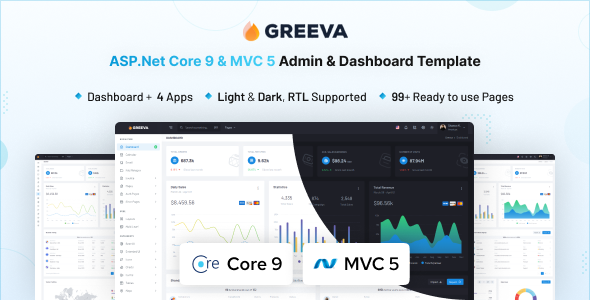
Metor is an ASP.NET Core admin dashboard template specifically designed for restaurant and food-related web applications. It provides a solid UI foundation for developers needing to quickly set up backend management systems.
Speeding Up Restaurant Management System Development
Building admin panels from scratch, especially for niche applications like restaurants or food delivery services, is a significant time sink. This often involves repeatedly creating common UI elements such as order lists, menu management forms, or customer dashboards. Metor addresses this directly by offering a comprehensive set of pre-built components and pages tailored to a restaurant context, saving significant development hours. For agencies building restaurant management system backend solutions, where rapid deployment and time-to-market are crucial, this template can drastically cut down on initial setup time and styling work.
Technical Standards and Practical Code Structure for ASP.NET UI Kits
From a developer's perspective, Metor is built on familiar ground with Bootstrap 5 and SCSS, which means most front-end developers will find it easy to navigate. The integration with ASP.NET Core 9 positions it well for modern backend applications. When we tested the Metor kit on a demo site, the initial asset loading felt reasonably optimized for a Bootstrap-heavy template, suggesting a decent focus on performance out of the box. This translates to a smoother experience for administrators and potentially better Core Web Vitals for the admin interface itself, which can lower maintenance costs for ongoing changes and improve the mobile experience for managing the system on the go.
- SCSS architecture: The SCSS structure is well-organized and modular, making global style changes straightforward and overriding specific components less of a headache compared to some other templates.
- Component Variety: There's a wide range of pre-built UI components, which helps immensely when building out complex forms and data displays for a food delivery app backend, covering most common use cases.
- Mobile Responsiveness: The layouts adapt predictably across various screen sizes, which is standard for Bootstrap but well-implemented here, ensuring the admin panel is usable on any device.
- Page Templates: The inclusion of common pages like invoices, timelines, and various error states means less time spent on designing and coding boilerplate pages from scratch.
- Accessibility: The semantic HTML structure appears clean and well-formed, providing a good starting point for meeting standard accessibility practices without much extra work.
- Asset Management: Initial asset loading is decent, which is important for Core Web Vitals and a smooth experience for backend users, minimizing perceived lag.
What Impresses Most About This ASP.NET Core Dashboard Template
What stands out is Metor's focus on the restaurant niche within the ASP.NET Core ecosystem. It's not just another generic admin template; the page examples and component naming consistently lean into the food service context. This saves developers the mental overhead of adapting a generic UI kit to specific industry needs. The sheer breadth of UI components and pre-designed pages means most common admin tasks for a restaurant or food delivery application are covered from the start, making it a strong contender for streamlining ASP.NET Core dashboard development.
Who Should Use Metor for Their Food Service Application Backend
This template is ideal for ASP.NET Core developers and agencies who regularly build backend systems for restaurants, cafes, or food delivery services and need to accelerate their UI development. It’s also a good fit for startups looking to quickly launch an MVP for a food-related service without spending excessive time on custom admin panel design. This isn't the right fit if you're looking for a front-end only solution or if your project requires a deep, custom UI framework outside of Bootstrap.
Realistic Limitations of This ASP.NET Core UI Kit
While Metor is extensive, some of the more generic components, common to many Bootstrap admin templates, might feel less unique if not customized. The sheer volume of "99+ pages" and "400+ UI components" can sometimes mean a larger initial bundle size than strictly necessary for smaller applications, potentially impacting initial load times if not optimized. After building multiple agency sites with tools like this, one thing I’d typically look to improve is the default bundling strategy for assets. While functional, it might require some optimization to ensure only truly needed components are loaded, especially for smaller projects.
Final Thoughts: Is it worth it?
For any developer or agency focused on streamlining ASP.NET Core dashboard development for the food service industry, Metor offers a strong, practical starting point. It's a solid investment that genuinely cuts down on boilerplate work, letting you focus on the unique business logic rather than recreating common UI elements. If you're building a backend for a restaurant, this template will save you considerable time and effort.
FAQ
Is Metor easy to integrate into an existing ASP.NET Core project?Yes, the template is structured to be integrated into an existing ASP.NET Core application, though some setup and configuration will be required to align it with your project's specific architecture.
Does this template support real-time data updates for order management?The template provides the UI components for displaying data, but real-time functionality like live order updates would need to be implemented separately using technologies such as SignalR on your backend.
How customizable is the Metor UI for specific restaurant branding?It is built with SCSS, allowing for extensive customization of colors, typography, and other visual elements through variable changes, making it adaptable to various brand identities.
Are there specific database integrations included with the template?No, the Metor template focuses on the front-end UI for the admin dashboard; database integration and backend API development are left to the developer to implement based on their project's needs.
.png)