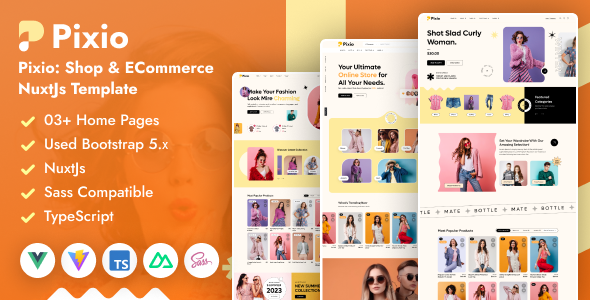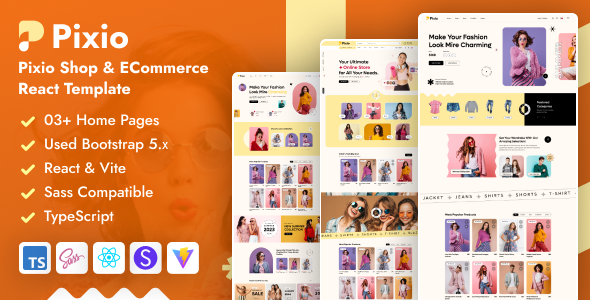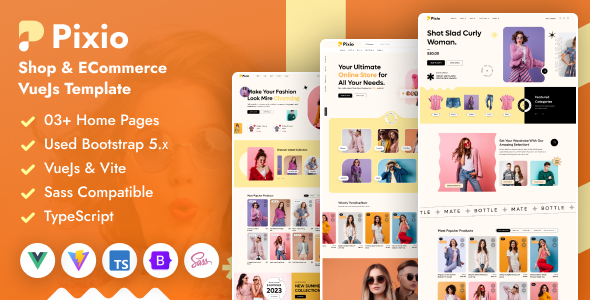
Pixio Shop is a Vue.js ecommerce template built with Vite, offering a large number of pre-built pages for online stores. It's designed for developers who need to quickly assemble a functional online shop without starting from scratch.
Pixio Shop: A Vue.js Ecommerce Template for Rapid Online Store Development
Alright, let's talk about Pixio Shop. This is a Vue.js ecommerce template, and frankly, it's a pretty substantial package. If you're tasked with building an online store and want to avoid spending weeks on basic setup and styling, this could be a shortcut. It's built using Vue 3, TypeScript, and Vite, which means it's using relatively current frontend technologies.
The core problem this template solves is the sheer amount of repetitive work involved in setting up an ecommerce site. We're talking about product pages, cart, checkout, account pages, and all the associated layouts. Pixio Shop bundles a lot of these out of the box, so instead of coding them from scratch, you're essentially customizing and integrating.
Who Should Consider Pixio Shop and Who Should Look Elsewhere
This template is primarily for developers or agencies needing to launch ecommerce projects with speed. If your clients have standard online retail needs and don't require highly custom backend logic or unique frontend interactions, this can save you significant time. It's a good fit for those who understand Vue.js and can work with pre-built components to adapt them to specific branding and product catalogs. If you're looking for a quick way to get an ecommerce MVP out the door, this is worth a look.
However, if you're building a highly specialized ecommerce platform with complex custom features, or if your team primarily works with a different framework, this might not be the best investment. It's also not for designers who want to build everything visually with drag-and-drop tools; this is a code-based template.
Layouts, Pages, and Components Included
The sheer volume of pages included is one of Pixio Shop's main selling points. You get over 97 inner pages, including 19 shop pages and 27 blog pages. This means you're likely to find pre-designed layouts for almost any scenario you'll encounter in a standard online store. The shop pages cover various display styles like standard, list, and grid, along with different product page variations. The blog section is also quite extensive, offering multiple column layouts and detail page styles.
What's useful here is the sheer variety. When you're building a site, having multiple options for a product listing or a blog post layout means you can present content in a way that best suits the client's brand. It's not just about having pages, but having well-structured pages that cover common ecommerce flows.
Ecommerce and Business-Related Features
Naturally, an ecommerce template needs solid ecommerce functionality, and Pixio Shop delivers on this. It includes all the essential pages like wishlist, cart, checkout, and my account. This covers the core user journey for online shopping. The inclusion of different shop and product page structures allows for flexibility in how products are displayed and detailed. For anyone building an online store, having these critical components pre-built means a faster path to a functional store.
The template also includes various header and footer styles. While this might seem minor, consistency in design elements like headers and footers across an entire site is crucial. Having multiple options means you can easily match the site to the client's branding without extensive custom CSS.
Code Quality and Developer Experience
Based on the structure, Pixio Shop uses SCSS, which is a standard for theming and allows for better organization of CSS. The use of Vue 3 and Vite suggests a modern development setup that should offer good performance during development. The inclusion of .vue and .ts files means developers will be working with standard component-based architecture, which is generally maintainable. The "Clean Code & Design" claim is standard, but the practical benefit is that it should be easier to navigate and modify the codebase without running into spaghetti code.
One thing to note is that while it claims "easy to customize," this is always relative. For someone familiar with Vue.js, it should be straightforward. For a beginner, any template can have a learning curve. The documentation is also provided, which is essential for understanding how to best utilize and modify the template.
Responsiveness and Compatibility
The template is advertised as "Fully Responsive," which is a must-have for any modern website, especially an ecommerce site where users browse on various devices. This means the layouts should adapt well to different screen sizes, from desktops to mobile phones. This is critical for user experience and can impact conversion rates. A well-behaving mobile menu is also included, which is standard but important for navigation on smaller screens.
SEO Readiness
While no template can guarantee SEO rankings, Pixio Shop uses Bootstrap, which provides a solid foundation for semantic structure. Using semantic HTML is important for search engines to understand the content of your pages. This template also uses Google Fonts, which can be loaded efficiently, potentially impacting Core Web Vitals positively if implemented correctly. Developers should still ensure proper alt text for images and well-structured content, but the template provides a clean base.
Making the Smart Investment for Your Next Ecommerce Project
Ultimately, Pixio Shop is a practical tool for developers needing to build ecommerce sites quickly. It offers a vast array of pre-designed pages and components that cover most common online retail needs. By leveraging this template, you can significantly reduce development time and focus on customization and business logic rather than reinventing basic UI elements. It's a solid choice if you're working within the Vue.js ecosystem and need to deliver functional online stores efficiently.
FAQ
Is this template suitable for building a custom ecommerce platform with unique features?
This template is best suited for standard ecommerce needs. For highly custom platforms, you might find yourself fighting against the template's structure rather than leveraging it.
How easy is it to integrate custom backend logic with this Vue.js template?
Integration depends on your backend technology and familiarity with Vue.js. The template provides the frontend structure; connecting it to your API or backend services will require development effort.
What is the practical benefit of using Vite for this template?
Vite offers a much faster development server and build times compared to older bundlers, leading to a smoother and quicker development workflow for developers.
Does this template handle internationalization (multiple languages) out of the box?
The description doesn't explicitly mention internationalization features, so you would likely need to implement this yourself.