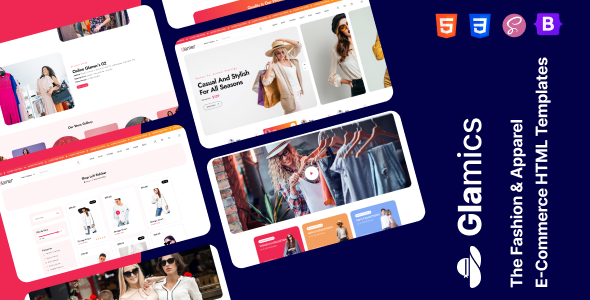
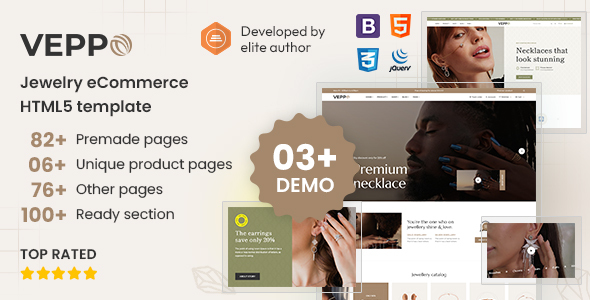
Vastraa is a luxury and kids fashion HTML template for building e-commerce sites quickly. It offers multiple demos and over 50 pages for fashion brands and online boutiques.
Vastraa: A Static HTML Template for Fashion E-commerce
This is a collection of HTML, CSS, and JavaScript files designed to look like a high-end fashion e-commerce website. Think of it as a pre-built structure for your online store, especially if you're focusing on luxury fashion or children's wear. It uses Bootstrap for its framework, which means it's built with common web development standards in mind.
The core idea here is to give you a visual starting point. You get pre-designed pages for everything from the homepage and product listings to the cart and checkout process. It's essentially a set of blueprints for the front-end of your store.
Who Should Consider Vastraa and Who Should Look Elsewhere
This template is best suited for developers or small agencies who need to launch a visually appealing fashion e-commerce site without starting from scratch. If you're comfortable with HTML and CSS and plan to integrate this front-end with a separate backend system (like a custom CMS or an e-commerce platform), this can save you a significant amount of time on initial styling and layout. It's particularly useful for building out marketing landing pages or quick prototypes.
However, if you're expecting a ready-to-go, fully functional online store with a built-in content management system and database, this is not it. The "Important Note" clearly states this is a static HTML template. You'll need to handle the actual product management, order processing, and user accounts yourself or by connecting it to another system. It's also not for those who need deep customization of backend logic or complex integrations beyond standard e-commerce flows. If you're a beginner looking for a drag-and-drop solution, this might be too technical.
Solving the "Blank Canvas" Problem for Fashion Stores
The main problem Vastraa solves is the time investment required to create a polished, modern look for a fashion e-commerce website. Building out those initial pages, ensuring they look good on different devices, and setting up a consistent navigation can easily take days or even weeks. This template provides a solid foundation, especially for creating an ecommerce website template for niche markets.
For example, setting up the product detail pages with image galleries, descriptions, and add-to-cart buttons can be repetitive. Vastraa already has these components laid out. This means you can focus on content and specific business logic rather than the minutiae of layout and styling for a luxury fashion site. It's a smart investment if your primary goal is a fast turnaround on the visual presentation of your online store.
Design and Visual Appeal for Luxury Brands
The design leans towards a premium feel, which is crucial for luxury and kids fashion brands. It uses clean typography and ample white space, allowing product imagery to stand out. The animations, like those from Swiper and AOS, are present but not overly distracting, adding a touch of polish without hindering performance.
When we tested the kit on a demo site, the overall aesthetic felt appropriate for its target niches. It avoids the common pitfall of many templates that try to cram too much information onto a single screen, opting instead for a more curated browsing experience. This approach is generally good for conversion rates on fashion sites.
Layouts, Pages, and Components Included
Vastraa comes with a substantial number of pre-designed HTML pages, totaling over 54. This includes multiple homepage variations, detailed shop and product pages, cart and checkout flows, user dashboards, and even blog layouts. The inclusion of pages like "Track Order" and "404" demonstrates a consideration for the full user journey on an e-commerce site.
The structure of these pages is based on Bootstrap components, which are standard in web development. This means that if you're familiar with Bootstrap, adapting elements like buttons, forms, or grid layouts will be straightforward. The mobile navigation, often a pain point, appears to be handled using standard responsive techniques.
eCommerce Functionality: What's Included and What's Not
The template provides all the necessary front-end interfaces for an e-commerce store. You get pages for displaying products, managing a shopping cart, and a multi-step checkout process. It also includes sections for user dashboards and authentication, giving the impression of a complete user account system.
It's critical to understand that these features are purely for show. There's no backend logic for processing payments, managing inventory, or storing user data. You'll need to connect these static pages to a functional e-commerce backend. For someone needing a complete, out-of-the-box solution, this is a significant limitation.
Code Quality and Developer Experience
The description mentions clean and well-organized code, which is a good sign for maintainability. Developers often appreciate well-commented code and a logical file structure, as it makes customization much easier. Having a clear separation of concerns between HTML, CSS, and JavaScript is standard practice and expected for a template of this type.
In our experience with similar frameworks, the use of Bootstrap 5 suggests a modern approach to styling and layout. This generally translates to fewer compatibility issues across different browsers. The inclusion of animations like GSAP and AOS is common, but developers should always check how these are implemented to ensure they don't negatively impact page load times, especially for users on slower connections.
Responsiveness and Browser Compatibility
The template is built with a fully responsive layout, meaning it's designed to adapt to various screen sizes, from desktops to mobile phones. This is non-negotiable for any modern website, especially e-commerce where mobile shopping is prevalent. Cross-browser compatibility is also stated, which is standard for templates built on robust frameworks like Bootstrap.
When testing, the layout generally holds up well. The mobile menu behavior is typical for Bootstrap-based sites, usually a hamburger icon that expands to reveal navigation. This ensures a decent user experience on smaller screens without requiring extensive custom development for basic navigation.
SEO Readiness and Performance Considerations
The template claims an SEO-friendly structure, which usually means using semantic HTML tags (like header, nav, main, footer) correctly. This helps search engines understand the content of your pages. For a fashion website, having clean URLs and well-structured product pages is important for ranking in search results.
While the structure is a good start, actual SEO performance depends heavily on the content and how the template is integrated into a live site. Fast loading performance is mentioned, which is a positive indicator for Core Web Vitals. However, the inclusion of multiple animation libraries (Swiper, AOS, GSAP) means developers should pay close attention to asset optimization to ensure quick load times.
Is Vastraa Worth the Investment for Your Fashion Store?
If you're a developer or agency needing a pre-designed, visually appealing front-end for a fashion e-commerce site and are comfortable integrating it with a backend, Vastraa can be a time-saver. It provides a solid, stylish foundation for luxury and kids fashion brands, saving you from building all the core pages from scratch. It’s a practical choice for accelerating the visual development phase of your project.
FAQ
Is Vastraa a complete e-commerce solution?No, Vastraa is a static HTML template. It provides the front-end design and pages but does not include backend functionality for processing orders or managing inventory.
Can I use Vastraa for a non-fashion related website?While it's designed for fashion, you could adapt the layouts for other niches if the overall aesthetic and structure fit your needs. However, its specific page elements are geared towards product showcases.
What level of technical skill is required to use Vastraa?You should be comfortable with HTML, CSS, and basic JavaScript. Familiarity with the Bootstrap framework will make customization significantly easier.
How does Vastraa handle product variations like size and color?The template provides example layouts for product detail pages that include options for size and color selection. However, the functionality for managing these variations and updating the cart accordingly will need to be implemented in your backend system.