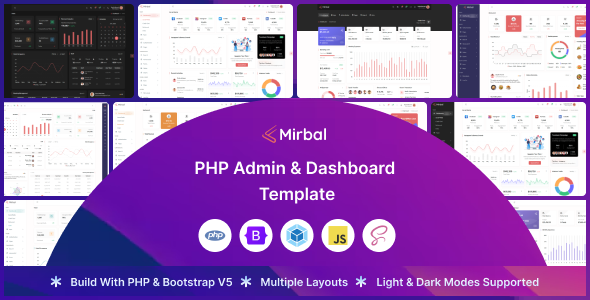
Mirbal is a PHP admin dashboard template built on Bootstrap, offering a solid starting point for internal tools, CRMs, or any web application requiring an administrative interface. It's aimed at developers who need to get a backend UI up and running quickly without extensive custom design work.
Streamlining Backend UI Development for PHP Projects
Building a functional admin interface from the ground up, even with a modern component library, eats up significant development time. Mirbal addresses the workflow problem of needing a robust, pre-designed backend UI for PHP applications. For agencies, this means cutting down initial setup by days, which translates directly to lower project costs for clients and faster delivery. It lets you focus on the application's core logic rather than endlessly styling common elements like data tables or authentication forms.
Technical Foundation and Code Structure in Mirbal
Mirbal is built on PHP and Bootstrap, leveraging Webpack for asset compilation and SCSS for styling. This setup is standard for modern web projects, providing a familiar environment for most developers. The inclusion of Webpack means assets are managed and optimized, which contributes to better page load times and a smoother user experience, something even non-technical stakeholders appreciate. The HTML structure generally follows semantic principles, which is good for accessibility and search engine indexing without needing extensive cleanup.
- The SCSS organization is logical, separating variables, mixins, and component styles, making it relatively straightforward to override or extend. This reduces the learning curve for new team members.
- Asset loading feels well-managed through Webpack, preventing unnecessary render-blocking resources. This directly impacts Core Web Vitals, leading to better search rankings and a smoother feel for users.
- The mobile menu implementation is a standard off-canvas pattern, behaving predictably across devices. This ensures a consistent experience for users accessing the admin panel on the go.
- Layouts handle long text content gracefully within data tables and cards, avoiding common overflow issues seen in less polished templates. This attention to detail reduces post-implementation styling fixes.
- The PHP backend integration is a basic structure, providing a clean starting point for connecting to your own application logic. It avoids unnecessary framework bloat, which can complicate maintenance.
What Mirbal Does Well
What stands out is the sheer volume of pre-built pages and components. You get multiple dashboard layouts, various charts, form elements, and authentication pages right out of the box. This saves a tremendous amount of time on initial setup. The dark and light modes, along with RTL support, are also well-implemented, making it adaptable for different user preferences and global audiences without extra development effort. In our experience with similar frameworks, having these basics covered so thoroughly is a significant advantage.
Ideal Use Cases for Mirbal
This template is best suited for agencies building custom PHP applications or startups needing a functional admin panel quickly, especially where Bootstrap is already part of the tech stack. It's also a good fit for internal tools that require a clean, maintainable interface without starting from scratch. However, if your project demands a highly unique, bespoke UI with very specific design system requirements beyond Bootstrap, or if you need deep, pre-integrated custom backend logic, you might find yourself doing more refactoring than building.
Practical Limitations and Areas for Improvement
While the component library is extensive, some of the advanced components, like certain data tables or complex form elements, are standard Bootstrap implementations without much added custom functionality. This means if you need highly interactive or specialized data manipulation, you'll still be integrating external libraries or writing custom JavaScript. The overall design, while clean, doesn't push any boundaries; it's a solid, functional aesthetic that won't necessarily make your application stand out visually compared to a custom-designed interface.
Final Thoughts: Is it worth it?
Mirbal delivers on its promise of providing a solid, functional PHP admin dashboard template. For developers and teams looking to significantly cut down on the initial setup time for backend interfaces, this template is a smart investment. It handles the foundational UI work reliably, freeing up resources to focus on application-specific features. If your goal is efficiency and a robust starting point, it absolutely justifies the cost by saving valuable development hours.
FAQ
How does Mirbal handle data integration with my PHP backend?Mirbal provides the frontend UI components and a basic PHP structure. You'll need to integrate your specific backend logic, database queries, and API endpoints to populate the dashboard with dynamic data.
Is the template compatible with popular PHP frameworks like Laravel or Symfony?Yes, the template provides the frontend assets and a basic PHP file structure. You can integrate these assets into any PHP framework by adapting the views and asset compilation process to your framework's conventions.
What is the typical performance impact of using a template like Mirbal?Since Mirbal uses Webpack for asset bundling and relies on Bootstrap, its core performance is generally good. However, the ultimate impact depends on your server setup, how many components you render, and your specific data loading strategies.