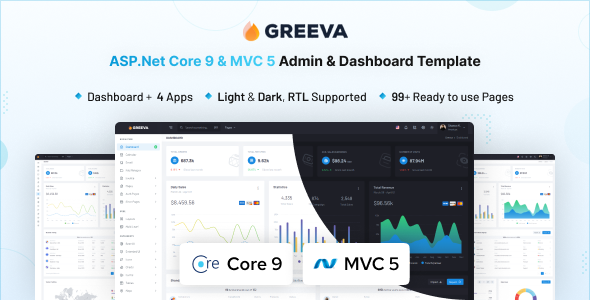
Greeva is an ASP.NET Core 9x MVC5 admin dashboard template. It provides 80+ pages, 200+ UI components, and apps, perfect for .NET developers building a robust backend UI quickly.
Greeva: A Solid ASP.NET Core Admin Dashboard Template
This isn't just another generic frontend UI kit. Greeva is specifically an ASP.NET Core admin dashboard template built with MVC5 and Bootstrap. It solves the significant time sink of setting up common backend interfaces from scratch when you're working within the Microsoft tech stack.
It provides a pre-wired foundation, handling UI heavy lifting so you can focus on server-side business logic and database interactions for internal tools, CRMs, or data-heavy applications.
Who Needs This MVC5 Backend UI Kit, and Who Doesn't?
This template is clearly aimed at .NET developers and agencies that regularly build web applications using ASP.NET Core and MVC, especially if you need a feature-rich interface for data management or reporting. If you're an agency needing fast turnarounds on client admin portals or a solo developer wanting to accelerate your project, this is for you.
However, if your project is purely frontend with a separate API, or if you're not using the Microsoft stack at all, this won't be a good fit. It's also not for those needing deep custom backend logic that deviates heavily from typical CRUD operations without significant extension.
Greeva's Clean Design and Theming Options
The design here is clean and functional, exactly what you want for an admin panel. It's not flashy, which is a good thing for user experience in a data-driven environment. You get both light and dark themes, which are attribute-based, making it straightforward to implement a user preference toggle without complex state management.
The responsiveness feels solid across devices, handling content scaling and menu collapses predictably for a consistent user experience. This is crucial for internal tools where staff might access dashboards on tablets or phones.
Comprehensive UI Components and Pre-built Admin Apps
Greeva comes packed with over 80 pages and 200 UI components, a substantial offering for an ASP.NET Core admin dashboard template. It covers almost every common UI pattern you'd expect.
- Forms and Widgets: It includes rich form elements, validation, and wizard components, which are often time-consuming to build and style correctly.
- Data Display: Advanced Datatables are a highlight. In our experience, these save many hours on styling and configuring complex data views.
- Charts: With over 30 chart types, you have plenty of options for data visualization without integrating a separate library.
- Built-in Apps: The Calendar, File Manager, Invoice, and Email apps are genuinely useful. These aren't just placeholder pages; they provide a functional starting point for common administrative tasks, saving you from building these from scratch.
The inclusion of all Bootstrap components and extras like drag and drop means fewer third-party integrations are needed initially.
Developer-Friendly Structure for a Bootstrap 5 Admin Panel
Built with ASP.NET Core 9x and MVC5, this template aligns with current Microsoft development practices. The use of Bootstrap ensures a familiar and well-supported frontend framework.
One practical benefit is the extensive use of SCSS variables for customization. Branding changes, like altering primary colors or font stacks, are a matter of updating a few SCSS variables, not digging through hundreds of CSS lines. This significantly lowers maintenance costs and speeds up initial setup.
The documentation is thorough, which is always a relief when integrating a new template. The file organization feels logical, making it easy to locate specific views, controllers, or assets, a step above many market-average templates we've encountered.
Reliable Responsiveness Across Devices
The template is fully responsive, a baseline expectation these days but still worth noting. When we tested the kit on a demo site, it adapted well across various screen sizes, from large desktop monitors down to mobile phones.
This consistent behavior ensures internal users can access and manage data effectively, leading to a better mobile experience and higher productivity.
Clean Semantic Structure for Backend SEO
While an admin dashboard isn't typically indexed, code quality still matters for maintainability and performance. Greeva uses clean semantic HTML structure, which is good practice. This helps with accessibility and ensures a solid foundation for any public-facing components you might build on top.
Efficient asset loading means faster load times for your team, making their daily work more efficient.
Greeva: A Smart Investment for ASP.NET Core Projects
Greeva offers a solid head start for any ASP.NET Core MVC project needing an admin interface. It's not revolutionary in design, but it's functional, well-organized, and packed with features that genuinely save development time.
While it provides flexibility for common admin tasks, highly unique UI requirements will still need custom work. However, for quickly launching a robust MVC5 backend UI kit, this is a smart investment that cuts down on boilerplate development hours.
One thing I'd consider average is the visual styling itself; it's clean and functional, but doesn't push any design boundaries. It's a workhorse, not a show pony, which is often exactly what you need for an admin panel.
FAQ
Does Greeva support both light and dark modes?Yes, it includes both light and dark themes which are attribute-based for straightforward implementation and toggling.
Is this template suitable for a large-scale enterprise application?It provides a robust UI foundation, but scaling to enterprise levels will depend on your backend architecture and custom logic. The UI components are certainly capable.
How easy is it to customize the template's appearance?Customization is relatively easy thanks to the extensive use of SCSS variables, allowing you to quickly change colors, fonts, and other visual elements.
Are the included applications like Calendar and Invoice fully functional out of the box?They provide functional starting points and layouts. You will still need to connect them to your specific backend data sources and implement your business logic.