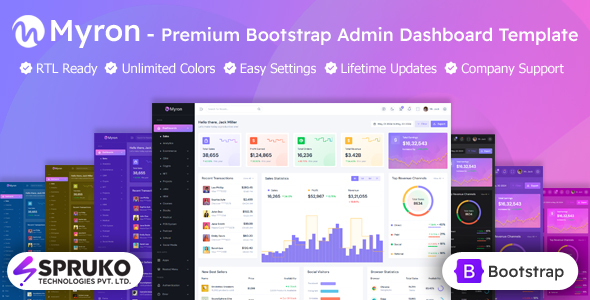
DashboardKit is a Bootstrap-based admin dashboard template with over 170 ready-to-use pages and components. It's ideal for developers and agencies building backend interfaces quickly.
Understanding DashboardKit: A Bootstrap Admin Dashboard Template
This product is essentially a comprehensive UI kit for building administrative panels and dashboards. It's built on Bootstrap, which means a familiar, well-structured foundation. The claim of 170+ conceptual pages isn't just filler; it covers a wide range of common admin screens, from analytics dashboards to login forms and basic data tables. This isn't a full-stack solution, but a front-end accelerator.
Who Benefits from this Admin Panel UI Kit and Who Should Skip It
DashboardKit is particularly useful for agencies or freelancers who need to spin up functional client admin interfaces on a tight schedule. It's a solid choice for in-house development teams looking to quickly prototype or deploy a standard backend UI without starting from scratch. If your team is already familiar with Bootstrap, the learning curve will be minimal, making it a quick win.
However, if you require an extremely unique, custom-designed backend UI that deviates significantly from Bootstrap's aesthetic, or if you're building a highly specialized application needing deeply integrated, custom front-end logic right out of the box, this might be too generic. It's a toolkit for speed and common patterns, not for bespoke, highly experimental interfaces.
Design Approach and User Interface Clarity
The design adheres to modern, clean Bootstrap aesthetics. It prioritizes clarity and functionality over flashy, custom animations or groundbreaking visual styles. For an admin dashboard template, this is often a strength; users typically want to process information efficiently, not be distracted by complex UI elements. The pages are laid out conceptually, meaning they aim to solve common data presentation and interaction problems.
Included Components and Ready-to-Use Admin Layouts
The template provides a robust set of components covering typical admin panel needs. You get an analytics dashboard template, which is a common starting point for many applications. Beyond that, it includes all the basic Bootstrap components, various form elements for data input, and basic tables for data display.
- You also get Apex charts for data visualization, which is a good, widely used library.
- There are 250+ Feather Icons included, offering a consistent and clean icon set.
- Standard login and registration pages are ready to go, saving significant time on authentication UI.
This comprehensive set means you're not just getting a few pages, but a toolkit to assemble a full administrative interface.
Business Workflow Support and Data Presentation
While DashboardKit doesn't dictate your business logic, it provides the front-end scaffolding necessary to support various business workflows. The pre-built analytics dashboard and data tables are crucial for presenting key performance indicators and operational data to business users. For example, a project management dashboard built with this template could quickly display task statuses, team progress, and resource allocation, enabling faster decision-making for a non-technical business owner.
Developer Experience, Code Structure, and Build Process
From a developer's perspective, this is where DashboardKit stands out. The code is described as "developer-centric," meaning it's structured logically and well-commented. After building multiple agency sites with tools like this, readable code is paramount for maintenance and future modifications, preventing headaches down the line. It uses Sass for CSS preprocessing, which is a standard and efficient way to manage stylesheets, allowing for easier customization of colors and typography.
The inclusion of npm and Gulp for the build system is a practical choice. Gulp automates tasks like minifying CSS and JavaScript files, which directly translates to faster page load times for the end-user. This isn't just a technical nicety; faster loading means a better user experience and contributes positively to Core Web Vitals, which is important for overall site health and even SEO, even for internal tools. The "one-click code copy/paste" for components is a small but effective detail that genuinely speeds up integration.
One thing I'd note is that while Gulp is solid, some developers might prefer newer build tools like Webpack or Vite. However, for a Bootstrap-based template focusing on quick deployment, Gulp is perfectly adequate and widely understood.
Cross-Device Responsiveness and Browser Support
Being Bootstrap-based, DashboardKit inherently handles responsiveness well across desktops, tablets, and mobile devices. In our experience with similar frameworks, Bootstrap's grid system ensures layouts adapt gracefully, providing a consistent user experience regardless of screen size. The stated browser compatibility across Chrome, Firefox, Safari, Edge, and even older Internet Explorer versions means you won't be chasing down rendering bugs on common platforms, which reduces testing overhead.
Technical SEO Foundation for Backend Interfaces
While an admin dashboard typically isn't a public-facing site needing traditional SEO, the underlying principles still matter for discoverability and performance. The clean, semantic HTML structure provided by Bootstrap is a good foundation. Combined with the Gulp build process for optimized assets, the template contributes to faster loading times. This indirectly benefits internal user experience and, if parts of the dashboard are ever exposed publicly (e.g., a client portal), it provides a good technical SEO baseline.
Final Thoughts: Is DashboardKit a Smart Investment for Your Project?
If you're in the market for a robust, developer-friendly admin dashboard template that can significantly cut down development time on common backend UI elements, DashboardKit is a solid contender. It delivers on its promise of a well-structured, performant, and comprehensive set of components built on a reliable framework like Bootstrap. It's not going to reinvent the wheel, but it provides a genuinely useful starting point for getting a functional and clean admin panel up and running quickly, saving you valuable hours on boilerplate work. For anyone needing a fast, reliable foundation for an admin panel, this is a smart investment.
FAQ
Does DashboardKit include a backend database or server logic?No, DashboardKit is a front-end UI kit built on Bootstrap; it provides the visual interface and components but does not include any backend database, server-side code, or application logic.
Can I easily change the overall branding and color scheme?Yes, since it uses Sass, you can easily customize the theme's colors, fonts, and other stylistic elements by modifying the Sass variables, which then compile into your custom CSS.
Is this template suitable for a large-scale enterprise application?DashboardKit provides an excellent UI foundation for large applications, offering a wide range of components and pages. However, you would need to integrate it with your own robust backend architecture and business logic to handle enterprise-level data and processes.
What is the learning curve for a developer new to Bootstrap?If you're new to Bootstrap, there will be an initial learning curve to understand its grid system, utility classes, and component structure, but the template's well-documented code should help accelerate that process.