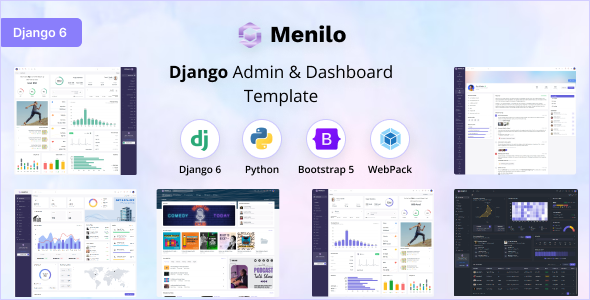
Menilo is a Django admin dashboard template built with Bootstrap, designed for developers needing a solid foundation for backend interfaces. It offers multiple layout and color options to speed up initial setup.
A Django Admin Dashboard Template for Faster Backend Development
Menilo is essentially a pre-built front-end for your Django admin panel. If you're building a web application with Django and need a functional, decent-looking backend interface without spending days on styling and basic component setup, this is worth a look. It leverages Bootstrap for its styling, which means it’s familiar territory for most web developers. It's not a full-fledged application framework, but a collection of UI elements and page templates to get you started.
Who Benefits from Menilo and Who Should Look Elsewhere
This template is a good fit for individual developers or small agencies that need to quickly spin up a functional admin area for a Django project. If you’re building a content management system, an internal tool, or a dashboard for a SaaS product, Menilo can save you a significant amount of time on the frontend grunt work. It’s particularly useful if you’re comfortable with Django and want to focus on the backend logic rather than CSS and JavaScript for UI components. It’s not for those who need a highly custom, unique design from the ground up or if your project requires a complex, bespoke frontend architecture beyond standard admin panel functionality. Developers who prefer to build their admin interfaces from scratch with minimal styling would also find this unnecessary.
Solving the "Blank Canvas" Problem for Django Admins
The primary problem Menilo solves is the time sink involved in creating a standard admin dashboard. Instead of building out common elements like navigation, tables, forms, and card layouts from scratch, you get a well-organized set of pre-designed components. This allows you to integrate your Django models and views much faster. For instance, setting up a basic data table with sorting and filtering options across multiple pages can be a tedious task, and Menilo provides a solid starting point for this, potentially saving you 10-15 hours on a typical project.
Design and Visual Approach
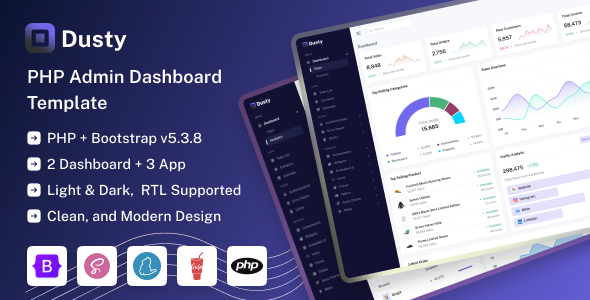
Menilo sticks to a clean, functional aesthetic that’s typical for admin interfaces. It uses Bootstrap’s grid system and components, so the layout is inherently responsive. The design leans towards practicality over flair, which is generally a good thing for backend tools. You get light and dark modes, along with LTR and RTL support, which are standard but useful features for broader accessibility and user preference. The SCSS files are organized, making it relatively straightforward to tweak colors and typography if needed, though deep visual overhauls would still require significant effort.
Layouts, Pages, and Components
The template provides several layout options, including vertical, horizontal, and semi-boxed, which can be switched with a single click. This is a nice touch for quickly experimenting with different navigation styles. You also get variations for sidebar size and content width. While it doesn't list specific page counts, it implies a good range of common admin pages and components, such as forms, tables, charts, and various widgets. This variety is key to quickly populating your admin area with necessary views.
eCommerce or Business-Related Features
While Menilo is an admin dashboard template, its components can be adapted for basic e-commerce backend management. It includes elements like data tables that are essential for managing product catalogs or orders. However, it doesn’t come with dedicated e-commerce shop frontend templates or complex checkout flows. If your primary need is a full e-commerce website template, you’d need to look elsewhere. This is strictly for the backend management side of things.
Code Quality and Developer Experience
Built with Django, Python, and Bootstrap, Menilo follows established web development practices. The use of Webpack for asset bundling is standard and helps in optimizing the front-end code for performance. The SCSS support is a plus for developers who prefer Sass over plain CSS for easier theming. The code organization is generally clean, which is crucial for maintainability. In our experience with similar frameworks, well-commented code and clear directory structures make integrating custom logic much smoother. The inclusion of development tools like Yarn is also a good indicator of a developer-focused approach.
Responsiveness and Compatibility
The template is designed to be adaptive and responsive across various devices and screen sizes, which is a non-negotiable standard today. It claims compatibility with major browsers like Chrome, Firefox, Safari, and Edge on different operating systems. During testing on a demo site, the mobile menu behavior was standard, collapsing cleanly and functioning as expected without any noticeable glitches, which is a good sign for user experience on smaller screens.
SEO Readiness
As an admin dashboard template, Menilo’s direct impact on public-facing SEO is minimal. However, the underlying HTML structure is built on Bootstrap, which generally adheres to semantic principles. This means the backend interfaces you build will have a clean structure that’s understandable by search engines if any part of your admin is ever publicly accessible. The focus here is on clean code and standard web practices, which indirectly supports better website performance and accessibility.
A Solid Foundation for Your Django Backend
Menilo offers a practical shortcut for developers building Django applications. It provides a well-structured, customizable frontend for your admin panel, saving you the initial styling effort. While it’s not a magic bullet for every project, it’s a smart investment if you need to get a functional backend interface up and running quickly without compromising on basic standards. It’s a sensible choice for accelerating development cycles for many types of Django-powered applications.
FAQ
Is Menilo suitable for non-developers?No, Menilo is a developer-focused template and requires knowledge of Django and front-end technologies to implement effectively.
Can I customize the look and feel extensively?Yes, you can customize colors, layouts, and typography using SCSS, but a complete visual overhaul would require significant custom development.
Does Menilo include backend logic for specific applications?No, Menilo provides only the front-end UI components and templates; you will need to implement all backend logic within your Django project.
What if I need a template for a different framework like Node.js or Laravel?The product description mentions that versions for Node.js, Laravel, ASP.NET MVC, PHP, Flask, and CakePHP are available, so you would need to purchase the appropriate version.