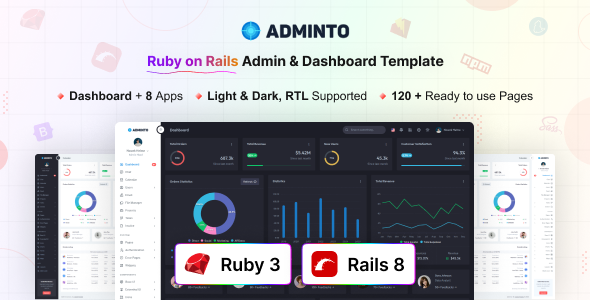
Adminto is a Ruby on Rails admin dashboard template built with Bootstrap. It offers pre-built UI, apps, and pages for rapid backend development. Ideal for custom web app projects.
Adminto: A Rails Admin Dashboard Template for Rapid Development
This isn't just another static HTML template. Adminto is a fully integrated Ruby on Rails admin dashboard template, meaning it’s set up with a Rails backend structure from the start. It uses Bootstrap for its UI, along with Ruby 3.4x, Rails 8x, and Vite Ruby for asset management. The core idea here is to give you a significant head start on building the administrative interface for your custom web applications, SaaS products, or internal tools.
The product solves the common problem of spending too much time on boilerplate UI elements and standard admin features. Instead of building every table, form, and navigation component from scratch, Adminto provides a robust foundation, letting you focus on the unique business logic of your application.
Who Benefits from this Ruby on Rails Admin Panel Template?
Adminto is definitely for developers and agencies already working within the Ruby on Rails ecosystem. If you’re tasked with building custom SaaS backends, internal CRMs, project management systems, or any application that requires a comprehensive administrative interface, this template can save you a lot of development hours. It's particularly useful for those who need to deliver projects on tight deadlines and are comfortable with Rails conventions and Bootstrap styling.
However, this isn't for everyone. If you're new to Ruby on Rails, the learning curve will be steep, as the template assumes a certain level of familiarity with the framework. It's also not for projects that require a completely unique, bespoke frontend framework outside of Bootstrap, or for simple static websites that don't need a Rails backend at all.
Design and Visual Approach for Adminto's Interface
The design here is clean and functional, which is what you'd expect from a Bootstrap-based admin panel for Rails apps. It provides both light and dark modes, which is a standard but appreciated feature for user preference. While the overall look is consistent with Bootstrap, making it familiar for many users, the extensive use of SCSS variables means branding and color scheme adjustments are relatively straightforward.
In our experience building multiple agency sites, templates like this offer a solid, no-nonsense aesthetic. It won't win awards for groundbreaking design, but it prioritizes clarity and usability, which is far more important for an admin dashboard. Customizing the feel to match a client's brand is manageable due to the well-organized SCSS.
Layouts, Pages, and Key Components for Rails Applications
Adminto comes packed with a lot of pre-built content. You get over 100 pages and 200 UI components, which is a substantial collection. The real value lies in the included application modules:
- Calendar and Chat for common communication features.
- File Manager for handling asset uploads and organization.
- Users Management, Projects, and Invoice Management, which are core functionalities for many business applications.
- Task Management (Kanban Board & Details Page), a feature that alone can save dozens of hours of development time for any project management aspect.
Beyond these apps, the template includes advanced datatables, drag-and-drop functionality (Dragula), rich form elements, and chart integrations (Apex Charts). These are the components that often take the longest to set up and style correctly, so having them pre-integrated and styled in a Rails context is a major advantage for building internal tools with Ruby on Rails.
Code Quality and Developer Experience with Adminto
The template leverages modern Rails practices, including Ruby 3.4x, Rails 8x, and Vite Ruby. This is a significant point: Vite Ruby means faster asset compilation during development and optimized builds for production, translating to a smoother workflow for developers and better load times for end-users. The SCSS architecture, with its extensive use of variables, makes global style changes efficient and reduces the chances of breaking things during customization.
When we tested the kit on a demo site, the file structure felt logical and well-organized, which is crucial for long-term maintenance. The documentation is also comprehensive, which is always a relief when diving into a new template. This isn't just a collection of static files; it's a properly integrated Rails setup, which sets it apart from many generic admin templates that require significant manual integration.
Responsiveness and Cross-Browser Compatibility
As expected from a Bootstrap-based template, Adminto is fully responsive. It adapts well across various devices and modern browsers. This means your admin panel will be accessible and usable whether your team members are on a desktop, tablet, or phone, ensuring a consistent user experience. For a business owner, this translates to improved team efficiency and flexibility, as the dashboard can be managed from anywhere.
SEO Readiness for Admin Dashboards
While an admin dashboard template isn't designed for public search engine ranking, its underlying clean HTML structure and efficient asset loading contribute to a solid foundation. Good semantic HTML, which Bootstrap generally provides, aids in accessibility for all users. The use of Vite Ruby for asset management ensures that the resources load quickly, which, while not a direct SEO factor for an internal tool, certainly contributes to a better user experience and overall performance metrics for the application.
Final Verdict: Is Adminto a Smart Investment for Rails Developers?
If you're a Ruby on Rails developer or an agency regularly building custom web applications, Adminto is a genuinely useful tool. It addresses the real-world pain point of repetitive UI development for admin panels. The integration with modern Rails, Bootstrap, and Vite Ruby provides a robust and efficient starting point. It will significantly cut down on the initial setup and styling time for common administrative features and applications.
The trade-off is that while it's extensive, it's still a template built on Bootstrap. If your project demands a truly unique, non-Bootstrap visual identity, you'll still have a fair amount of custom styling work ahead. However, for getting a functional, well-structured admin interface up and running quickly and reliably, especially for building internal tools with Ruby on Rails, Adminto is a smart investment that will save you considerable development time and effort.
FAQ
Is Adminto a complete Ruby on Rails application?No, Adminto is a UI template integrated with Ruby on Rails. It provides the frontend structure, components, and basic app scaffolding, but you'll need to implement your own backend logic and database interactions.
Can I easily integrate Adminto into an existing Rails project?Yes, since it's built with standard Rails conventions and Vite Ruby for asset management, integrating it into an existing Rails application should be straightforward for an experienced Rails developer, though some configuration will be required.
What is the learning curve if I'm new to Ruby on Rails?Adminto assumes familiarity with Ruby on Rails. While the documentation helps with the template's structure, a solid understanding of Rails, its MVC pattern, and asset pipeline is essential to utilize and customize it effectively.
Does Adminto include database setup or ORM configurations?Adminto focuses on the frontend and basic application structure. It does not come with pre-configured database schemas, migrations, or specific ORM setups; you will need to handle these aspects according to your project's requirements.