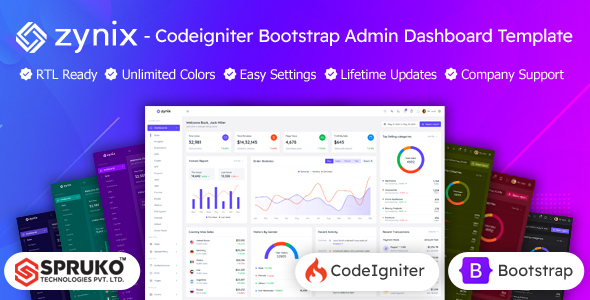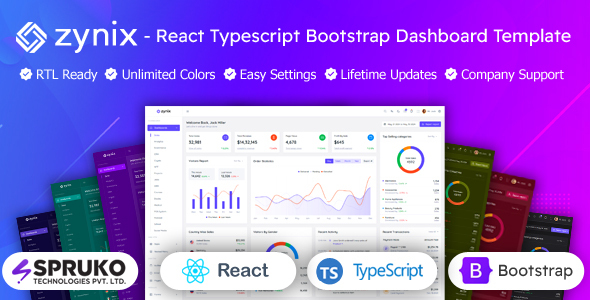
Zynix: A React, TypeScript, and React-Bootstrap admin dashboard template to accelerate custom backend interface development. Ideal for agencies and freelancers who need a reliable starting point for client projects.
Zynix: A Practical React TypeScript Admin Dashboard for Rapid Development
This Zynix template is essentially a frontend starter kit for admin panels built with React, TypeScript, and React-Bootstrap. It tackles the initial setup and component styling headache that often consumes the first 20-40 hours of a new project. Instead of building common UI elements from scratch, you get a pre-assembled collection ready for integration with your backend.
In our experience building multiple agency sites, having a well-structured base like this saves considerable time. It lets developers jump straight into connecting data and implementing core business logic, rather than wrestling with CSS and basic component architecture.
Who Benefits from this React Bootstrap Admin Template?
Zynix is for development teams, agencies, and individual freelancers who regularly build admin interfaces or custom dashboards for clients. If you’re working with React, appreciate the type safety of TypeScript, and prefer the component-based approach of React-Bootstrap, this is a strong contender.
It's particularly useful for those needing to deliver projects on tight deadlines, where the time saved on UI development directly impacts profitability. However, if you need a completely bespoke UI framework from the ground up, or if your project demands deep custom backend logic integrated out-of-the-box, this static template isn't designed for that. You'll need to bring your own API and data layer.
Exploring the Admin Panel Layouts and Components
The template comes packed with a significant number of pre-built screens—over 180 React pages and 60 integrated plugins. This includes a wide array of specialized dashboards, which can be a double-edged sword. While it’s great to have options for different niches, like a Sales Dashboard or CRM Dashboard, you’ll likely only use a fraction of them.
It offers vertical and horizontal navigation, along with various menu interaction styles (click, hover, icon-based). This flexibility is standard for a template of this caliber and helps adapt to different user preferences. The core components like tables, charts (Apex, Chart.js, ECharts), forms, and cards are all present and accounted for.
- 16 distinct dashboard variations covering niches like e-commerce, analytics, and projects.
- Extensive UI components for common admin tasks, including forms, tables, and charting.
- Multiple layout styles such as vertical, horizontal, boxed, and RTL.
Code Quality and the TypeScript Admin Dashboard Experience
From a developer's perspective, the use of TypeScript is a significant plus. It helps catch errors early and improves code maintainability, especially in larger team environments. The fact that it's built without jQuery is a modern approach, leading to faster initial page loads and a smoother user experience, which directly benefits a business owner through better engagement and potentially higher conversion rates.
The project includes SCSS files and a starter kit, which makes it straightforward to get going. The file organization feels logical for a React project, with components generally well-encapsulated. W3C validation is a basic expectation, and it's good to see it confirmed, indicating a foundational level of semantic accessibility.
- No jQuery dependency means a lighter, faster codebase.
- Well-commented code aids understanding and reduces future maintenance costs.
- SCSS files are included, making global style changes and branding relatively simple.
Responsiveness and Cross-Browser Performance for Your React Admin Panel
A responsive React admin panel is non-negotiable these days, and Zynix delivers here. It adapts across desktops, tablets, and smartphones, ensuring your admin interface is usable regardless of the device. This is crucial for teams that need to manage data on the go, improving overall productivity.
Cross-browser compatibility is also covered, meaning it should behave consistently across major browsers. While this is standard for a modern template, it’s good to confirm it's been tested, preventing unexpected display issues for end-users.
Understanding the Admin Dashboard SEO Structure
While an admin dashboard typically isn't a public-facing site that needs aggressive SEO, a clean, well-structured codebase is still beneficial. Zynix is noted for its clean, semantic structure, which is good practice. This contributes to faster parsing by browsers and, if any part of the dashboard were to be indexed, it would present a clear hierarchy to search engines. For a business owner, this primarily means a solid technical foundation, not direct ranking benefits for the admin area itself.
Final Verdict: Is Zynix a Worthwhile React Bootstrap Admin Dashboard Template?
After testing Zynix on a demo site, it’s clear this React Bootstrap admin dashboard template offers significant value for specific use cases. If your team is already invested in the React, TypeScript, and Bootstrap ecosystem, this template will genuinely accelerate your development workflow.
The main trade-off is that while you get a lot of pre-built components, you'll still need to put in the work to integrate your specific backend and customize the look and feel to your brand. The sheer number of included dashboards can be a bit much, requiring some pruning for simpler projects. However, for the initial heavy lifting of setting up a robust, modern admin UI, Zynix is a smart investment that saves valuable developer hours and helps you deliver projects faster.
FAQ
Does this Zynix template include a backend?No, Zynix is a static frontend template. You will need to integrate your own backend API and data services to make it fully functional.
Is Zynix suitable for large-scale enterprise applications?Yes, its modular React and TypeScript architecture, combined with Redux for state management, makes it a good foundation for scalable enterprise-level admin panels, provided you integrate a robust backend.
How easy is it to customize the design and add new components?The template is built with SCSS and React-Bootstrap, offering good customization flexibility. Adding new React components is straightforward within its existing structure, though deep styling changes might require some familiarity with Bootstrap's theming system.
What are the main dependencies for this React TypeScript admin dashboard?The core dependencies include React V19, RxJS V7, React-Bootstrap V2, TypeScript V5, and Sass V1. It is designed to be free from jQuery dependencies.