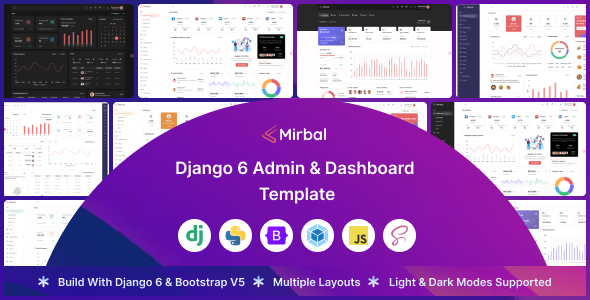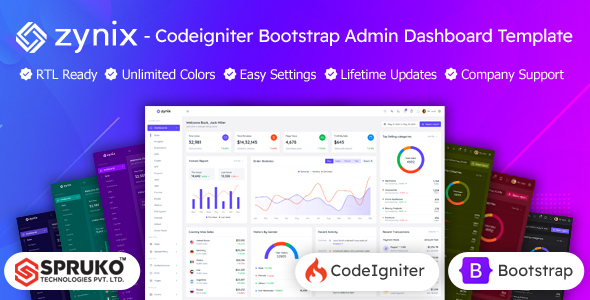
Zynix is a Codeigniter admin dashboard template built with Bootstrap for PHP applications. It offers 16 dashboard variations and 180+ PHP pages, ideal for agencies and developers needing a solid backend starting point.
Understanding the Zynix Codeigniter Admin Template
Zynix is essentially a pre-built UI kit for admin panels, designed to integrate with Codeigniter. It provides the front-end structure and styling for a wide range of dashboard needs, from sales and e-commerce to analytics and project management. What you get here is a collection of static HTML-like PHP view files, styled with Bootstrap, ready for you to hook up to your Codeigniter backend logic.
From our experience building client dashboards, this approach saves significant time on initial setup and design. Instead of hand-coding every form, table, and chart, you have a solid, responsive foundation that looks good out of the box.
Who Zynix Serves and Who It Doesn't
This Zynix Codeigniter admin dashboard template is for PHP developers and agencies working with the Codeigniter framework who need to spin up custom admin interfaces quickly. If you're building a bespoke web application and want to avoid spending weeks on the admin UI, this kit provides a head start.
It's particularly useful for freelancers and small teams who need to deliver projects on a tight schedule, as it handles a lot of the repetitive UI work. However, this is not a full-stack application. It does not include pre-built backend logic for database interactions or user management beyond the UI. If you're a beginner looking for a plug-and-play solution with integrated CRUD operations, this isn't it. You need a moderate level of technical expertise to connect these templates to your application's data and business logic.
Design and Customization for Your Admin Panel
The design follows a clean, modern aesthetic, leveraging Google Fonts and multiple icon sets. One practical aspect is the "switcher options" feature, which allows for quick changes to layout styles (vertical/horizontal navigation), menu behavior (click/hover), and color schemes (light, dark, gradient, transparent for menu and header). When you're working with a template like this, having these options accessible for rapid prototyping or client demonstrations is a real time-saver. It means less digging through SCSS files for basic branding adjustments.
Included Layouts and Components for Development
Zynix comes with 16 distinct dashboard variations, which is quite a lot. This means you'll likely find a layout that closely matches your project's primary dashboard needs, whether it's for e-commerce, CRM, or analytics. The 180+ PHP pages cover common admin panel requirements like:
- Various form layouts and advanced elements.
- Different table styles, including Grid JS for dynamic data display.
- Utility pages like lock screens, error pages, and an "under construction" page.
- E-commerce related pages such as shopping cart, checkout, order details, and wishlist.
- Project and task management interfaces.
- Chat and mail inbox UIs.
- Charting libraries for data visualization.
These are standard components you'd expect in a comprehensive admin template. The inclusion of Filepond and Dropzone for file uploads is a nice touch, as these are common requirements that can be fiddly to implement from scratch.
Code Structure and Developer Workflow
A significant highlight here is the "no jQuery dependant" claim. In our experience with similar frameworks, this generally means lighter JavaScript, which can lead to faster page loads and better Core Web Vitals scores for your admin panel. For a business owner, this translates to a snappier, more responsive backend for their team.
The template provides PHP, CSS, SCSS, and JS files, along with a Gulp dependency for asset management. This suggests a standard modern development workflow. The "well commented code" and "clean, well-structured code" are crucial for maintainability. When you need to customize or debug, clear code means less head-scratching and lower long-term development costs.
It supports RTL (right-to-left) layouts, which is a good standard for global applications. The fact that it's W3C validated also indicates a commitment to basic web standards, which is always a good sign for a static admin dashboard for PHP projects.
Responsiveness and Browser Support
The template is built with Bootstrap, so responsive design across desktops, tablets, and smartphones is a given. We've seen countless admin panels that fall apart on mobile, but Bootstrap handles the heavy lifting here. It's also tested for major browser compatibility, which is standard practice but still important to confirm.
Foundations for SEO
While an admin dashboard isn't typically public-facing, having a clean semantic structure is still beneficial. The W3C validation points to a well-formed HTML structure. This sets a good foundation, should any part of the admin ever be exposed or if you simply prefer good code quality for easier future modifications. For a business owner, this means less chance of obscure rendering issues and a more stable platform overall.
Final Thoughts on Zynix for Your Projects
Zynix delivers a solid, visually appealing Codeigniter admin dashboard template. It's not a magical "best admin panel for Codeigniter" that does everything for you, but it's an excellent starting point if you're comfortable with Codeigniter and need to accelerate your UI development. The breadth of included pages and components means you'll spend less time on repetitive front-end tasks, allowing you to focus on your application's core logic.
The main trade-off is that you're buying a static UI kit. The "180+ PHP pages" are essentially well-structured HTML templates that you'll need to integrate with your own Codeigniter controllers and models. This is standard for this type of product, but it's important to set expectations. If you're a developer or agency needing a robust, pre-designed admin interface to build upon, Zynix can genuinely save you significant development hours and help you deliver projects faster.
FAQ
Does this template include backend functionality for my Codeigniter application?No, Zynix is a static front-end UI kit. It provides the HTML, CSS, and JavaScript for the admin panel views, but you will need to implement your own Codeigniter backend logic to connect it to your database and handle data operations.
How easy is it to update the template when new versions of Bootstrap or Codeigniter are released?Updates for Zynix itself will be provided by the vendor, ensuring compatibility with newer versions of Bootstrap. However, integrating those updates into your custom Codeigniter application will require manual effort, as is typical when you've customized a template.
Can I use this with a different PHP framework, or is it strictly for Codeigniter?While the template is structured with PHP files, its core is Bootstrap and JavaScript. You could adapt it for other PHP frameworks, but it would require more effort to integrate than with Codeigniter, as the file structure is optimized for Codeigniter views.
What kind of effort is involved in connecting my data to these dashboard layouts?Connecting your data involves writing Codeigniter controllers and models to fetch and process data, then passing that data to the Zynix view files. You'll need to replace placeholder content with dynamic data using Codeigniter's templating features, which is a standard development task.