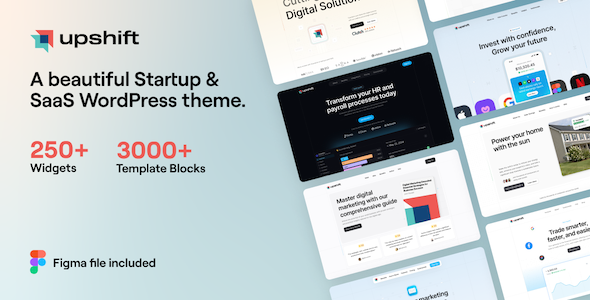
Upshift is an Elementor-focused WordPress theme for startups and SaaS companies, offering a vast library of pre-built sections and elements. It's best for agencies and freelancers needing to build client sites quickly without deep custom coding.
Upshift WordPress Theme: A Practical Look for Developers
Alright, let's cut to the chase. Upshift is another WordPress theme built around Elementor, promising a lot of pre-made content and customization options. After building multiple agency sites with tools like this, my first thought is always: does it actually save time, or just add bloat?
For those of you who are constantly churning out websites for clients, especially in the startup and SaaS space, the idea of having a massive library of pre-designed sections and elements is appealing. It means you can grab a hero section, a feature list, or a pricing table and drop it in, then tweak it. This theme offers a substantial amount of these building blocks, which can significantly speed up the initial design phase of projects. If you're looking for a quick way to get a professional-looking startup website template, Upshift aims to deliver.
Who Should Actually Use Upshift?
This theme is primarily for freelancers and small to medium-sized agencies that rely heavily on Elementor for client projects. If your workflow involves picking and choosing pre-built components to assemble a site, Upshift will feel familiar and potentially quite useful. It’s also a good option if you're building multiple sites for similar types of businesses, as the demo content and template library can provide a solid starting point.
However, if you're a developer who prefers to code things from scratch or needs extensive custom backend functionality, this probably isn't your go-to. It's also not ideal for those who are trying to avoid page builders altogether or are looking for a theme with a very minimalist code footprint. Trying to build a highly unique, bespoke application frontend with this might feel restrictive compared to a barebones starter theme.
Solving the "Blank Canvas" Problem for Startups
The main problem Upshift solves is the dreaded blank canvas. For businesses that need a digital presence quickly, especially startups and SaaS companies, waiting weeks for a custom design isn't always feasible. Upshift provides a ready-made foundation, complete with various demos and a huge library of over 200 pre-designed sections and 200+ premium elements. This allows for rapid prototyping and deployment. If you're struggling to find an effective SaaS website layout, this theme offers multiple options out of the box.
The "one-click demo import" feature, while standard in many themes, is presented here as a quick way to get a functional site structure. The practical benefit is getting a site up and running for a client in a matter of hours, not days, allowing you to focus on content and client-specific adjustments rather than foundational styling.
Design and Visual Approach
Upshift leans into a clean, modern aesthetic that's generally suitable for tech-focused businesses. The emphasis on Elementor means much of the visual control happens within that builder. You get global color and font options, which is standard but appreciated for maintaining consistency across a site. The design system integration with Elementor's own design system is a good move, aiming to reduce conflicts and streamline the design process.
The availability of over 990 Google Fonts gives you plenty of typographic options, which is always a plus. However, like many themes of this nature, the visual impact heavily depends on how well you utilize the provided elements and demos. It's easy to make something that looks generic if you just drop in a demo and make minimal changes.
Layouts, Pages, and Components
The theme boasts over 30 demos and a template library with more than 200 templates (referred to as "sections and pages"). This is where Upshift shines in terms of sheer volume. You'll find layouts for small businesses, corporate sites, landing pages, blogs, and online shops. The inclusion of specific WooCommerce elements means you can set up an online store relatively quickly if that's part of your client's needs.
The sheer number of individual elements, over 200, is impressive. These range from standard buttons and headings to more niche items like crypto currency tables and event calendars. For someone building a complex SaaS platform or a service-based business site, having these specific components readily available can save a lot of time compared to building them from scratch or finding separate plugins.
eCommerce and Business-Related Features
Upshift includes full WooCommerce support, which is essential for any theme aiming to be versatile. It offers grid controls for shop pages and a quick cart view. While this covers the basics, don't expect deep, specialized eCommerce features beyond what WooCommerce itself provides, plus the theme's styling layer. It's functional for standard online stores but not necessarily for highly customized, feature-rich e-commerce platforms.
The visual form builder is another practical feature. It allows for creating forms with features like GDPR consent, file uploads, and CSV export, which are important for data collection and compliance. This avoids the need for separate, potentially conflicting form plugins for basic to moderately complex forms.
Code Quality and Developer Experience
The description mentions "clean code" and adherence to HTML5 and CSS3 standards. In practice, themes built around page builders like Elementor can sometimes be heavier than custom-coded sites. Upshift includes a "Performance Manager" and mentions optimization for fast loading. While this is good, it's crucial to test the actual performance on a live site, as theme options and Elementor widgets can add up. A practical developer concern is how the CSS is organized; typically, themes like this rely heavily on inline styles generated by the page builder, which can make global CSS overrides a bit more challenging than with SASS architecture.
The inclusion of a child theme ready setup is a standard but important feature for any developer who plans to make modifications beyond basic styling. It ensures your changes aren't lost during theme updates. The theme also claims to be multisite tested, which is a good sign for agencies managing multiple client sites on a single WordPress installation.
Responsiveness and Compatibility
The theme is fully responsive and offers responsive controls within Elementor and the theme options, allowing you to hide or show elements on different devices. This level of control is standard for modern themes and crucial for ensuring a good user experience across desktops, tablets, and mobile phones. Cross-browser compatibility is also listed, covering all major modern browsers including Internet Explorer 11, which is still a consideration for some client projects.
SEO Readiness
Upshift states it's "SEO ready" and follows best practices for search engine visibility and social sharing. This typically means the theme provides a clean semantic structure, proper heading hierarchy, and is compatible with popular SEO plugins like Yoast SEO or Rank Math. It's important to remember that a theme provides the foundation; actual SEO success comes from content, on-page optimization, and technical implementation, often with the help of dedicated plugins. The clean semantic structure is beneficial for search engines to understand your content better.
Final Thoughts on Upshift
Upshift is a feature-rich WordPress theme that offers a significant amount of pre-built content and customization options, primarily for Elementor users. If your goal is to build client websites quickly for startups and SaaS businesses, and you're comfortable working within the Elementor ecosystem, this theme can be a smart investment. It solves the problem of starting from scratch and provides many tools to create professional-looking sites without needing extensive coding knowledge. While it's not for developers seeking deep custom backends or a minimalist code base, for its intended audience, it offers a practical path to faster project completion.
FAQ
Is Upshift suitable for beginners who have never used WordPress before?While Upshift has many features, its reliance on Elementor means a beginner would need to learn both WordPress basics and the Elementor page builder. It's more geared towards those with some familiarity.
Does Upshift include any built-in SEO tools beyond basic structure?The theme mentions being SEO ready and compatible with SEO plugins, but it doesn't appear to offer advanced, built-in SEO features like schema markup generation or detailed site auditing.
How does the performance manager in Upshift actually work?The performance manager likely offers options to disable certain features or assets that you don't need, helping to reduce the theme's overall load time. Specific details would be in their documentation.
Can I use Upshift for a multi-language website?Yes, Upshift is WPML and Polylang ready, meaning it supports translation plugins to create multilingual websites.