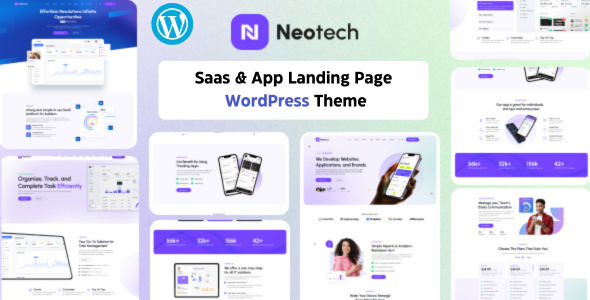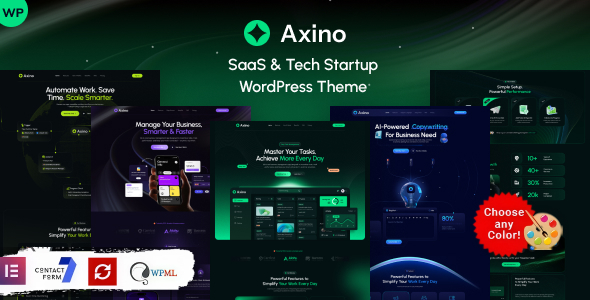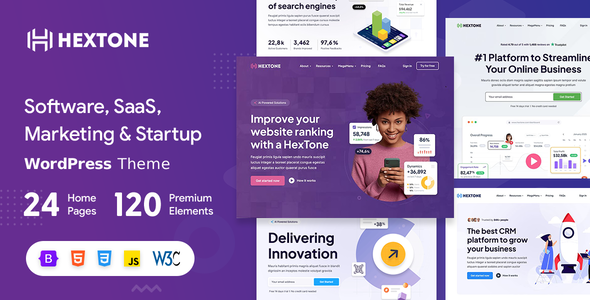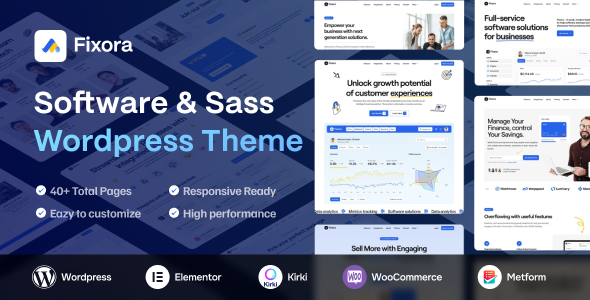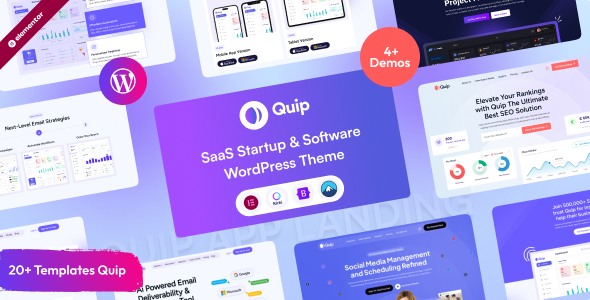
Quip is a WordPress theme built for SASS and software startups, offering pre-built demos and Elementor integration for quick site launches. It’s aimed at agencies and freelancers needing to get a professional-looking software site online fast.
Quip: A WordPress Theme for Software Startups and SASS Companies
Alright, let's talk about Quip. This is a WordPress theme specifically designed for software companies, particularly those offering SASS products. If you're in the business of launching a new software product or need a digital presence for your existing SASS business, Quip aims to give you a head start.
It comes bundled with several pre-designed demos, which is the main draw here. The idea is you pick a demo that's close to what you envision, import it with a single click, and then start swapping out content. This approach is common in the WordPress theme market, and Quip follows that playbook.
Who Should Consider Quip and Who Should Look Elsewhere
This theme is best suited for agencies or freelancers who are building websites for SASS or software startup clients and need to deliver quickly. If your client has a clear vision that aligns with one of the provided demos and doesn't require extensive custom functionality beyond what Elementor can handle, Quip can save you significant time on initial setup and styling. It’s also a good option if you're comfortable working with Elementor and want to leverage its drag-and-drop capabilities for content customization.
However, if you're building a highly custom application with unique backend requirements, or if your client needs a design that's far removed from the demo layouts, this theme might not be the best fit. It's not designed for deep custom development or complex, bespoke functionalities that go beyond standard page building. If you're looking for a theme that offers a completely blank slate for highly individualized designs without relying on a page builder, you'll likely find this restrictive.
Solving the "Get It Done Fast" Problem for Software Sites
The core problem Quip solves is the time investment required to build a professional-looking website from scratch, especially for a niche like software. Instead of spending days on layout, typography, and component styling, you can get a functional, good-looking site up in hours. The pre-built pages and sections mean you're not reinventing the wheel for common elements like feature lists, pricing tables, or contact forms. This is particularly helpful when trying to meet tight client deadlines or when building multiple client sites.
The inclusion of Elementor as the primary page builder is a practical choice for many. It allows for visual editing, which makes content updates easier for clients down the line, reducing future support requests. For agencies, this translates to a smoother handover process. It also means you're working within a widely adopted ecosystem, so finding resources or help for Elementor itself is straightforward.
Layouts, Pages, and Pre-built Components
Quip offers multiple home page variations and a decent number of custom Elementor widgets. This means you have flexibility in structuring your content and presenting information about your software. The theme includes variations for headers and footers, which is standard but appreciated, allowing for some basic branding adjustments without needing to dive into code. The inclusion of demo content makes it easy to see how the layouts are intended to be used and provides a solid foundation to build upon.
When you import the demo content, you get a set of pre-designed pages. This isn't just about aesthetics; it's about having structured templates for common software site pages like features, about us, pricing, and contact. This saves a lot of time in setting up the basic architecture of a client’s online presence. The custom widgets are where the theme adds value beyond a basic Elementor setup, offering specific elements tailored for software product showcases.
Code Quality and Developer Experience
The theme states it's built on the Bootstrap framework, which is a widely recognized standard in web development. This generally means the underlying structure is solid and follows common responsive design principles. The developers mention that code is organized and commented, which is crucial for any theme that might require future customization or troubleshooting. While I haven't dug deep into the theme files, the fact that it relies on Elementor means the bulk of the visual control is handled by the page builder, which typically abstracts away much of the direct theme code for content layout.
For developers, the inclusion of a child theme compatibility option is a big plus. This allows you to make modifications to the theme's core files without losing your changes when the theme is updated. This is a standard best practice for WordPress development, and its inclusion here is a sign that the developers are thinking about maintainability. The theme also mentions being compatible with Contact Form 7, a popular and reliable form plugin, which is good for handling lead generation forms.
Responsiveness and Compatibility
Quip is designed to be responsive and retina-ready. This means your website should adapt well to different screen sizes, from desktops to mobile phones, and look sharp on high-resolution displays. This is non-negotiable in today's web development landscape, and it’s good to see it addressed. The theme also claims cross-browser compatibility, which is essential for reaching a wider audience without compatibility issues across different browsers like Chrome, Firefox, and Safari.
In our experience with similar themes, the responsiveness is generally handled well by the underlying Bootstrap framework and Elementor’s responsive controls. The key is how well the demo content itself is structured to take advantage of these responsive features. For the end-user, this means a consistent experience regardless of how they access the site, which is vital for user engagement and conversion rates.
SEO Readiness
The theme is advertised as SEO Optimized. While a theme can provide a clean semantic structure and fast loading times, true SEO success depends heavily on content, site speed optimization, and off-page factors. Quip provides a foundation with valid HTML5 and CSS3, which are standard requirements for good SEO. The clean code structure, if implemented well, should contribute positively to search engine crawlability. It's important to remember that a theme is just one piece of the SEO puzzle.
The practical benefit of a theme that's "SEO Optimized" is that it doesn't actively hinder your SEO efforts. It provides clean code and proper semantic markup, making it easier for search engines to understand your content. This avoids common pitfalls like excessive use of JavaScript for layout or poorly structured HTML, which can negatively impact rankings and user experience.
Final Thoughts on Quip for Software Sites
Quip is a pragmatic choice for anyone needing to quickly establish a professional online presence for a SASS or software startup. It leverages Elementor effectively, offers ready-made designs, and includes standard features that most software sites require. If your goal is speed to market and you're comfortable with the Elementor workflow, this theme can be a smart investment. It streamlines the initial setup process significantly, allowing you to focus on what truly matters: your software product and its marketing.
FAQ
Is Quip suitable for complex SaaS platforms with custom user dashboards?No, Quip is primarily for marketing websites and landing pages. It is not designed for building custom user dashboards or complex application interfaces.
How easy is it to customize the colors and fonts across the entire site?The theme supports the Kirki Customizer, which typically provides a centralized place for global color and typography settings, making it relatively straightforward to adjust these elements.
Can I use Quip for a company that offers multiple software products?Yes, with its multi-purpose nature and Elementor integration, you can adapt the layouts and create pages to showcase multiple software products effectively.
What is the learning curve for using Quip if I'm new to WordPress themes?The learning curve is moderate, primarily dependent on your familiarity with Elementor. If you know Elementor, Quip will be very easy to use. If not, there will be a learning period for the page builder itself.