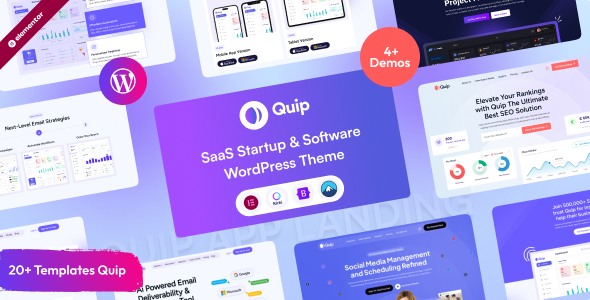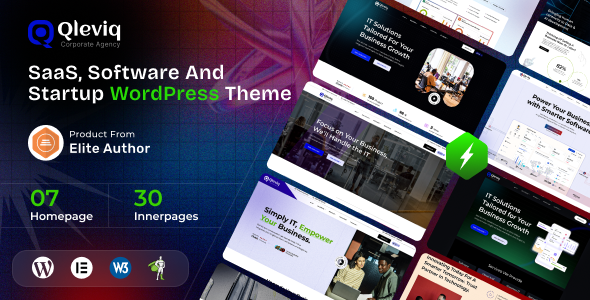
Qleviq is a WordPress theme aimed at SaaS, software, and startup companies, offering pre-built demos and Elementor integration for quick site setup. It's designed for agencies and freelancers needing to launch tech-focused websites efficiently.
Qleviq: A WordPress Theme for Tech Companies and Startups
This Qleviq theme is essentially a pre-packaged set of designs and layouts for WordPress, specifically targeting businesses in the SaaS, software, and startup space. It comes with a number of pre-made website demos that you can import and then customize using the Elementor page builder. The idea is to give you a head start, avoiding the need to build everything from scratch.
Who Benefits from Qleviq and Who Should Look Elsewhere
If you're an agency or a freelancer who frequently builds websites for SaaS companies, software developers, or tech startups, this theme could be a time-saver. It provides a solid foundation for presenting these types of businesses online, especially if the client wants a modern, clean look without a huge budget or extended timeline. For those who need to quickly get an online presence for a tech-related venture, the pre-built demos can significantly speed up the process.
However, if you're working on a highly custom project that requires unique backend functionality or a completely bespoke user interface beyond what Elementor can easily handle, this theme might not be the best fit. It's built around a page builder approach, which is great for visual customization but can sometimes limit deep code-level control. Also, if your client has very specific branding that deviates heavily from the demos, you might find yourself doing more heavy lifting than anticipated to make it fit.
Solving the "Startup Website in a Hurry" Problem
The main problem this theme addresses is the time and effort required to create a professional-looking website for a tech business. Building a site with a clean aesthetic, clear calls to action, and sections for features, pricing, and testimonials can easily take days, even for an experienced developer. Qleviq aims to compress that setup time considerably. By importing a demo, you get a structured layout, pre-styled elements, and a general design direction that you can then tweak. This is particularly useful when you need to get a landing page or a full company site up and running for a client who is on a tight deadline or budget.
Design and Visual Approach
The design of Qleviq leans towards a clean, somewhat minimalist aesthetic that's common in the tech industry. It uses a good amount of whitespace and clear typography, which helps make the content easy to digest. The inclusion of GSAP animations is noted, and while these can add a bit of flair, in my experience, they need to be used judiciously. Overdoing animations can sometimes slow down a site or become distracting. The key here is that the base design is solid enough that you can disable or tone down animations if they don't serve the specific project's goals, or if you're concerned about performance, especially for a SaaS product landing page where speed is critical.
Layouts, Pages, and Components Included
This theme comes with a set of pre-designed pages and components that are typical for SaaS and software businesses. You'll find layouts for homepages, about pages, service pages, contact pages, and importantly, sections that can be used for showcasing features, pricing plans, and client testimonials. The inclusion of portfolio or case study layouts is also a plus for agencies that need to display their past work. The one-click demo import feature is a standard but effective way to get these layouts onto your WordPress installation quickly.
eCommerce and Business-Related Features
For businesses looking to sell software, subscriptions, or digital products, the WooCommerce readiness is a significant feature. This means you can integrate an online store directly into your website without needing a separate platform or extensive custom setup for basic shop functionality. The theme provides pre-styled shop pages, cart, and checkout, which are essential for creating a conversion-ready funnel.
Code Quality and Developer Experience
From a developer's perspective, themes built with Elementor are generally straightforward to work with. The code structure tends to be organized around the page builder's output. While this theme claims SEO-friendly and optimized code, it's always worth a manual check. The practical benefit for a non-technical business owner is that a cleaner code structure can lead to fewer conflicts with plugins and potentially lower maintenance costs down the line. The asset loading feels standard for a theme of this type, meaning it includes the necessary CSS and JavaScript for its features.
-
Asset Loading: The theme loads necessary scripts and styles. For a business owner, this means the website functions as intended without excessive loading times, contributing to a better user experience and potentially improved Core Web Vitals scores.
-
Code Structure: While not explicitly detailed, Elementor-based themes generally follow a predictable structure. This makes it easier for developers to find and modify elements when needed, reducing the time spent on maintenance.
Responsiveness and Compatibility
The theme is stated to be fully responsive and mobile-optimized, which is a baseline requirement for any modern website. Testing across various devices and browsers is crucial. In our experience, themes that claim this usually deliver, but it's always wise to perform your own checks on key target devices and screen sizes, especially for intricate layouts or interactive elements.
SEO Readiness
The claim of being SEO-friendly with clean, well-structured code and schema markup is standard for reputable themes. For a business owner, this means the website has a better chance of being understood by search engines, which is a foundational step for any organic search visibility. It's important to remember that a theme provides the structure; content and ongoing SEO efforts are still paramount for ranking high.
A Practical Choice for Tech Websites
Qleviq offers a practical shortcut for building websites for SaaS, software, and startup companies. It bundles common design patterns and necessary features into a readily importable package. While it's not going to revolutionize how you build websites, it effectively solves the problem of needing a professional, niche-specific online presence quickly. If your goal is to launch a functional, good-looking site for a tech business without reinventing the wheel, this theme is a sensible investment.
FAQ
Is Qleviq suitable for creating a SaaS product landing page?
Yes, Qleviq includes multiple demo options that are well-suited for SaaS product landing pages, offering sections for features, benefits, and calls to action.
Can I integrate custom branding with Qleviq?
Absolutely, the theme is built with Elementor, allowing for extensive customization of colors, fonts, and layouts to match your specific brand identity.
How does the theme handle performance for a high-traffic website?
While the theme is optimized for speed, for very high-traffic sites, you may still need to implement additional caching plugins and image optimization techniques for peak performance.