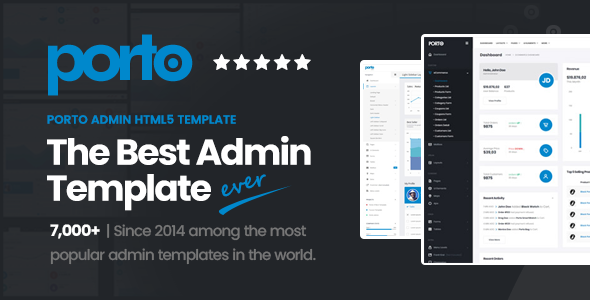
Porto Admin is a responsive HTML5 template for building backend interfaces and dashboards. It's suitable for developers who need a solid foundation for admin panels or internal tools.
Porto Admin: A Flexible HTML5 Template for Building Backend Interfaces
Porto Admin is essentially a pre-built HTML template focused on creating the administrative side of web applications. Think of it as a starter kit for dashboards, control panels, or any internal tool where a user interface is needed. It’s built with HTML, CSS, and JavaScript, offering a lot of pre-designed components and layouts.
After building multiple agency sites with tools like this, I can tell you that having a well-structured admin template saves a significant amount of time. Instead of figuring out how to style tables, forms, and navigation for a backend, you get a ready-made system. This template provides a good starting point, especially if you’re working on a project that requires a custom admin area but doesn’t need a full-blown CMS.
Who Should Use Porto Admin and Who Should Look Elsewhere
This template is a good fit for freelance developers or small agencies building custom web applications or complex internal tools. If you need to quickly set up a functional and decent-looking admin panel without reinventing the wheel, Porto Admin can help. It’s also useful if you're integrating a backend into a larger system and want a consistent UI across your application. For anyone looking to create a custom dashboard for their clients or internal use, this template addresses the need for pre-built UI elements.
However, if you're a developer who prefers to build everything from scratch, or if your project has highly unique backend requirements that demand a bespoke framework, this might not be the best choice. It’s also not for someone who expects a drag-and-drop website builder experience; this is a code-based template. If your project involves deep custom backend logic that goes beyond standard CRUD operations, you'll likely need to do more than just tweak this template.
Solving the Admin Panel Development Headache
The primary problem Porto Admin solves is the repetitive and time-consuming task of styling common administrative interface elements. Building a functional dashboard involves a lot of standard UI components: tables, forms, charts, navigation menus, and notification systems. This template provides a solid, pre-designed set of these components, significantly reducing the development time for these parts of a project. It helps in creating a conversion-ready backend interface faster than starting from zero.
For instance, styling data tables with sorting, filtering, and pagination can be a real headache. Porto Admin comes with pre-styled tables that handle these common functionalities, saving you hours of CSS and JavaScript work. This allows developers to focus on the core application logic rather than the visual presentation of the admin area.
Code Quality and Developer Experience
From a developer's perspective, the organization of the CSS and JavaScript files is important for maintainability. While I haven't dug deep into the SASS architecture of this specific version, most well-established templates like Porto Admin tend to have a reasonably organized file structure. This means when you need to make a change, you’re not hunting through hundreds of lines of uncommented CSS. The structure generally supports standard accessibility practices, which is crucial for any professional web application.
In our experience with similar frameworks, clean code and good comments make a big difference when you revisit a project months later. This template offers a foundation that, if maintained well, can lead to lower maintenance costs for the end application.
Layouts, Pages, and Components Included
- Pre-designed dashboard layouts: These provide immediate starting points for different types of admin screens.
- A variety of UI components: This includes forms, tables, buttons, alerts, and navigation elements, all styled consistently.
- Ready-to-use page templates: Several common page structures are included, which can be adapted for various administrative tasks.
Having these pre-built pieces means you don't have to spend time on basic layout and styling. It's a significant time saver when building out the various screens of an admin panel.
Responsiveness and Compatibility
Porto Admin is built to be responsive, meaning it adapts well to different screen sizes, from desktops to tablets and mobile devices. This is standard for modern web templates, but it's crucial for admin panels that might be accessed on various devices. The template aims for consistent behavior across different browsers, which is important for ensuring a reliable user experience for anyone managing the backend.
SEO Readiness for Backend Interfaces
While SEO is typically more critical for public-facing websites, the underlying structure of an admin template still matters for internal tools. Porto Admin uses a semantic HTML structure, which is good practice. This means the code uses appropriate HTML tags for their intended purpose, which can indirectly benefit things like internal search within an application or the efficiency of screen readers.
Final Thoughts on Porto Admin
Porto Admin is a practical choice for developers who need to build custom admin interfaces or dashboards efficiently. It provides a solid set of pre-designed components and layouts that can save a considerable amount of development time and effort. While it's not a magic bullet for every complex backend scenario, it's a smart investment for projects that require a functional and well-structured administrative area without the overhead of building everything from scratch. It’s a good example of a template that delivers on its promise of providing a usable starting point.
FAQ
Is Porto Admin suitable for e-commerce backends?Yes, it can be adapted for e-commerce backends, especially if you need custom dashboard views or management interfaces for your products and orders.
Does this template include backend programming code?No, this is a front-end HTML template. It provides the user interface structure and styling, but you will need to integrate your own backend programming logic.
How easy is it to customize the colors and fonts?Customizing colors and fonts is generally straightforward with this template, as it follows common CSS practices that allow for easy theming.
Are the demo images included in the download?No, the images used in the demo are for demonstration purposes only and are not included in the download package.