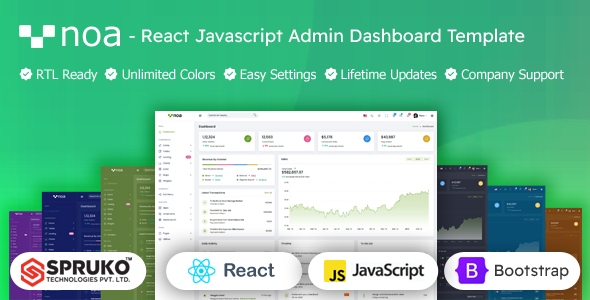
Noa is a React admin dashboard template built with Bootstrap and JavaScript, designed to kickstart custom admin panels for web applications. It's a solid choice for developers and agencies looking to quickly deploy a responsive backend interface with a rich component library.
Noa: A React Dashboard Template Overview
Noa functions as a UI kit for building custom admin panels, utilizing React, Bootstrap, and JavaScript. It offers a pre-built structure and extensive components, saving significant setup time for common dashboard elements. This package excels at data visualization, user management, and complex forms, acting as a frontend shell you'll connect to your own backend services.
Who Noa Serves Best (and Who It Doesn't)
This React admin dashboard template suits React developers and agencies needing to build multiple admin panels efficiently. If you regularly create dashboards for clients, Noa can significantly reduce development hours. Freelancers will also benefit from delivering high-quality, responsive backend interfaces quickly.
However, Noa requires a solid grasp of React, JavaScript, and Redux. It's not a full-stack solution with a bundled backend, nor a simple HTML/CSS template. Non-technical users seeking a drag-and-drop solution should look elsewhere.
Components and Layouts for Building Custom Admin Panels
Noa includes over 240 React components and 60 plugins, covering everything from basic forms to advanced data visualization UI kit elements like charts and maps. It also provides pre-built pages for common admin tasks, including user lists, invoices, and error pages.
Versatile layout options—vertical, horizontal, RTL, and boxed styles—allow for tailored dashboard experiences. Firebase Authentication is a practical feature, offering a ready-to-integrate solution for user logins.
Developer Experience and Code Quality
Noa uses modern dependencies: React 18, Vite, React Router DOM, React Bootstrap, Redux, and SASS. The absence of jQuery is a major plus for performance, positively impacting Core Web Vitals. Vite’s build process ensures faster development server startup and quicker hot module reloading, enhancing productivity.
The SASS architecture is well-organized, simplifying style management and custom theming. When we tested the kit, overriding default styles and changing primary colors was straightforward. The code is generally clean and commented, which aids integration.
Responsiveness and Browser Compatibility
The template is fully responsive, adapting well across desktops, tablets, and mobile devices, providing consistent component behavior. It also supports major web browsers. This ensures a good user experience for your backend interface, regardless of the device in use.
Final Thoughts on Noa's Practicality
Noa is a robust React admin dashboard template, ideal for developers and agencies aiming to quickly deploy custom backend interfaces or data visualization UI kit projects. Its modern tech stack (React, Vite, Redux, SASS, no jQuery) offers a powerful foundation, saving considerable development time on initial setup and styling.
Keep in mind, it's a static frontend; you'll handle all backend integrations yourself. While the design is clean, expect to add custom styling for a unique brand identity. Overall, for accelerating responsive backend interface development, Noa offers excellent value and a solid starting point.
FAQ
Does Noa include a full backend or database?No, Noa is a frontend-only React admin dashboard template. It provides the user interface and components, but you will need to connect it to your own backend services and database.
What level of React and JavaScript experience is needed to use this template effectively?You should have a solid understanding of React, JavaScript, and ideally Redux for state management, as the template is built upon these technologies.
Can I easily remove features or components I don't need to reduce the bundle size?Yes, since it's a React project with Vite, you can typically remove unused components and pages. The modular nature of React and efficient tree-shaking with Vite help in optimizing the final build size.
Is the template easy to customize for branding and unique design requirements?The template uses SASS and offers dynamic theme options, making it relatively straightforward to customize colors, fonts, and layouts to match your brand identity.