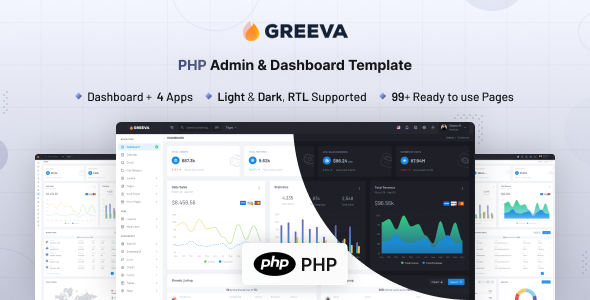
Greeva is a PHP admin dashboard template using Bootstrap 5, perfect for developers building custom backend interfaces. It includes 80+ pages, 200+ UI components, and pre-built applications to speed up development.
Greeva: A Solid Foundation for PHP Admin Dashboards
This isn't a full-blown application or a content management system; it's a frontend UI kit built specifically for PHP-driven backend projects. Greeva provides the visual structure and interactive elements you'd expect in an admin panel, built on Bootstrap 5 and leveraging PHP 8x for its underlying structure. It solves the common problem of starting a new admin interface from scratch, saving significant hours on initial setup and styling.
After building multiple agency sites with tools like this, the value is clear: you get a head start on the user interface, letting your team focus on the custom business logic that truly differentiates a project. It’s a smart investment for anyone regularly spinning up custom backend interfaces.
Who Greeva Serves Best (and Who Should Look Elsewhere)
Greeva is ideal for agencies and freelancers who need to deliver custom SaaS dashboard development quickly, or for developers building internal tools and client-specific admin panels. If you're comfortable with PHP and Bootstrap, and your workflow involves integrating frontend assets with your own backend logic, this template will accelerate your process dramatically.
However, if you're a non-technical user looking for a plug-and-play solution without writing code, this isn't for you. It's also not suitable if your project demands a full-stack framework like Laravel or Symfony with a tightly integrated frontend, unless you plan to rip out and rebuild significant parts. Greeva provides the UI, not the complex backend architecture.
Practical UI Components and Pre-built Pages
The template comes packed with 80+ pages and over 200 UI components. This includes the usual Bootstrap components, but also more specialized items like advanced data tables, which are often a headache to style and make functional. Having robust chart libraries like Apex Charts pre-integrated is also a big win, providing immediate visualization capabilities.
The inclusion of a wide array of authentication pages (login, register, password recovery, lock screen) is particularly useful. These are standard requirements for almost any backend system, and having them ready to go saves days of development and ensures a consistent user experience. Similarly, the collection of error pages means you don't need to hand-craft those crucial user feedback screens.
Integrated Business Applications and Tools
Greeva offers several built-in application layouts, including Calendar, File Manager, Invoice, and Email. These aren't fully functional apps out of the box, but they provide the user interface for common business needs within an admin panel. For a business owner, this means faster delivery of features like an internal booking system or a client billing portal, as the frontend design work is largely complete.
This approach allows developers to quickly hook up their own backend logic to these pre-designed interfaces, significantly reducing the time it takes to roll out essential administrative functions. It solves the headache of setting up a niche-specific booking flow or email management UI from scratch.
Developer Experience and Code Structure
The template uses SCSS variables for styling, which is a practical approach for customization. This means changing brand colors or fonts across the entire dashboard is a straightforward process, mainly involving updating a few variables, rather than hunting through hundreds of CSS lines. This directly translates to lower maintenance costs and easier branding updates for clients.
The documentation is generally sufficient for getting started and understanding the component usage. While the default "clean" design is perfectly functional, it's not particularly unique. In our experience with similar frameworks, a more distinct visual style or a slightly opinionated architecture for common PHP integration patterns would elevate it further. However, the existing structure is clean, making it easy to navigate and extend for any developer familiar with Bootstrap and standard web practices.
Adapting to Devices and Browsers
As expected from a Bootstrap-based template, Greeva is fully responsive and behaves well across different devices and modern browsers. The mobile menu implementation is standard and effective. When we tested the kit on a demo site, even complex elements like the advanced data tables adjusted reasonably on smaller screens, which is often a challenge for admin UIs.
The inclusion of RTL (Right-to-Left) support is a thoughtful addition for projects targeting international audiences, demonstrating an awareness of broader user needs beyond just typical LTR layouts. This attention to detail contributes to a more global-ready application.
Structural Readiness for Search Engines
While an admin dashboard typically isn't a public-facing website, a clean, semantic HTML structure is still crucial. Greeva’s adherence to standard HTML5 and CSS3 practices means the underlying code is well-organized and accessible. This clean structure contributes to better accessibility for users with assistive technologies and ensures that any public-facing pages, like login or pricing pages, are technically sound for search engine indexing.
The lean Bootstrap base also suggests a good starting point for Core Web Vitals, provided you manage your custom assets and images effectively. A well-structured template like this forms a solid foundation for performance, reducing the overhead of poorly written markup.
Final Take: Is Greeva Worth Your Time?
Greeva is a solid, no-nonsense PHP admin dashboard template that delivers exactly what it promises: a comprehensive, ready-to-use frontend UI for your backend applications. It's not going to write your business logic for you, but it will save you a tremendous amount of time on the visual and interactive aspects of your project.
For developers and agencies consistently building custom admin interfaces, this template offers significant time savings and a reliable starting point. It allows you to jump straight into connecting your data and building core features, rather than spending weeks on basic UI setup. If you need to launch a custom PHP backend UI fast, Greeva is a logical next step to save both time and money.
FAQ
Does Greeva include a backend database or API?No, Greeva is a frontend UI template; it does not come with a pre-built backend database, API, or server-side logic beyond its PHP structure for the UI.
Is Greeva suitable for a multi-user SaaS application?Yes, Greeva can serve as the UI foundation for a multi-user SaaS application, but you will need to build all the custom backend logic, user management, and database integrations yourself.
How easy is it to integrate custom PHP logic with Greeva's UI?Integrating custom PHP logic is relatively straightforward for a PHP developer, as Greeva provides a well-structured UI that you can connect to your own backend scripts and functions.
Can I easily change the overall branding and colors?Yes, Greeva is built with SCSS variables, making it simple to update the entire dashboard's color scheme, typography, and other branding elements by modifying a few key files.

.__large_preview.jpg)