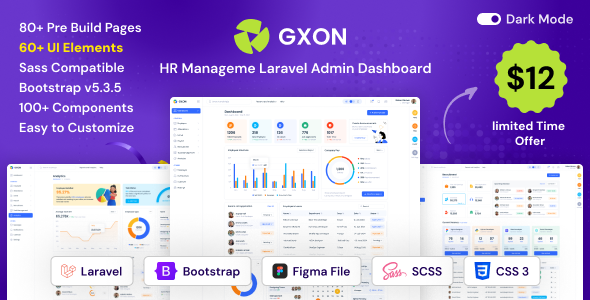
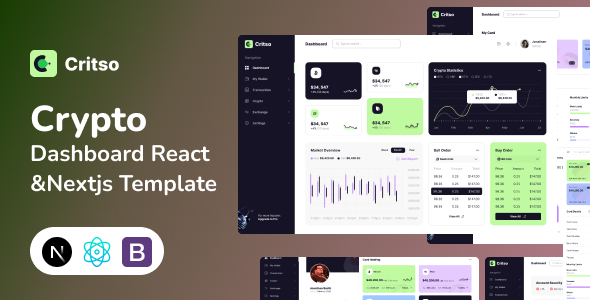
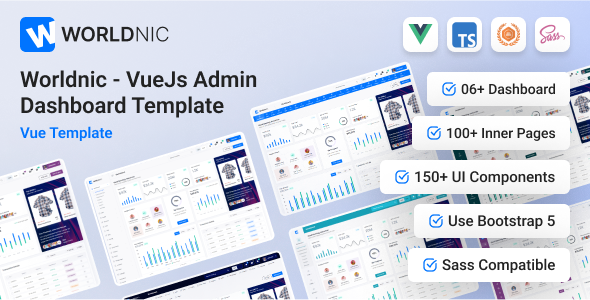
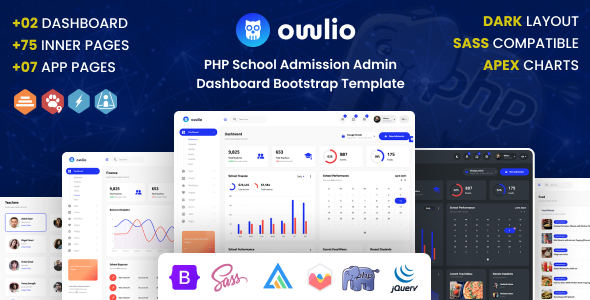
NexaDash is a Tailwind CSS admin dashboard template designed for web application backends. It provides over 100 HTML pages, essential UI components like charts and forms, and includes dark mode for rapid backend UI development.
NexaDash: A Tailwind Admin Dashboard Template for Web Applications
This is an admin dashboard template built with Tailwind CSS and Alpine.js, aiming to give developers a head start on building backend interfaces. When you're facing a deadline to deliver a functional admin panel, using a pre-built kit like NexaDash can cut down significant development time, especially on the UI side.
It’s essentially a collection of pre-styled HTML pages and components that handle the common elements you’d expect in an admin area: data tables, charts, forms, and various navigation layouts. The idea is to provide a solid visual foundation so you don't have to style every single element from scratch.
Who Benefits from NexaDash and Who Should Look Elsewhere
NexaDash is genuinely useful for agencies and freelance developers who frequently build custom admin panels for web applications. If you're comfortable with front-end development, specifically with Tailwind CSS and a bit of Alpine.js, this kit can accelerate your workflow dramatically. It's a smart investment if you need to rapidly prototype or deploy a client's backend without spending weeks on basic UI setup.
This template is not for absolute beginners who aren't familiar with HTML, CSS, or JavaScript. While it provides a good structure, you'll still need to integrate it with your backend logic and potentially customize it beyond the provided options. It's also not ideal for projects that require a completely unique, bespoke design system from the ground up, as you'd be fighting the existing Tailwind structure more than leveraging it.
Design and Visual Flexibility for Admin Interfaces
The design approach here is clean and modern, as you’d expect from a Tailwind CSS base. You get a good range of visual options, including light and dark modes, which is a standard expectation for any contemporary admin dashboard template. The multiple color skin options mean you can quickly align the interface with a client's branding without digging deep into custom CSS.
From a practical standpoint, the flexibility in header and sidebar configurations is a plus. You can choose between different menu styles and layouts, like a compact sidebar or a horizontal navigation. This helps tailor the user experience to the specific needs of your web application backend, whether it's content-heavy or more focused on data visualization.
Comprehensive Layouts and Components for Backend Management
NexaDash comes with over 100 HTML pages, which is a substantial offering. This includes common admin pages such as authentication flows, error pages, and various dashboard layouts. The inclusion of dedicated CMS pages and what they call "AI KIT pages" suggests an attempt to cover more specific use cases beyond just generic data display.
When we tested the kit on a demo site, the variety of components like data tables, forms, and charting libraries (Amcharts, Apexcharts, Chartist, Morris) stood out. Having these pre-integrated saves a ton of time compared to sourcing and configuring them individually. It means you can quickly spin up a page with complex data visualization or advanced form inputs without much effort.
Code Quality and Developer Experience with NexaDash
The template is built using Tailwind CSS and Alpine.js, which is a solid, modern front-end stack that many developers appreciate for its utility-first approach and lightweight interactivity. This choice generally leads to a more maintainable codebase compared to older, monolithic CSS frameworks.
However, after building multiple agency sites with tools like this, one observation is the extensive list of jQuery plugins. While these plugins offer immediate functionality for things like charts, calendars, and form elements, it's a departure from a purely Alpine.js approach. This means you'll be managing both modern Alpine.js components and traditional jQuery scripts, which can sometimes lead to a slightly heavier asset load or a more fragmented development experience for those aiming for a pure JavaScript framework.
The files are organized into HTML, CSS, and JavaScript, and are reasonably well-commented, which makes navigating the codebase less of a chore. This clean semantic structure for SEO is a good baseline, even for an admin panel. The documentation is also helpful for getting started, explaining the basic setup and customization options.
Responsiveness and Cross-Browser Compatibility
NexaDash claims to be super responsive across all latest browsers and mobile devices, which is pretty much a non-negotiable standard for any template today. In our experience with similar frameworks, Tailwind's mobile-first approach generally ensures good responsiveness out of the box.
Testing confirmed that the layouts adapt well to different screen sizes. The mobile menu behavior is standard and functional, collapsing cleanly to save space. This consistent experience across devices is crucial for anyone managing a web application on the go, ensuring lower maintenance costs related to device-specific issues.
Technical SEO Readiness for Admin Dashboards
While an admin dashboard isn't typically optimized for public search engine visibility, the underlying code quality still matters. NexaDash is built with a clean semantic HTML structure, which is a good foundation for any web project, including those that might eventually expose some public-facing elements. It uses free Google Web Fonts, which are loaded efficiently, contributing to better Core Web Vitals.
The "SEO Optimized" claim here primarily refers to the technical aspects of the code rather than content strategy. A well-structured HTML and efficient asset loading contribute to faster page loads, which is a ranking factor, but for an admin panel, it mostly translates to a snappier user experience for administrators.
Final Thoughts on NexaDash for Your Next Project
NexaDash is a solid choice if you need to build a functional admin panel quickly and efficiently, especially if your team is already comfortable with Tailwind CSS and Alpine.js. It solves the workflow problem of starting a backend UI from scratch, offering a comprehensive set of pre-built pages and components.
The extensive component library, particularly the charting and form elements, means you can save dozens of hours on styling and integration. While the mix of Alpine.js and numerous jQuery plugins is a trade-off that might not appeal to everyone, it delivers immediate utility. For developers and agencies looking to streamline their custom admin panel development, NexaDash provides a robust foundation that justifies its cost by significantly reducing development time.
FAQ
Does NexaDash support modern build tools like Webpack or Vite?NexaDash is delivered as static HTML, CSS, and JavaScript files. While it doesn't come with a pre-configured build process, you can integrate it into your existing Webpack or Vite setup by importing the necessary Tailwind CSS and JavaScript assets.
Can I easily change the primary colors and typography across the entire template?Yes, because it's built with Tailwind CSS, changing primary colors and fonts is straightforward. You can modify the `tailwind.config.js` file to define your custom color palette and font stacks, which will apply globally.
How does NexaDash handle data integration with a backend API?NexaDash provides the front-end UI. You will need to write your own JavaScript (or use a framework like Vue or React if you integrate it) to fetch and send data to your backend API. The template includes examples of data tables and forms that you can connect to your API endpoints.
What is the typical learning curve for customizing NexaDash?If you're already familiar with Tailwind CSS and basic JavaScript, the learning curve is relatively low. The documentation helps with initial setup, and the utility-first nature of Tailwind makes styling adjustments quite intuitive once you understand its conventions.