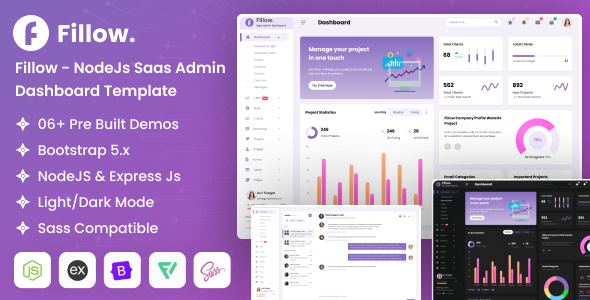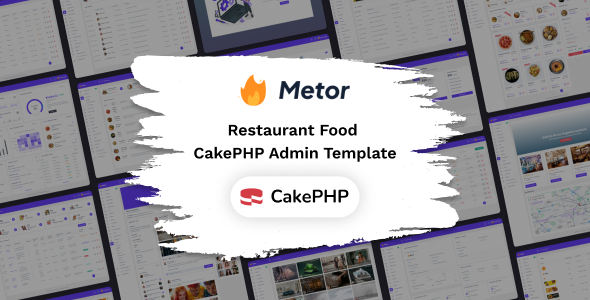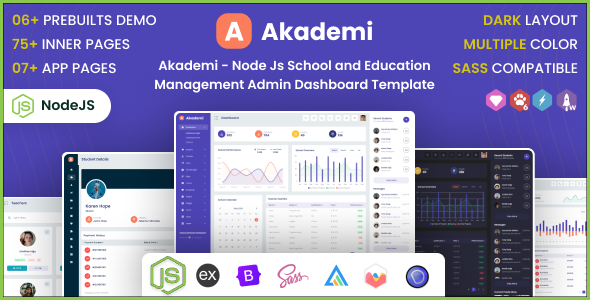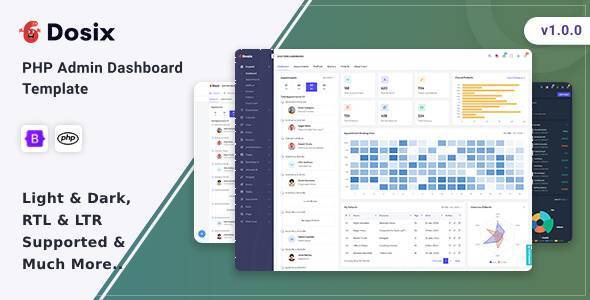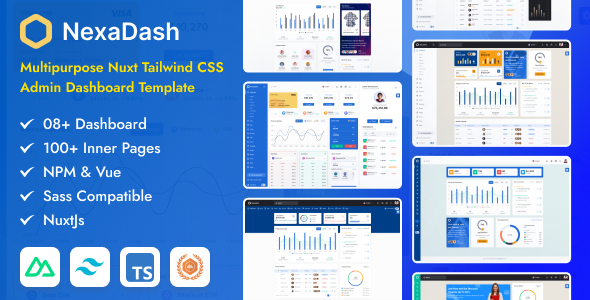
NexaDash offers a Nuxt and Tailwind CSS admin dashboard template for web applications. It provides pre-built UI components, charts, and pages to accelerate backend development for agencies and freelancers.
NexaDash Nuxt Tailwind Admin Dashboard Template Review
This template is a frontend UI kit built with Nuxt, Vue, and Tailwind CSS, plus TypeScript. It is designed to give you a head start on the administrative sections of web applications. Think dashboards, analytics views, user management screens, and various data entry forms. The core idea here is to save you from building these common components from scratch every time.
From a practical standpoint, it provides a solid foundation, allowing developers to focus on the actual backend logic and unique features of their application rather than wrestling with UI styling for standard elements. It is a smart investment if your team regularly builds custom admin panels and needs to maintain a consistent, modern look across projects.
Who Benefits from this Nuxt Admin Dashboard Template?
This kit is for developers and small agencies already comfortable with the Nuxt and Vue ecosystem, especially those who appreciate the utility-first approach of Tailwind CSS. If you are regularly tasked with building custom backend interfaces for clients and need to deliver them quickly, this template can significantly cut down on your frontend development time.
It is particularly useful for projects requiring a modern, component-based frontend where speed of deployment is a priority. This template is not for absolute beginners in web development or those unfamiliar with Nuxt and Vue. It is also not suitable if your project does not use this specific technology stack, or if you need a full-stack solution with a pre-built backend, as this is purely a frontend user interface kit.
Design and Visual Approach for a Modern Admin Panel
The design leverages Tailwind CSS, which means the styling is handled through utility classes. This approach makes it relatively straightforward to customize colors, spacing, and typography without digging into complex CSS files. The template includes multiple color options, dark and light modes, and various header and sidebar configurations, which are standard but well-implemented.
When we tested the kit on a demo site, changing primary colors was quick, as expected with Tailwind. The flexibility in header and sidebar options means you can adapt the navigation to suit different application needs, from compact menus to more expansive ones. It uses Google Web Fonts and Font Awesome, which are common and accessible choices for typography and icons.
Layouts, Pages, and Components Included
NexaDash comes with a decent set of pre-built pages and components. You get various dashboard layouts, form elements, tables, charts from libraries like Apexcharts and ChartJs, and notification components. There are also specific page types like an Invoice template, a User Profile, error pages, and a Wizard component, which can be a time-saver for multi-step processes.
The mention of "AI KIT Pages" and "CMS Pages" suggests it covers some niche-specific layouts, which can be useful if your project aligns with those areas. Having these common elements ready to go means you are not spending hours building basic UI pieces, which significantly speeds up project delivery.
Code Quality and Developer Experience
The template is built on Nuxt, Vue, and TypeScript, which is a modern and performant stack. The original description mentions "Clean Coded" and "Well Commented files," which is crucial for maintainability. In our experience with similar frameworks, a well-structured Nuxt project with Tailwind usually results in efficient asset loading, which translates to better Core Web Vitals scores and a snappier user experience.
The component-based architecture makes it easier to understand and extend. The inclusion of libraries like Ckeditor for rich text editing, Sweetalert for custom alerts, and Swiper for sliders means common functionalities are already integrated, reducing the time spent on package setup and basic implementation. This structure means lower maintenance costs in the long run for business owners, as developers can quickly find and update specific sections.
Responsiveness and Browser Compatibility
Like any modern template, NexaDash claims to be "Super Responsive for All Latest Browsers and Mobile Devices" and "Cross Browser Compatibility." Given its foundation in Tailwind CSS, handling responsiveness is generally straightforward, as Tailwind's mobile-first utilities are built in. This ensures your admin panel will look and function correctly across various screen sizes and devices, providing a consistent experience for all users.
SEO Readiness for Backend Applications
While SEO is less of a primary concern for internal admin dashboards, the template claims to be "SEO Optimized." Nuxt's architecture inherently supports server-side rendering (SSR) and static site generation, which are beneficial for SEO if any part of your admin application needs to be public-facing or indexed by search engines. Even for internal tools, a clean semantic HTML structure, often a byproduct of well-built Vue components, contributes to better accessibility and long-term maintainability.
Final Thoughts on NexaDash for Your Workflow
NexaDash is a solid choice if you need to rapidly deploy a modern-looking admin dashboard and your team is already invested in the Nuxt, Vue, and Tailwind CSS ecosystem. It genuinely solves the problem of repetitive UI development for common admin features, letting you allocate more time to unique application logic.
The trade-off is that you need familiarity with this specific tech stack. While it is well-structured, deep customization might still require a good understanding of Nuxt's conventions and Tailwind's utility classes. One thing I would change or consider average is that, like many templates, it provides a great starting point but does not offer opinionated solutions for complex data fetching or state management patterns, which you will still need to implement yourself. However, for getting a functional, good-looking admin panel up fast, it is a practical investment that can save significant development hours.
FAQ
Does this template include a backend?No, NexaDash is purely a frontend UI kit built with Nuxt, Vue, and Tailwind CSS. You will need to connect it to your own backend API or database.
Is it easy to customize the design?Yes, because it uses Tailwind CSS, customizing colors, fonts, and general styling is relatively straightforward if you are familiar with Tailwind's utility-first approach.
What level of technical skill is needed to use NexaDash?You should have a good understanding of Nuxt, Vue, and JavaScript, along with familiarity with Tailwind CSS and TypeScript, to effectively use and customize this template.
Can I use this for multiple projects?Your license typically permits use in a single end product. If you need to use it for multiple distinct projects, you would generally need to purchase additional licenses according to ThemeForest's terms.