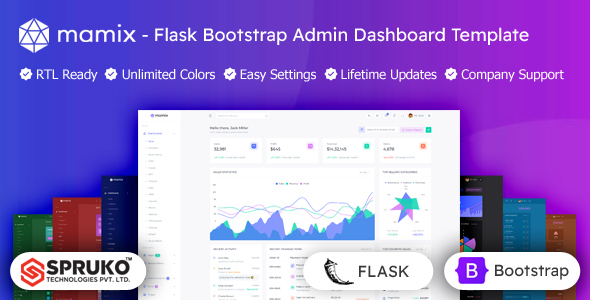
Mamix is a Flask and Bootstrap admin panel template designed for developers building internal tools or data dashboards. It offers 230+ HTML pages, 16 dashboard layouts, and a solid component library.
Mamix: A Flask and Bootstrap Admin Panel for Developers
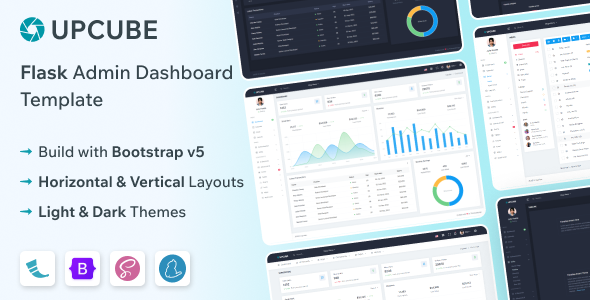
This isn't a full-blown application; it's a frontend admin dashboard template built with Bootstrap and pre-integrated with Flask for the backend. What that means in practice is you get a ready-made user interface (UI) to plug into your Python-based Flask applications. It’s designed to give you a significant head start on building out admin areas, data visualization dashboards, or internal tools without starting the UI from scratch.
The main problem it solves is the grunt work of setting up a functional, decent-looking admin interface. If you're building an application with a Flask backend and need a quick way to manage data, users, or display analytics, this template provides the scaffolding. It keeps you from spending weeks on basic UI components and layout, allowing you to focus on the core Flask application logic.
Who Benefits from This Admin Dashboard Template
This Mamix template is primarily for agencies, freelancers, and development teams who need to quickly spin up a professional-looking admin interface for their Flask projects. If you're regularly building internal tools with Flask and Bootstrap, or client dashboards that require data management, this can save you significant development hours.
On the flip side, if you're a complete beginner with no experience in Flask or Bootstrap, this isn't a drag-and-drop website builder. You'll need a moderate level of technical expertise to integrate it properly with your backend and customize it. It's also not for projects that require a highly custom, non-Bootstrap visual design from the ground up, as you'd spend more time fighting the framework than benefiting from it.
Practical Design and Component Library
The design here is clean and follows standard Bootstrap patterns, which is a good thing for an admin panel. It's not trying to reinvent the wheel, which means familiarity for most developers and a predictable user experience for the end-user. You get a solid collection of components like interactive charts, tables, forms, and various UI elements that are essential for any data management interface.
The template includes 16 different dashboard variations, which gives you options for various use cases such as sales, analytics, e-commerce, or project management. When we tested the kit on a demo site, changing colors and layout options was straightforward thanks to the built-in switcher features, making it easy to adapt to different brand identities without diving deep into CSS every time. It also handles responsiveness well, ensuring your data management interface looks good on desktops, tablets, and mobile devices, which is crucial for modern applications.
Under the Hood: Code Quality and Developer Experience
One of the better aspects of Mamix is its modern tech stack. It's built on Bootstrap and notably has no jQuery dependencies, which is a big win for performance and maintainability in today's web development landscape. The project uses SASS for its CSS architecture, which makes styling changes more organized and manageable compared to monolithic CSS files found in market-average templates.
The code is well-commented, which helps when you need to dig in and understand how a specific component works or where to make a modification. It's also W3C validated, indicating a commitment to standard HTML practices, which helps with overall browser compatibility and semantic accessibility. For a non-technical business owner, this translates to lower maintenance costs and a more stable application over time, as the codebase is cleaner and easier for developers to work with.
SEO and Accessibility Considerations
While an admin panel isn't typically a public-facing SEO target, a clean, semantic HTML structure is always a good foundation. Mamix is built with this in mind, which means the underlying markup is sensible. It uses Google Fonts, and assuming standard implementation, it should handle font loading in a GDPR-ready manner. The focus on responsiveness also contributes to a better user experience across devices, which search engines indirectly favor.
The template's structure provides a good starting point for building internal tools with Flask and Bootstrap that are both functional and maintainable. It won't magically rank your internal dashboard, but it sets up the technical groundwork for good web practices.
Final Thoughts on This Flask Admin Dashboard Solution
Mamix offers a practical, no-nonsense approach to building admin interfaces for Flask applications. It provides a solid, modern foundation that can genuinely save developers a lot of time on frontend setup. If your workflow involves frequently creating custom Bootstrap admin panels for Python projects, this template is a smart investment that pays for itself in reduced development hours.
One thing that feels standard, and could be improved, is the depth of out-of-the-box accessibility features beyond basic semantic HTML. While it's a good start, more explicit ARIA attributes or keyboard navigation examples would be a welcome addition. However, for getting a functional and visually consistent Flask admin dashboard template for data management up quickly, Mamix delivers on its promise.
FAQ
Does this template include the Flask backend logic for my application?No, Mamix provides the frontend HTML, CSS, and JavaScript for the admin panel. You will need to integrate your own Flask backend logic to connect it to your database and application functions.
Can I easily change the color scheme and layout?Yes, the template includes various switcher features for dynamic theme options, allowing you to quickly change colors, layouts (vertical/horizontal), and menu styles without manual CSS edits.
What level of technical expertise is required to use Mamix?You should have a moderate understanding of Flask, Bootstrap, HTML, CSS, and JavaScript to effectively integrate and customize this template for your projects.
Are there any ongoing costs or subscriptions for updates?No, the purchase includes lifetime free updates, ensuring your template remains compatible with the latest Bootstrap and web standards without additional fees.