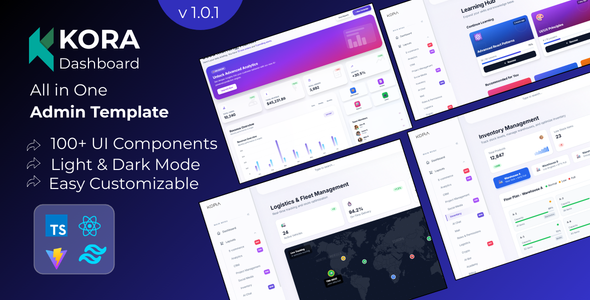
KORA is a React admin dashboard template built with Vite and Tailwind CSS, suitable for developers building complex backend applications. It offers a production-ready foundation with a wide array of pre-built components and features for various project types.
KORA Admin Dashboard: A Developer's Practical Look
When we're tasked with building out the backend interface for a client's SaaS platform or a complex e-commerce dashboard, the initial setup can be a significant time sink. KORA, a React admin dashboard template, aims to cut down on that setup time. After we building multiple agency sites with tools like this, our first impression is that it provides a solid starting point with a lot of pre-built functionality. If you're looking to avoid reinventing the wheel for common admin panel elements like data tables, forms, and charts, this template is worth a look.
Streamlining Backend Development Workflows
The core value proposition here is speed. Building a custom admin panel from scratch involves countless hours on UI components, state management, and basic layouts. KORA addresses this by offering over 100 ready-to-use components. We found the data table implementation particularly useful, as it includes sorting, filtering, and pagination out of the box. This is a common requirement for any backend application dealing with significant amounts of data, and having it handled cleanly saves us considerable development effort. The integrated apps like chat and mail also mean that if a client needs those functionalities, we aren't starting from zero.
Technical Foundation and Developer Experience
From a developer's perspective, the use of Vite for builds is a definite plus. We’ve seen firsthand how much faster Vite is compared to older build tools, leading to quicker iteration cycles during development. The template's reliance on Tailwind CSS means styling is utility-first, which can be efficient once you're familiar with its classes. We also appreciate the full TypeScript coverage, which helps catch potential errors early in the development process. This translates to fewer bugs and a more stable application for the end-user. For those needing to develop an ecommerce website template with a robust admin panel, the underlying structure here feels appropriate.
Key Features for Niche Applications
KORA doesn't just offer generic components; it includes layouts tailored for specific use cases. The LMS dashboard, for example, provides a good starting point for educational platforms. Similarly, the project management features, like the Kanban board, are well-implemented and can be a significant time saver for agencies building custom project tracking tools. We also noted the built-in PDF and data export capabilities, which are often a pain point for clients needing to generate reports or invoices directly from their backend. The inclusion of dark mode and full RTL support further broadens its applicability for a global audience.
Considerations and Limitations
While KORA offers a lot, it's important to understand its scope. This is primarily an admin dashboard template, not a full front-end website builder. If your project requires extensive, custom public-facing pages with unique designs, you'll likely need to build those separately or heavily adapt the template's structure. We found that while the glassmorphism aesthetic is popular, it can sometimes lead to accessibility challenges if not carefully implemented, though the template does mention standard accessibility practices. For very niche backend logic that goes beyond standard CRUD operations or data visualization, you'll still need to write custom code.
What We'd Change or What's Standard
In our experience with similar frameworks, the component library is quite extensive. However, we did find that some of the more complex UI elements, while functional, felt somewhat standard in their implementation. For instance, the form elements are solid and cover most needs, but they don't necessarily break new ground in terms of advanced validation patterns or dynamic field generation without custom work. This isn't necessarily a flaw, as many projects don't require that level of complexity, but it's something to be aware of if your project demands highly specialized form interactions.
Final Thoughts on KORA
KORA is a well-put-together React admin dashboard template that can significantly accelerate the development of backend interfaces. It provides a clean, well-architected foundation with a generous set of pre-built components and features relevant to common application types. If you're an agency or a freelance developer looking to quickly spin up a professional and functional admin panel for your clients, this template is a smart investment that can save you valuable development hours and reduce the burden of repetitive coding tasks.
FAQ
Is KORA suitable for building a custom analytics dashboard?Yes, KORA includes a variety of charting components and data table features that make it a strong starting point for custom analytics dashboards.
Can I easily integrate KORA with my existing Node.js backend?KORA is a frontend template, so you will need to build the API endpoints on your Node.js backend to connect with the template's data fetching logic.
How does KORA handle state management for complex applications?The template uses React Context for state management, which is a standard approach for managing application state in React applications.
Is the glassmorphism design difficult to customize for branding?While the glassmorphism effect is a core part of the design, Tailwind CSS provides flexibility for adjusting colors and other styles to match your branding.