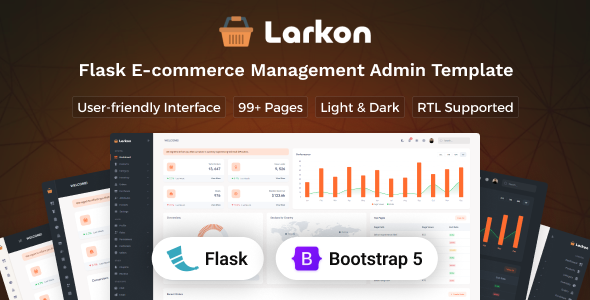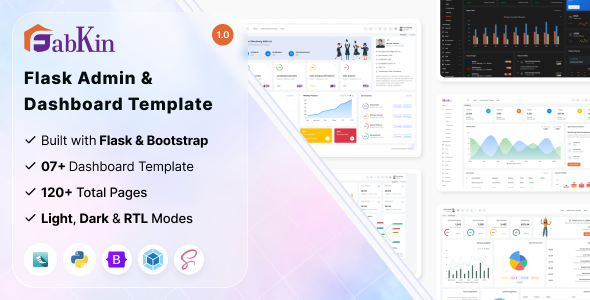
Fabkin is a Flask admin dashboard template designed for developers building custom web applications with Python. It provides a pre-built user interface foundation for backend management panels, saving significant setup time.
Streamlining Python Backend UI Development for Agencies
For agencies or individual developers building custom applications with Flask, setting up a functional and presentable admin interface from scratch is a significant time sink. This Fabkin Flask admin dashboard template directly addresses that by providing a ready-to-use frontend with common components. It saves countless hours on initial styling, component creation, and ensuring cross-browser compatibility for a custom admin panel development project, letting you focus on the backend logic and unique application features.
Evaluating Fabkin's Code Quality and Maintainability for Flask Projects
From a technical standpoint, Fabkin uses a standard stack: Flask, Python, Bootstrap, and SCSS for styling, bundled with Webpack. This means the codebase is generally familiar to most frontend and Python developers. The organization of the SCSS files is logical, making it relatively straightforward to find and adjust variables for branding or component styles, which directly translates to lower maintenance costs for clients down the line. The integration with Flask feels natural, offering a good starting point for a Flask-based application's admin section.
- The SCSS architecture is well-structured, allowing for efficient theme customization without fighting the framework. This means quicker branding changes and easier updates.
- It uses Bootstrap components, which ensures a degree of familiarity and accessibility for common UI elements. This makes the interface intuitive for end-users and reduces the learning curve for new developers joining a project.
- The Webpack setup is standard, handling asset compilation and optimization. This helps ensure faster loading times and a smoother experience for admin users, which is important for daily operational efficiency.
- The responsive design is competent, adapting well across various screen sizes. This is crucial for admin users who might access the dashboard from desktops, tablets, or even phones, ensuring consistent usability.
- The inclusion of light and dark modes out of the box is a practical feature for user comfort, especially for those spending long hours in an admin panel.
Key Strengths of Fabkin for Building a Custom Admin Panel
What impresses most about Fabkin is its pragmatic approach. It doesn't try to reinvent the wheel but rather provides a solid, well-integrated foundation using established technologies. In our experience building multiple custom admin interfaces, the ease of switching between multiple color schemes and light/dark modes is a quick win for client presentations. The layout handles typical data tables and forms gracefully, which is often a pain point in admin interfaces. For a Python backend UI kit, it offers a clean, semantic structure that is generally good for SEO considerations, even for internal tools.
Identifying the Ideal User for this Flask Admin Template
This template is ideal for developers and small to medium-sized agencies building custom web applications with Flask and Python who need to rapidly deploy a professional-looking admin interface. It's particularly useful for projects where time-to-market is critical and a solid, functional UI is preferred over highly bespoke designs. However, it's not suited for projects requiring extremely deep custom backend logic tightly coupled with frontend components, or for non-technical users looking for a drag-and-drop builder.
Acknowledging the Limitations of Pre-built Dashboard Solutions
While Fabkin is a competent starting point, some of the default component stylings feel fairly standard, perhaps lacking a distinct visual flair compared to more niche-specific, opinionated designs. If your project demands very unique data visualizations or extremely complex, interactive components out of the box, you'll still need to invest significant custom development time. The initial setup process, while documented, still requires a basic understanding of Webpack and Flask project structure, which isn't a limitation of the product itself but a reality for anyone considering a template like this.
Final Thoughts: Is it worth it?
Ultimately, Fabkin offers a valuable shortcut for Flask developers. It provides a robust, well-organized frontend framework that adheres to common web standards, saving considerable development time and effort. If you're building a Python application and need a reliable admin dashboard without spending weeks on UI implementation, investing in this template is a logical step to accelerate your project and reduce initial costs.
FAQ
Is Fabkin easy to integrate with an existing Flask application?Yes, its structure is designed to be integrated into a standard Flask project, typically by moving the static assets and templates into your application's respective folders and configuring routes.
Does this template support different user permission levels?The template provides the visual structure for an admin panel; implementing user roles and permission logic is a backend task you would build into your Flask application.
How difficult is it to change the primary branding colors throughout the dashboard?Due to its SCSS architecture, changing primary branding colors is relatively straightforward by modifying a few key SCSS variables and recompiling the assets with Webpack.
Can I easily add custom pages or new menu items to the navigation?Yes, the template's structure makes it simple to add new HTML template files for custom pages and extend the navigation menu by modifying the relevant template partials.
.png)