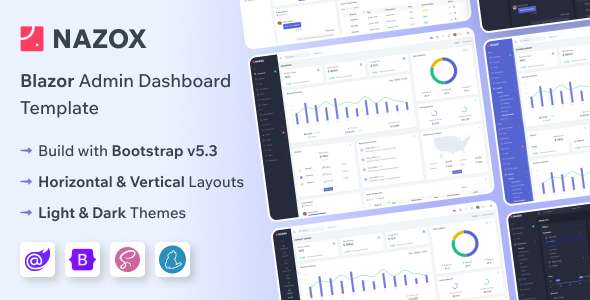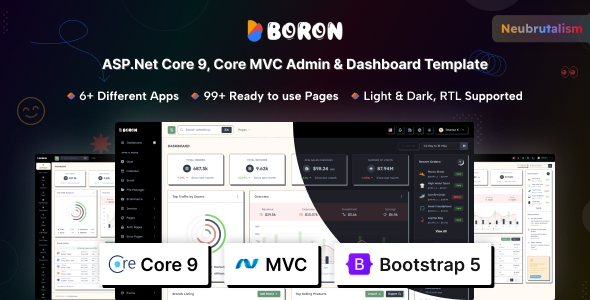
Boron is an ASP.NET Core admin dashboard template designed for developers building backend interfaces who appreciate a modern, somewhat opinionated design language.
Evaluating Boron ASP.NET Core Admin Dashboard Template for Workflow Efficiency
This template tackles the common problem of spinning up an administrative interface for ASP.NET Core applications quickly. Instead of building core components like user management, data tables, and basic application views from scratch, Boron provides a comprehensive starting point. For agencies or developers on tight deadlines, using a pre-built ASP.NET Core admin dashboard template like this can realistically save dozens of hours on initial setup and styling, letting you focus on the unique business logic of your project rather than boilerplate UI.
Core Technical Standards and Features in a .NET Admin Panel
Boron is built on a solid foundation, leveraging ASP.NET Core MVC and Bootstrap, with SCSS for styling and Vite for asset bundling. This stack means the codebase is familiar to most .NET developers and generally well-organized, which translates to lower maintenance costs and easier onboarding for new team members. The Neubrutalism design concept is a distinct choice; it offers a fresh, bold aesthetic that stands out from the typical flat admin panels, potentially giving your application a memorable look.
- The SCSS architecture is well-structured, making it straightforward to override styles or introduce new components without fighting specificity issues. This directly reduces the time spent on visual customization, benefiting the project's budget.
- For asset loading, Vite is a smart inclusion. It provides fast development server performance and optimized builds, which means faster page loads for end-users and better Core Web Vitals scores, improving the overall user experience.
- The advanced datatables implementation is robust, a critical component for any admin panel dealing with large datasets. It includes features like pagination, searching, and sorting out of the box, saving significant development time for common data management tasks.
- Support for both Light and Dark Modes is implemented via attributes, making it simple to switch and extend. This is a standard expectation now and improves accessibility and user preference satisfaction.
- The inclusion of RTL and LTR support is a thoughtful touch for international projects, reducing the effort needed to adapt the interface for different languages and regions.
Strengths of Boron for Rapid ASP.NET Backend Development
What impresses me about Boron is its sheer breadth of pre-built functionality. The included applications for email, chat, file management, and a basic ecommerce dashboard mean that if your project needs these standard features, a significant portion of the work is already done. The range of UI components, from various chart libraries to WYSIWYG editors and drag-and-drop functionalities, covers almost every common requirement for a complex backend interface. This level of completeness is a major time-saver for anyone looking to quickly deploy a functional admin panel.
Who Benefits from a Pre-built ASP.NET Core Admin Panel
This template is ideal for development agencies, solo developers, or small teams who need to deliver ASP.NET Core applications with rich administrative interfaces quickly. It's particularly useful for projects where a distinct visual style like Neubrutalism is desired or acceptable. If you are building internal tools, SaaS dashboards, or complex content management systems on the .NET stack, Boron provides a solid head start. This is not for projects requiring deep, highly custom backend logic integrated directly into the UI framework or those strictly adhering to a non-Bootstrap CSS methodology.
Limitations of Boron as a Templated Admin Solution
While Boron offers a lot, the sheer number of included pages and components can feel a bit overwhelming if your project has very minimalist requirements. You might find yourself pruning a fair amount of code if you only need a fraction of what's provided, which is a common trade-off with comprehensive templates. The Neubrutalism design, while fresh, is also quite specific; if your brand guidelines demand a very different aesthetic, you might spend extra time overriding the core styling, which could negate some of the initial time savings. The dependency on jQuery for some components, while standard, might be a minor consideration for developers aiming for a purely modern JavaScript stack.
Final Thoughts: Is it worth it?
For ASP.NET Core developers tasked with building admin dashboards, Boron offers a compelling package. It provides a robust, feature-rich foundation that genuinely accelerates development for common backend tasks. The time saved on setting up basic UI elements, integrating third-party components like advanced data tables, and implementing common admin apps makes it a smart investment, allowing you to allocate more resources to your application's unique features.
FAQ
Does Boron support multiple database types or is it tied to a specific one?
Boron is a front-end template for ASP.NET Core MVC. It does not dictate your database choice; you can integrate it with SQL Server, PostgreSQL, MySQL, or any other database supported by Entity Framework Core.
How difficult is it to integrate Boron with an existing ASP.NET Core project?
Integrating Boron involves copying the relevant views, controllers, and static assets into your existing ASP.NET Core MVC project. You'll need to adapt your routing and potentially some authentication logic, but the process is generally straightforward for experienced .NET developers.
Can I easily customize the Neubrutalism design to fit a different brand identity?
Yes, Boron uses SCSS with extensive variables, making it relatively easy to change colors, fonts, and basic design elements globally. However, fundamentally altering the Neubrutalism style's core visual language might require more in-depth CSS modifications.