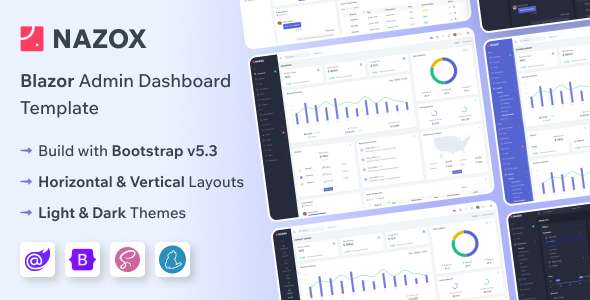
The YNEX Blazor admin dashboard template provides a solid foundation for developers looking to quickly spin up backend interfaces using Blazor and Bootstrap, particularly for internal tools or client projects requiring a standard admin UI.
Streamlining Blazor Admin Interface Development
This template addresses the common challenge of setting up an administrative interface from scratch, especially for Blazor applications. Building out dashboards, forms, and navigation for a new project often consumes significant initial development time, which can quickly eat into project budgets. YNEX helps bypass a lot of that boilerplate, potentially saving dozens of hours on initial UI setup and styling, letting developers focus on the core application logic rather than repetitive front-end tasks.
Evaluating YNEX Blazor Dashboard Template Code Quality and Features
From a technical standpoint, the YNEX Blazor admin dashboard template uses a fairly standard Bootstrap approach for its layout and styling, which means most front-end developers will find it familiar. The claim of "no jQuery" is accurate and expected for a modern Blazor component library, ensuring a cleaner client-side footprint. Its Razor Pages structure is logical, making it relatively straightforward to trace component usage and modify existing views.
When you dive into the files, the SASS architecture is reasonably organized, making global style changes or component-specific overrides manageable without fighting against deeply nested CSS. This is a step above many market-average templates that often dump all styles into one massive file or use overly specific selectors, which impacts long-term maintenance costs for business owners. The asset loading feels standard, not overly optimized for Core Web Vitals out-of-the-box, but also not actively detrimental. It provides a decent starting point for further optimization for a responsive Blazor UI kit for enterprise apps.
- Blazor Component Structure: The components are generally well-defined, allowing for easier data binding and state management within Blazor’s paradigm. This means less debugging for developers and more predictable behavior for end-users.
- Responsive Behavior: It handles various screen sizes well. The mobile menu collapses cleanly, and content adapts without major layout shifts, ensuring a consistent user experience across devices.
- Form Elements: The included form elements are functional and cover most common input types. They integrate with Blazor’s data binding naturally, which simplifies the process of creating data entry screens for different business processes.
- Dashboard Variations: The range of dashboard layouts offers a good starting point for different data visualization needs, whether it’s for an analytics dashboard or a sales overview. This helps visualize key business metrics quickly.
- Accessibility: While not explicitly a focus, the semantic HTML structure provided by Bootstrap forms a decent baseline for accessibility practices, which can reduce future compliance work.
Strengths of this Blazor Admin Dashboard for Agencies
What impresses most about YNEX is its sheer breadth of pre-built pages and components. For agencies needing fast turnarounds on client projects, having 170+ Razor Pages and numerous dashboard variations means significantly less time spent on initial design and component creation. This is particularly valuable for projects where the client needs a functional admin panel quickly without a massive custom UI budget. The included starter kit also makes it easy to get a new project up and running without much fuss, making it a strong contender for a Blazor admin dashboard for rapid development.
Who Should Use This Blazor Admin Template and Who Should Not
This YNEX Blazor admin template is best suited for individual developers, small teams, or agencies who are already committed to the Blazor ecosystem and need to deliver functional, visually consistent admin panels quickly. It’s ideal for internal tools, SaaS dashboards, or client projects where a standard, robust UI is preferred over highly bespoke branding. It is not for those needing deep custom backend logic tightly coupled to the UI, or for projects requiring an extremely unique, custom-designed front-end from the ground up.
Limitations of the YNEX Blazor UI Kit
While YNEX provides a lot out of the box, one area that feels fairly standard is the overall visual design. It’s clean and functional, but it doesn't push any boundaries in terms of unique aesthetics. If your project demands a truly distinctive brand identity that goes beyond color and layout variations, you'll find yourself doing a fair amount of custom styling work. Additionally, while the documentation covers setup well, deeper Blazor-specific component usage patterns or advanced integration scenarios might require some experimentation.
Final Thoughts: Is it worth it?
For anyone regularly building Blazor-based administrative interfaces, the YNEX Blazor admin dashboard template offers a compelling value proposition. It effectively reduces the initial development burden, allowing you to focus on application-specific features rather than rebuilding common UI elements. Considering the time saved on front-end setup and styling, it’s a smart investment that translates directly into faster project delivery and lower development costs.
FAQ
Does this template support server-side Blazor or Blazor WebAssembly?
The template is built for Blazor Web App Server, meaning it leverages server-side rendering for initial load and then uses WebAssembly for interactivity, offering a balanced approach.
How difficult is it to integrate this with an existing .NET backend API?
Integrating with an existing .NET backend API is standard Blazor practice. The template provides the UI; you'll connect your Blazor components to your API endpoints using HttpClient or gRPC, just like any other Blazor application.
Can I easily change the primary color scheme across the entire dashboard?
Yes, the template includes SASS variables and a color switcher, making it straightforward to modify primary and accent colors globally. This ensures brand consistency with minimal effort.
What is the expected performance impact on Core Web Vitals for a typical deployment?
Out of the box, the performance is decent for an admin dashboard. For optimal Core Web Vitals, you'll likely want to implement lazy loading for less critical components and optimize asset delivery, especially if deploying as a Blazor WebAssembly standalone application.



.__large_preview.jpg)