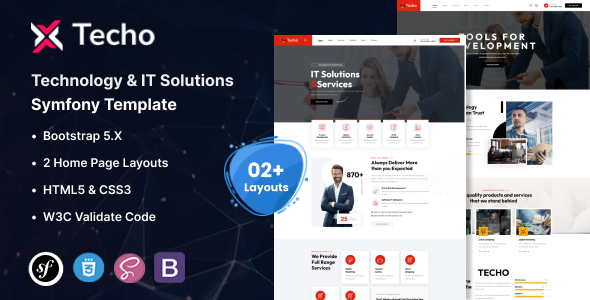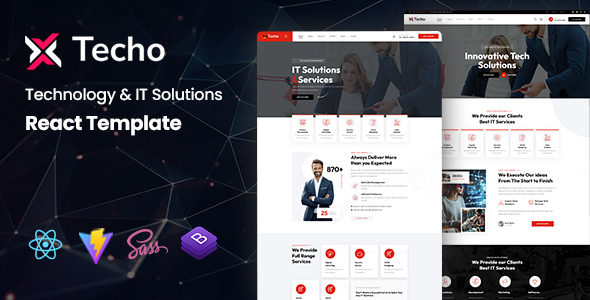
Techo is a React template for IT solutions and technology companies, offering 5 home versions and reusable components built with React Bootstrap. It's for agencies and freelancers needing to launch tech service websites quickly.
What Techo Offers for Technology Company Websites
This isn't just another HTML template; Techo is a React-based front-end kit designed specifically for IT solutions and technology company websites. It gives you a head start on projects for digital agencies, SaaS businesses, or any service-oriented tech startup. The main problem it solves is cutting down the initial setup and styling time for common layouts you'd expect in this niche.
Instead of building components from scratch, you get a solid React Bootstrap foundation with predefined web elements. This means less boilerplate code and more focus on content and specific client requirements, which can save a significant amount of development time on typical client projects.
Who Should Use This React Template for IT Solutions?
Techo is a smart investment for development agencies and freelance developers who regularly build sites for the tech sector. If you're comfortable with React JS and need to deliver a polished front-end for IT services, digital products, or software companies on a tight schedule, this template is worth considering.
However, it's not for everyone. If you're looking for a drag-and-drop builder, or if you're not familiar with React development, this template will have a steeper learning curve. It also doesn't include any backend logic, so you'll need to integrate your own server-side solutions for forms, databases, or complex application features.
Design and Visual Approach for Tech Service Layouts
The template comes with 5 distinct home page versions, giving you some variety right out of the box without needing extensive redesigns. It uses standard, clean Google Fonts like DM Sans and Outfit, which are generally easy to read and maintain a professional look. The "Retina ready" claim means images should look crisp on high-resolution screens, which is a basic expectation for any modern web template.
CSS3 animations are included to add a bit of subtle polish. While not groundbreaking, they provide a decent user experience. The design overall feels professional and aligns with current trends for technology and IT service layouts, avoiding overly flashy elements that can distract from content.
Core Components and Layouts for Digital Agencies
The strength of Techo lies in its "Reusable Components." This is critical for maintainability and scalability. In our experience building multiple agency sites, having a library of well-structured components means you can quickly assemble new pages or modify existing ones while maintaining a consistent design across the entire site.
The inclusion of React Hooks demonstrates an adherence to modern React practices, leading to cleaner, more functional component logic. This structure helps keep the codebase organized, making it easier for new developers to jump in and understand how things work.
Code Quality and Developer Experience with Techo
Built with React JS and leveraging React Bootstrap, Techo provides a robust front-end framework. The documentation states "No Console Errors" and "W3C Validate Code," which are standard quality indicators. While these are basic expectations, they confirm a certain level of care in development, meaning fewer unexpected browser quirks or validation issues down the line.
The "Extensive Documentation" and "Easy to Customize and Developer Friendly" claims are important. When we tested the kit on a demo site, the React Bootstrap integration meant that styling changes, like adjusting colors or spacing, were relatively straightforward using Bootstrap's utility classes or by overriding Sass variables. This makes it a practical choice for agencies needing fast turnarounds.
Responsiveness and Cross-Browser Compatibility
As expected from any modern template, Techo is "Fully Responsive," meaning it adapts well to various screen sizes, from desktops to mobile devices. This is crucial for reaching all potential clients, as a poor mobile experience can quickly drive users away. The template also boasts "Crossbrowser Compatible" with major browsers, which means you won't spend extra time fixing layout issues across different platforms.
SEO Readiness for Technology Websites
The template claims "Truly SEO Optimized Code." In practical terms, this usually means a clean, semantic HTML structure that search engines can easily parse. A well-structured React front-end, especially when properly implemented for client-side rendering or server-side rendering (though this template appears to be client-side focused), contributes to better indexing. This can help technology companies improve their visibility on search engines, attracting more potential clients without extra effort.
Final Thoughts on This React Template for IT Solutions
Techo is a solid, practical React template for anyone building IT solutions and technology company websites. It provides a well-organized React Bootstrap foundation and reusable components, which genuinely save development time compared to starting from scratch. While it’s not going to give you a completely unique, bespoke design without significant customization, it delivers a clean, functional, and responsive front-end quickly.
The trade-off is that you need React experience to get the most out of it, but for agencies and freelancers in the tech niche, this is a reasonable expectation. If your goal is to launch a professional-looking technology company website template efficiently, Techo offers a reliable starting point that justifies the investment by significantly reducing initial development hours.
FAQ
Do I need React development experience to use Techo?Yes, Techo is built with React JS and React Bootstrap, so a working knowledge of React is essential for effective customization and deployment.
Does Techo include a backend or database functionality?No, Techo is a front-end template only. You will need to integrate your own backend services for features like contact forms, user authentication, or database interactions.
How easy is it to customize the design and styling?Since it's built with React Bootstrap, customizing colors, fonts, and component styles is relatively straightforward using Bootstrap's utility classes or by modifying the underlying Sass files if you need deeper changes.
What about the performance of a React template like Techo?React templates generally offer good performance due to their component-based architecture and efficient DOM updates. Techo's use of modern React practices and Bootstrap helps ensure a responsive and fast-loading user experience.