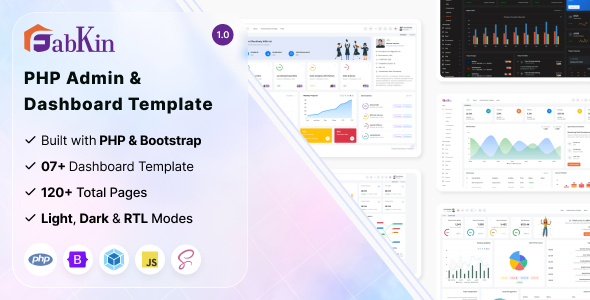
Fabkin is a PHP admin dashboard template designed to give developers a practical head start on building backend interfaces for web applications. It's suitable for teams looking to quickly deploy functional, component-driven administration panels without starting from scratch.
Accelerating PHP Admin Panel Development for Custom Applications
Setting up an admin panel from scratch often means spending significant time on boilerplate UI elements like data tables, forms, and navigation. Fabkin addresses this by providing a pre-built structure and a library of components.
This saves dozens of hours on initial UI setup and styling, allowing developers to focus on core application logic instead. For agencies on tight deadlines for client projects needing a robust backend UI kit for web projects, this can be a smart investment.
Technical Standards and Practical Features for Backend UI Kits
The template is built on Bootstrap, which means a familiar and well-documented foundation for most front-end developers. Its SCSS setup for styling allows for easier customization than digging through raw CSS files.
The inclusion of multiple layouts, light and dark modes, and LTR/RTL support offers immediate flexibility. This translates to less time spent on responsive design issues and easier adaptation for different client branding, reducing maintenance costs for business owners.
- CSS structure: The SCSS architecture is a standard, maintainable approach. It lets you change global styles like colors and fonts centrally, which simplifies branding updates and lowers long-term maintenance.
- Mobile menu behavior: The mobile menu collapses cleanly, as expected from a Bootstrap base. This ensures the admin panel remains fully functional and accessible on smaller devices, improving productivity for users on the go.
- Layout for long text: Data tables handle numerous columns and longer content gracefully, typically with horizontal scrolling for overflow. This prevents layout breakage and ensures data readability without excessive vertical scrolling.
- Asset loading: With Webpack integration, assets are bundled and optimized for delivery. This generally leads to faster load times and a snappier user experience, positively impacting perceived performance and Core Web Vitals.
- Semantic accessibility: While not explicitly a primary focus, the Bootstrap foundation provides a decent semantic structure for forms and navigation elements. This is a solid starting point for improving accessibility for screen reader users and overall usability.
- Comparison: Unlike many market-average templates that are just a dump of HTML, Fabkin's SCSS and Webpack integration points to a more organized and maintainable approach.
What Stands Out in This Bootstrap Dashboard Template
What impresses most is the range of pre-built pages and components. This significantly cuts down on front-end development time for common admin tasks. The integration with Webpack for asset management is also a positive, showing attention to modern development practices.
For PHP developers, the multiple Laravel integration options are a thoughtful touch, simplifying the initial hook-up for a widely used framework.
Who Benefits from Using Fabkin and Who Should Look Elsewhere
This template is for developers and small agencies who frequently build custom web applications and need to quickly spin up a functional backend UI. It's particularly useful for projects where the focus is on application logic, not on designing every UI element from scratch. Teams looking for a PHP admin panel development shortcut will find value here.
However, it's not for projects requiring a completely unique, highly customized design that deviates significantly from Bootstrap's conventions, nor is it a full-stack solution; you will still need to build your backend API and integrate it.
Limitations of This Backend UI Kit
While Fabkin provides many components, some might feel fairly generic. The reliance on Bootstrap, while familiar, means that achieving a truly distinctive look might require overriding a fair bit of CSS. The claim of "optimized, lightweight codes" is standard marketing; while Webpack helps, real-world performance depends heavily on how you integrate your own data and scripts.
After building multiple agency sites with tools like this, we've found you always end up tweaking default styles to fit specific branding, and Fabkin is no exception.
Final Thoughts: Is it worth it?
Fabkin offers a solid, well-structured foundation for admin panels. It's a practical time-saver for developers who need to deliver functional backend interfaces efficiently without reinventing the wheel. For the right project, it helps avoid repetitive UI work, allowing more focus on core business logic and ultimately saving project time and money.
FAQ
Is Fabkin a full-stack application?No, Fabkin is a frontend template providing the UI for an admin dashboard. You'll need to integrate it with your own backend logic and database.
How easy is it to change the overall look and feel?The template uses SCSS, which makes global style changes like colors and typography relatively straightforward by modifying variables in the stylesheet.
Does it come with user management or database features out of the box?No, the template provides the visual components for these features, such as user tables and forms, but does not include the backend code for database interaction or user authentication.
Is this template suitable for high-traffic applications?The template itself is lightweight, but the overall performance for high-traffic applications will depend entirely on your backend infrastructure and how efficiently you integrate your data.
.png)

.__large_preview.png)