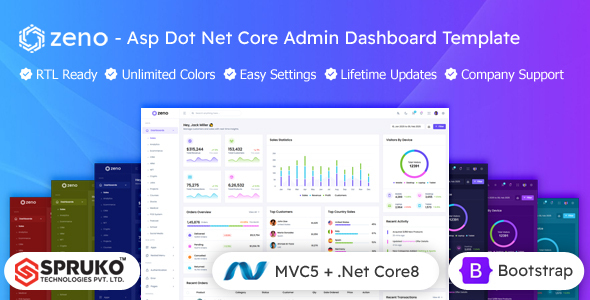
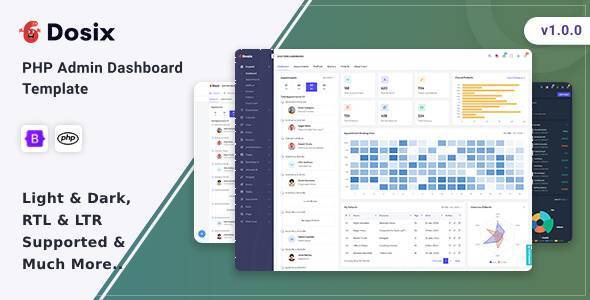
Zono React Admin Dashboard Template: A solid React and Bootstrap starter for building custom admin panels and web application backends. Good for agencies and freelancers.
Zono React Admin Dashboard Template for Web Applications
This Zono React admin dashboard template is a pre-built foundation for anyone needing to quickly spin up an internal application backend or a custom CMS. It’s essentially a well-organized starting point, packed with common UI components, rather than a finished product. It aims to save significant development time on the initial setup and styling of a new React project, especially for those building custom CRM backends or similar internal tools.
Who Should Use This React Admin Template and Who Should Skip It
This template is ideal for development agencies and freelance developers who regularly build custom web applications for clients. If you need to deliver a functional, responsive admin interface quickly and have a team comfortable with React, TypeScript, and SASS, this kit provides a head start. It's particularly useful for projects where the backend needs to handle data, users, and settings without starting from scratch.
However, if you're new to React or lack a solid understanding of its ecosystem, this template isn't a "learn React" tool. It requires existing proficiency to customize and integrate effectively. Similarly, if your project demands extremely niche UI components that are entirely unique and can't be adapted from existing patterns, you might find yourself overriding a lot of the pre-built structure, negating some of the time-saving benefits.
Layouts, Pages, and Components for Custom Backends
The strength of Zono lies in its comprehensive collection of pre-built layouts and components. You get multiple dashboard variations, which is useful for different client needs, along with common application features like a chat application and an e-commerce section. This means you don't have to build basic data entry forms, charts, or user management interfaces from scratch.
- Data Tables and Forms: The inclusion of robust data tables, form wizards, and range sliders means common data management tasks are already catered for. This saves dozens of hours compared to hand-coding these elements for every new project.
- Charting Libraries: With Chart.js and Apex Charts integrated, visualizing data is straightforward. This is a big win for any custom admin panel that needs to display analytics or operational metrics.
- Application Modules: Features like the chat application and e-commerce sections offer ready-to-use modules that can be adapted for user communication or simple product management within your admin interface.
Code Quality and Developer Experience
From a developer's perspective, the code quality here is generally solid. It’s built with modern React practices, using React Hooks and Redux Toolkit for state management, which is a standard and maintainable approach. The use of TypeScript provides better type safety, reducing bugs and improving code readability for larger teams. Styling with SASS is a plus for organization and themeability.
When we tested the kit on a demo site, the file structure felt logical, making it relatively easy to locate and modify components. The documentation is detailed, which is crucial for understanding how different parts of the template are meant to be used. This clean, well-commented code means lower maintenance costs down the line and an easier onboarding process for new team members.
Responsiveness and Compatibility
The template states it’s fully responsive, which is a non-negotiable for any modern web application. In our experience with similar frameworks, this usually means layouts adjust well across different screen sizes, from large desktops to mobile phones. This ensures that administrators can manage their application effectively, regardless of the device they are using, which is a practical benefit for business owners needing on-the-go access.
SEO Readiness for Internal Tools
While an admin dashboard isn't typically optimized for public-facing search engine ranking, the underlying technical structure still matters. The W3C validated code ensures a clean semantic structure, which is a good foundation for any web project. This attention to detail means the application itself is built to a high standard, contributing to better performance and maintainability, even if it's not directly impacting Google SERP positions.
Final Thoughts on This React Admin Template
After building multiple agency sites with tools like this, Zono stands out as a genuinely useful React admin dashboard template. It's not going to write your entire application for you, but it provides a robust, modern, and well-structured starting point that saves significant upfront development time. The comprehensive component library means you can focus on building your core application logic rather than reinventing common UI elements.
One aspect that feels standard for these types of templates is the general aesthetic; while functional, it might require additional branding effort to give it a truly unique look. However, the built-in theme customizer and SASS architecture make this customization straightforward. For any agency or freelancer looking to accelerate their custom web application development, investing in a solid foundation like Zono makes practical business sense.
FAQ
Does this template include user authentication logic?No, the template provides UI components and layouts, but the actual backend logic for user authentication needs to be implemented and integrated with your chosen backend API.
Is it easy to integrate Zono with a custom backend API?Yes, because it's a React frontend, integrating with any RESTful or GraphQL API is straightforward. You'll use standard data fetching patterns to connect your backend services to the template's UI components.
Can I easily change the overall branding and colors of the dashboard?Yes, the template uses SASS for styling and includes a theme customizer, making it relatively simple to adjust colors, typography, and other visual elements to match your specific branding requirements.
What level of React experience is needed to use this effectively?You should have a good working knowledge of React, including Hooks, component architecture, and state management (like Redux Toolkit), along with familiarity with TypeScript and SASS, to fully leverage and customize this template.