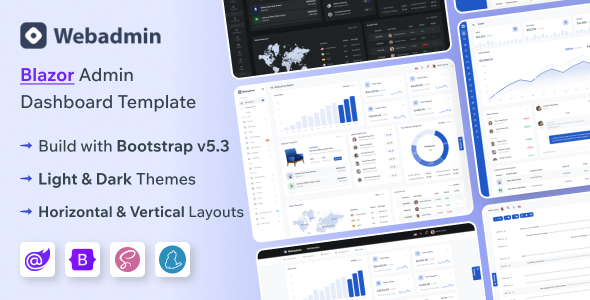
WebAdmin is a Blazor Server admin dashboard template for building web applications. It's for developers needing a pre-built interface with common components for SaaS, e-commerce, or management tools.
Building Admin Interfaces with Blazor and Bootstrap
When we need to spin up a backend interface for a client project, especially one built on Blazor Server, having a solid admin template can save a significant amount of time. WebAdmin offers a pre-built structure using Bootstrap, which is a familiar foundation for most developers. We found its approach to providing multiple layouts and color modes, managed via SCSS, to be a practical way to quickly adjust the look and feel without digging deep into individual component styles.
Streamlining Development for E-commerce and SaaS Backends
For projects that involve e-commerce functionality or SaaS platforms, having ready-made pages for product management, sales dashboards, and user lists is a real workflow accelerator. WebAdmin includes these, which means we don't have to build out common data tables, form layouts for customer input, or basic reporting charts from scratch. This is particularly useful when we're working on a tight deadline and need to deliver a functional backend interface quickly. Its inclusion of features like file managers and invoice templates further reduces the initial setup effort for these niche applications.
Developer Experience and Code Organization
In our experience with similar frameworks, the organization of the CSS and JavaScript assets is crucial for long-term maintainability. WebAdmin's use of SASS for styling means that theming changes are generally more straightforward than with plain CSS. The code comments are also a helpful touch, making it easier for us to locate and modify specific sections when needed. While it's built on Bootstrap, we noticed it adheres to standard accessibility practices, which is essential for any application intended for broader use.
Real-World Application and Flexibility
We tested the kit on a demo site, and the process of swapping out layouts and adjusting color schemes was relatively quick. The included components cover a broad range of common admin panel needs, from form elements and validation to data tables and map integrations. This breadth means that for many standard admin dashboard requirements, you’re likely to find what you need without extensive custom development. For example, setting up a basic user management system with profile pages and contact information was largely covered by the existing components.
Understanding the Trade-offs
While WebAdmin provides a good starting point, it's important to note its limitations. It's primarily a frontend toolkit. If your project requires complex, custom backend logic or integrations with very specific third-party APIs that aren't standard web services, you'll still need to do significant development work. This template is best suited for projects where the core challenge is presenting data and providing user interaction within a familiar admin interface structure, rather than building entirely novel backend functionality.
Who Should Consider WebAdmin?
This template is a sensible choice for agencies and freelance developers who frequently build backend interfaces for clients using Blazor Server. It's particularly well-suited for creating applications like SaaS dashboards, e-commerce admin panels, or project management tools where a consistent and functional UI is paramount. If you're looking for a way to accelerate the development of these types of applications, saving hours on repetitive styling and component setup, WebAdmin is worth considering.
Who Should Look Elsewhere?
Developers building highly custom, unique backend systems with very specific user experience requirements might find this template too restrictive. It’s also not the best fit if your project relies heavily on a framework other than Blazor Server or if you prefer to build your entire frontend from the ground up without relying on pre-built templates. Those needing deep integration with non-standard backend services or unique UI paradigms will likely need a more flexible solution.
Final Thoughts on WebAdmin
WebAdmin offers a practical and well-organized foundation for Blazor Server admin dashboards. It successfully addresses the common need for pre-built UI components and layouts, which can significantly speed up development cycles for e-commerce and SaaS applications. For developers aiming to reduce setup time and focus on core application logic, this template represents a smart investment in efficiency and a solid starting point for building robust backend interfaces.
FAQ
Is WebAdmin suitable for building custom CRM systems?
Yes, its included features like user management, data tables, and form elements provide a strong foundation for building custom CRM systems.
Can I integrate WebAdmin with a custom Blazor backend API?
Absolutely, as it's a frontend template, you can integrate it with any custom Blazor backend API you develop.
What is the learning curve for using WebAdmin?
The learning curve is generally moderate, especially if you are already familiar with Blazor and Bootstrap.
Does WebAdmin support mobile responsiveness for admin dashboards?
Yes, the template is fully responsive and designed to work well across different devices.