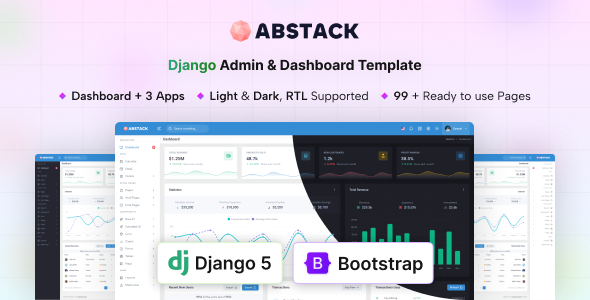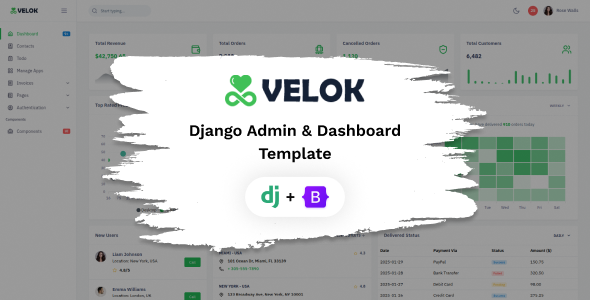
Velok is a Django admin UI kit for building web applications. It’s for developers needing a pre-built dashboard structure to accelerate backend interface development.
Velok Django Admin UI Kit: A Practical Look at Building Dashboards
Velok is an admin UI kit built on Bootstrap and Django, offering a collection of pre-designed pages and components for backend interfaces. If you're developing a web application with Django and want to avoid building your admin panel from scratch, this kit provides a solid starting point. It’s essentially a set of styled HTML templates and JavaScript integrations that handle common dashboard elements.
In my experience building multiple agency sites with tools like this, the value proposition is clear: speed. Instead of spending days on basic layout, navigation, and component styling, you get a foundation. This kit includes a good number of pages, covering everything from basic UI elements like buttons and forms to more complex sections like charts and tables. For anyone looking to quickly get a functional admin area up and running, especially if they are already comfortable with Django and Bootstrap, this can save significant development time.
Who Benefits Most from the Velok Admin Template
This UI kit is primarily for backend developers and agencies that need to deliver functional admin panels rapidly. If you're building a SaaS product, an internal tool, or any application requiring a custom administrative interface, Velok can be a smart investment. It’s particularly useful if your projects frequently involve Django and you want a consistent look and feel across your admin areas without reinventing the wheel. For those who need to set up a complex data visualization dashboard or a robust user management system quickly, the included components will be valuable.
However, this is not for everyone. If you're working on a project that requires a highly unique, custom-designed frontend for your admin area, or if you're heavily reliant on a different backend framework, this kit might be overkill or not the right fit. Developers who prefer to build their UI from the ground up with minimal pre-existing structure should look elsewhere. It’s also not ideal for those who need deep backend logic integration beyond what standard Django and Bootstrap offer out-of-the-box.
Solving the Dashboard Development Headache
The main problem Velok solves is the time-consuming nature of styling and structuring admin interfaces. Setting up navigation, consistent card layouts, form elements with validation, and integrating charting libraries can easily eat up a significant portion of a project's timeline. Velok packages these common requirements into ready-to-use components and pages. This means you can focus more on the application's core logic rather than the repetitive task of making buttons look good or ensuring forms are responsive.
For instance, if you need to display complex data in tables and visualize trends with charts, the included Gridjs Table and Apex Chart integrations save you the effort of finding, integrating, and styling separate libraries. This acceleration is crucial for agencies working on tight deadlines or startups needing to launch an MVP quickly. It helps in creating conversion-ready funnels for internal data management without extensive custom coding.
Design and Visual Approach
Velok offers both light and dark versions, which is a standard but appreciated feature for admin panels. The design is clean and focuses on usability, which is paramount for backend interfaces. It utilizes Bootstrap’s grid system and components, so it feels familiar if you've worked with Bootstrap before. The SCSS variables make it relatively straightforward to adjust primary colors and typography to match a project’s branding, which is a practical benefit for maintaining a consistent look across different client sites.
While the design is functional and modern, it's not revolutionary. It follows common patterns found in many admin templates. This isn't necessarily a bad thing; consistency is often preferred in backend interfaces for ease of use. The layouts handle long text reasonably well, and the mobile menu behavior is standard, collapsing into a typical off-canvas or accordion style, ensuring a decent mobile experience for administrators on the go.
Layouts, Pages, and Components Included
The kit boasts over 99 pages and more than 400 UI components. This is a substantial number and covers a wide range of common needs for a web application's administrative backend. You get standard pages like dashboards, forms with various input types and validation, tables, and error pages (404, 500). It also includes specific sections like invoice templates and pricing pages, which could be useful for applications with billing or subscription features.
- Dashboard variations to showcase different data display needs.
- Extensive form elements for capturing user input, including wizards and editors.
- Multiple table options for organizing and presenting data effectively.
- Chart libraries for visualizing data trends.
- Authentication pages like login and register, which are standard but essential.
The sheer volume of components means you're likely to find what you need without having to build it yourself. This is a significant time saver compared to starting with a barebones framework.
eCommerce or Business-Related Features
While Velok isn't an eCommerce theme in the traditional sense of a customer-facing shop, it includes features that are highly relevant for business applications. The inclusion of an invoice page and a pricing page suggests it can be adapted for internal business management tools, subscription platforms, or applications that handle order processing. The emphasis is on administrative functions rather than product display or checkout flows.
For a business owner looking to manage operations, track sales, or handle customer data through a custom backend, these included pages provide a good starting point. It helps in setting up systems for efficient internal workflows and data management, which is a core aspect of many online businesses.
Code Quality and Developer Experience
Built with Bootstrap and SCSS, the code structure is generally organized, which is typical for Bootstrap-based projects. The use of SCSS variables is a plus for easier theming and customization. The documentation is mentioned as complete, which is crucial for any template. In our experience with similar frameworks, good documentation can drastically reduce the learning curve and troubleshooting time.
The asset loading feels standard for a Bootstrap project. It’s important to note that while the kit provides the structure, optimizing asset loading for specific production environments will still be the developer's responsibility. The code follows semantic accessibility practices, which is a good baseline for SEO and broader user access. This means search engines can better understand the content of your admin panel.
Responsiveness and Compatibility
The kit is described as fully responsive and works across modern browsers and devices. This is a non-negotiable standard for any web template today. The Bootstrap framework itself is built with responsiveness in mind, so you can expect the layouts to adapt well to different screen sizes, from desktops to tablets and mobile phones. This ensures that administrators can access and manage the application effectively regardless of the device they are using.
Testing on various devices is always recommended, but the underlying Bootstrap framework provides a solid foundation for cross-device compatibility. This means less time spent fixing layout issues on different screen resolutions and more time on core functionality.
SEO Readiness
For an admin UI kit, direct SEO readiness for public-facing pages isn't the primary concern. However, the underlying structure, built on semantic HTML and Bootstrap, provides a clean foundation. This means that if any part of your admin interface is indexed or if you build public-facing pages using similar principles, it will have a good starting point for search engine optimization. The clean semantic structure helps search engines understand the content, which is beneficial for any part of your web presence.
Final Thoughts on Velok for Django Projects
Velok offers a practical and efficient way to build the backend interfaces for your Django applications. It addresses the common need for pre-built dashboard elements, saving developers considerable time and effort. While it might not be the most groundbreaking design, its functional approach and extensive component library make it a solid choice for agencies and developers looking to accelerate their project timelines. If you're deep into a Django project and need a robust admin panel structure quickly, this kit is a sensible investment to get you off the ground running.
FAQ
Is Velok suitable for non-developers?No, Velok is designed for developers familiar with Django and Bootstrap. It requires technical knowledge to implement and customize.
How does Velok handle custom styling beyond basic color changes?The kit uses SCSS variables for easier theming. For more extensive custom styling, you would typically override or extend the existing Bootstrap and Velok styles.
Can Velok be used for frontend applications, not just admin panels?While it's built as an admin UI kit, the components could potentially be adapted for frontend use, but it's not its intended purpose and would likely require significant modification.
What is the typical maintenance overhead for a project using Velok?Maintenance will involve updating Django and Bootstrap versions, and managing any custom code you add. The pre-built structure generally simplifies updates compared to entirely custom code.
.png)