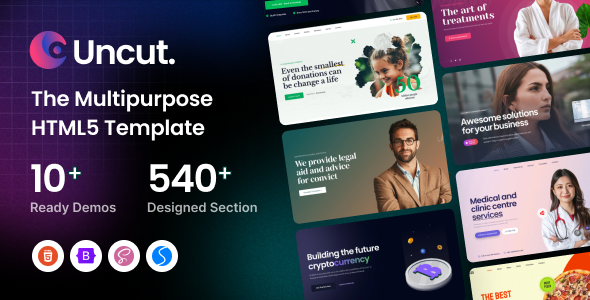
Uncut is a multipurpose HTML template built on Bootstrap, offering 10+ full website demos and extensive components. It's a solid starting point for agencies and freelancers needing quick, diverse project kickoffs.
Uncut - A Multipurpose HTML Template for Diverse Projects
Alright, let's talk about Uncut. This isn't a WordPress theme or a drag-and-drop builder. It's a static HTML template, built on Bootstrap, and it comes with a significant collection of pre-designed pages and components. Think of it as a comprehensive front-end toolkit for quickly assembling various types of websites.
The core idea here is to give you a head start, not a finished product. It bundles a lot of common elements and layouts you'd otherwise build from scratch, saving you time on the initial setup and styling. This template aims to solve the problem of starting a new project with a blank canvas, providing a robust foundation instead.
Intended Users: Who Benefits from This Static Website Development Toolkit
This template is primarily for web developers, freelancers, and agencies who need to build static sites quickly for clients across different industries. If you’re comfortable working with HTML, CSS (especially SCSS), and JavaScript, you'll find it useful.
It's a good fit for projects where a full content management system isn't immediately required, or for creating high-fidelity prototypes. However, if you’re a non-developer client looking for a no-code solution, or if your project demands complex backend logic and dynamic content out of the box, this is not the right tool for you. It's also not ideal for those who need deep custom backend logic without integrating a separate system.
Design and Visual Approach: Exploring Uncut's Visuals and Component Library
Uncut leans into a modern, visually engaging aesthetic with its use of animations, parallax effects, and a wide array of component styles. The "creative brilliance" mentioned in the original description translates to a lot of visual flair, which can be a double-edged sword. While it offers a lot of eye candy, you'll need to be mindful of how much you use to maintain good performance and user experience.
The sheer number of elements and sections means you have a lot of building blocks. This flexibility allows you to mix and match to fit different brand aesthetics, but it also means you'll need a clear design direction to avoid a disjointed look.
Layouts, Pages, or Components: Pre-built Pages and Sections for Rapid Deployment
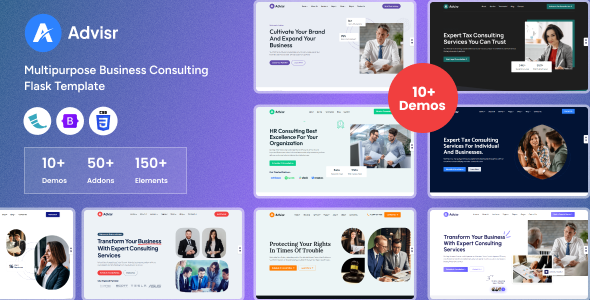
The strength of Uncut lies in its extensive collection of pre-built assets. You get over 10 full website demos, which cover a surprising range from corporate to niche-specific layouts like medical or restaurant sites. This diversity is excellent for an agency that handles varied client requests.
Beyond the full demos, the template includes a solid set of inner pages and utility pages like About, Services, Contact, Pricing, and even Coming Soon pages. This means less time spent on standard page structures.
- Over 10 distinct website demos for various niches.
- 100+ templates for individual pages.
- 150+ pre-built elements to enhance content.
- 850+ designed sections for flexible page construction.
- Comprehensive inner pages including About, Services, Team, Pricing, and more.
Blog, Portfolio, or Content Sections: Content Presentation Options in Uncut
For content-heavy sites or those needing to showcase work, Uncut provides a good selection of blog and portfolio layouts. You'll find various grid, masonry, and classic styles for both blog listings and portfolio displays.
The blog post layouts also offer different formats like standard, gallery, slider, and video, which is helpful for diverse content types. This variety allows for engaging content presentation, an important aspect for any conversion-ready funnel or informational website.
Code Quality and Developer Experience: Under the Hood - Uncut's Code and Structure
Being built on Bootstrap means a familiar and generally well-structured foundation. The inclusion of SCSS is a big plus for developers. This means you can manage your styling with variables and partials, making global color changes or font updates much more efficient than digging through raw CSS files. This translates to lower maintenance costs for clients down the line.
The template incorporates several JavaScript libraries like Swiper for sliders, Magnific Popup for lightboxes, and Anime.js for animations. While these add functionality and visual appeal, it's worth noting that a high number of scripts can impact Core Web Vitals if not carefully managed and optimized. The documentation is generally helpful for understanding how to use the various components, which is standard but appreciated.
- SCSS architecture for easier styling and maintenance.
- Well-organized and commented code, making customization straightforward.
- Integration of popular JavaScript libraries like Swiper and Magnific Popup.
- Detailed online documentation for template options and features.
Responsiveness and Compatibility: Device and Browser Behavior
As expected from a Bootstrap-based template, Uncut is responsive out of the box. This means layouts adapt to different screen sizes, from desktops to mobile phones, ensuring a consistent user experience. The "retina-ready" claim indicates attention to high-resolution displays, which is standard practice now.
It's also tested for compatibility across major browsers, so you shouldn't run into significant rendering issues. The mobile menus are intuitive, a small but important detail that often gets overlooked in multipurpose HTML5 template offerings.
SEO Readiness: Technical SEO Foundations
The template claims to be "SEO-ready," which for an HTML template typically means a clean semantic structure. Good heading hierarchy and proper HTML tags are crucial for search engine crawlers to understand your content. The use of Google Fonts, if implemented correctly, is generally GDPR-ready for font loading, avoiding external calls that might raise privacy concerns.
While an HTML template can't promise rankings, a solid technical foundation like this contributes to better crawlability and indexability, which are key for any online presence aiming for visibility.
Final Thoughts: Is Uncut a Smart Investment for Your Workflow?
Uncut is a solid choice if you’re a developer or agency consistently building static websites for a diverse client base. The sheer volume of pre-built pages, sections, and components can genuinely save you a lot of development time, especially on the initial setup and styling phases of a project. It’s a smart investment if your workflow involves rapid prototyping or delivering brochure-style websites.
The main trade-off is managing the extensive feature set; it’s easy to include too much and bloat a site if you don't curate carefully. In our experience with similar frameworks, while it gives you extreme flexibility, you still need a disciplined approach to keep your projects lean. For what it offers as a static website development toolkit, it provides a robust starting point that can accelerate many projects, making it a valuable asset in a developer's toolbox.
FAQ
Is Uncut a WordPress theme or a CMS?No, Uncut is purely an HTML, CSS, and JavaScript template. It does not include any backend content management system like WordPress or Joomla.
Can I easily change the colors and fonts across the entire template?Yes, because it uses SCSS, you can manage global styles, colors, and fonts efficiently through variables, making site-wide changes much simpler than with plain CSS.
Does this template include a backend system for content management?No, this template is front-end only. Any content updates or dynamic features would require manual HTML editing or integration with a separate content management system or API.
How does Uncut handle performance and page load speed?Uncut is built on Bootstrap and includes several JavaScript libraries. While the code is clean, the actual page load speed will depend on your specific implementation, image optimization, and server configuration. It provides a good foundation, but optimization is still your responsibility.