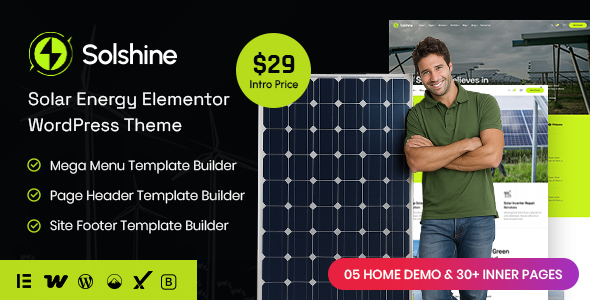
Solshine Solar Energy Elementor WordPress theme provides a solid foundation for agencies and freelancers needing to rapidly deploy client sites in the renewable energy sector, particularly for solar panel installation businesses.
Addressing the Niche Design Challenge for Solar Energy Companies
This theme directly addresses the common workflow problem of building visually appropriate and functional websites for solar energy companies without starting from scratch. For agencies managing multiple clients in this field, or even solo developers, it saves significant time on initial setup and styling, which often takes weeks when designing custom layouts for solar panel installation services.
The investment makes sense for projects where a quick turnaround is critical, and the core functionality aligns with showcasing services, projects, and team members. It’s a tool for getting a client online with a professional presence focused on renewable energy solutions efficiently.
Evaluating Solshine's Technical Foundation and Code Quality
From a technical standpoint, Solshine uses Elementor, which means a familiar interface for many. The underlying structure is built on Bootstrap, providing a standard, mobile-first grid system that ensures consistent responsiveness across devices. This adherence to established frameworks helps maintain a predictable code environment, reducing future maintenance costs for business owners.
The theme’s approach to asset loading feels fairly standard for an Elementor-based product. While Elementor can sometimes introduce bloat, Solshine appears to manage its core assets reasonably well, which is important for Core Web Vitals and overall site speed. A cleaner asset load directly translates to a better user experience on mobile devices and potentially higher search engine rankings.
- The CSS organization is fairly conventional, making it easy to locate and override styles if you’re comfortable with Elementor’s styling options and custom CSS.
- Mobile menu behavior is responsive and predictable, which is a basic expectation but often mishandled in less polished themes, ensuring a smooth experience for users on the go.
- The layout handles longer text blocks adequately within its content areas, which is crucial for detailed service descriptions or blog posts about solar energy benefits.
- It includes a child theme, a standard but important feature, allowing developers to make safe modifications without losing changes during updates, which lowers long-term support overhead.
- WooCommerce integration is present, making it possible to sell specific solar products or service packages directly, providing a direct revenue channel for the business.
Where Solshine Shines for Renewable Energy Websites
What impresses most about Solshine is its focused approach to the solar and renewable energy niche. Many themes attempt to be "all-purpose" and end up generic. This theme provides specific layouts for services, project portfolios, and team pages that are directly relevant to a solar business, streamlining renewable energy site builds.
The inclusion of multiple homepage and inner page demos means less time spent arranging components, allowing developers to focus on content and client-specific branding. After building multiple agency sites with tools like this, having pre-built layouts for showcasing solar panel projects or explaining energy savings is a significant advantage.
Who Will Benefit from this Solar Energy WordPress Theme
This theme is ideal for freelance web developers, small to medium-sized agencies, or even solar energy businesses looking to quickly establish an online presence. It suits projects that require a professional look with standard functionality for presenting services, projects, and contact information. It is not for those needing deep custom backend logic for complex energy management systems or highly unique interactive tools beyond what Elementor typically offers.
Considering the Limitations of this WordPress Solar Theme
One aspect that feels fairly standard is the overall visual design; while clean and functional, it doesn't push any major boundaries in terms of unique aesthetics. While Elementor offers flexibility, relying heavily on it means you’re somewhat locked into its ecosystem. This can sometimes lead to a larger page weight than a custom-coded site, which might require additional optimization efforts for peak performance.
Final Thoughts: Is it worth it?
If your goal is to launch a professional website for a solar energy company efficiently, Solshine provides a solid, purpose-built foundation. It offers enough design variations and core features to handle most small to medium-sized renewable energy website needs. For the right project, it’s a smart buy that genuinely saves development time and effort.
FAQ
Does this theme impact site performance, given its Elementor base?Like many Elementor-based themes, Solshine might require some optimization to achieve top-tier Core Web Vitals scores. However, its use of Bootstrap and a relatively clean design means it starts from a decent baseline.
Can I easily extend the theme with custom post types for unique solar projects?Yes, you can add custom post types using a plugin, and then design single and archive templates for them using Elementor's theme builder, integrating them into the existing structure.
Is the theme compatible with other essential WordPress plugins?It's built on standard WordPress practices and Elementor, so it generally works well with most reputable plugins for SEO, security, and caching, common for a WordPress theme for solar energy companies.