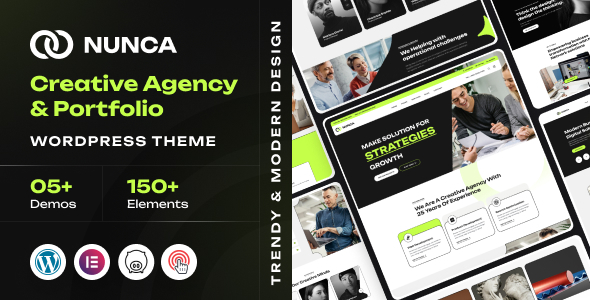
Rayo is an Elementor-based WordPress theme for creative agencies, freelancers, and personal brands. It provides pre-designed layouts and customization options for showcasing portfolios and services quickly.
Rayo WordPress Theme: A Practical Look for Creative Portfolios
After building multiple agency sites with tools like this, I can tell you that Rayo is essentially a pre-packaged set of Elementor templates and styles specifically aimed at creative professionals. Think digital agencies, designers, photographers, or anyone needing a slick online portfolio without diving deep into custom code.
Who Should Consider Rayo and Who Should Look Elsewhere
If you're an agency or freelancer who needs to launch a visually appealing site for a client quickly, Rayo is worth a look. It’s built on Elementor, so if you’re comfortable with that page builder, you’ll feel right at home. It’s particularly good for those who need to showcase a portfolio or a range of creative services. The pre-built layouts mean you can get a solid foundation up and running in a fraction of the time it would take to build from scratch.
However, if your client has very specific backend functionality requirements, like a complex custom booking system or integration with proprietary software, this theme is probably not the best fit. It’s designed for presentation and content display, not deep custom logic. Also, if you dislike page builders and prefer to code themes from scratch or use a highly minimalist starter theme, Rayo will feel like overkill.
Solving the "Need it Yesterday" Website Problem
The main problem Rayo solves is time. Setting up a professional-looking website with multiple portfolio pages, service descriptions, and an about section can easily eat up days, even for an experienced developer. Rayo offers a set of pre-designed homepage layouts and internal page structures that are already styled. You can import a demo, swap out the content and images, adjust colors, and have a functional, good-looking site ready for client review much faster. It’s particularly useful for finding a starting point for a custom agency website layout.
Design and Visual Approach
The design leans towards a clean, modern aesthetic that's common in the creative industry. It uses Elementor’s styling capabilities to create visually engaging sections. You get a good selection of pre-defined homepage layouts, which is helpful for quickly exploring different visual directions. The typography options are extensive, pulling from Google Fonts, allowing for some brand-specific customization without needing to add custom fonts manually, which can impact performance.
Layouts, Pages, and Components
Rayo includes over nine distinct homepage layouts, which is a decent variety. Beyond that, you get the standard set of internal pages you’d expect for a professional site, including blog layouts and single post templates. The inclusion of header and footer builders within Elementor means you have control over those key site areas without needing to touch theme files directly. It also provides a good starting point for single project layouts, crucial for portfolio sites.
eCommerce or Business-Related Features
While not its primary focus, the theme is compatible with WooCommerce. This means you can add an online store if needed, though it’s not a full-blown eCommerce template. The business features are more about presenting services and case studies effectively. It also supports Polylang for multilingual sites, which is a standard requirement for many international clients.
Code Quality and Developer Experience
Since it's built around Elementor, the underlying code quality is largely dictated by the page builder itself. Rayo adds its own set of custom widgets and styles on top. In my experience with similar frameworks, the CSS is generally organized well enough for basic customization. The theme is also child theme compatible, which is a must-have for any serious development work to ensure updates don't overwrite your customizations. The inclusion of detailed documentation is a plus, although I always recommend testing the theme's file structure and comment quality yourself.
Responsiveness and Compatibility
The theme is designed to be responsive and retina-ready, meaning it should adapt well to different screen sizes and look sharp on high-resolution displays. This is standard practice now, but it's good to see it's a core consideration. Compatibility with the latest WordPress versions and Elementor free is also a given, which is important for avoiding plugin conflicts.
SEO Readiness
The description mentions it's built with SEO best practices in mind. For a theme like this, that usually means clean semantic HTML structure and proper heading hierarchy, which are foundational for SEO. It doesn't include any specific SEO plugins, so you'll still need to implement your chosen SEO strategy with a plugin like Yoast or Rank Math. The efficient loading of assets, a common concern for sites built with page builders, is something to keep an eye on during actual implementation.
Final Thoughts on Rayo for Your Next Project
Rayo is a solid choice if you're looking to quickly build a visually appealing website for a creative client using Elementor. It saves significant time on initial styling and layout setup. It’s not a revolutionary product, but it does what it sets out to do reliably. For agencies and freelancers who prioritize speed and a professional aesthetic without extensive custom development, it’s a sensible investment to speed up your workflow.
FAQ
Is Rayo compatible with Elementor Pro?While Rayo is built to work with the free version of Elementor, it's generally compatible with Elementor Pro as well, as Pro extends the functionality of the free version.
Can I use Rayo for a non-creative business?You can, but its design and pre-built layouts are heavily geared towards creative portfolios. You might spend more time customizing it to fit a different niche.
Does Rayo include actual project content or just templates?The theme includes demo content, which means you get example projects, text, and images that you can replace with your own content.
How easy is it to change the overall color scheme?It's generally straightforward using the theme's customizer options, allowing you to adjust primary and secondary colors across the site.