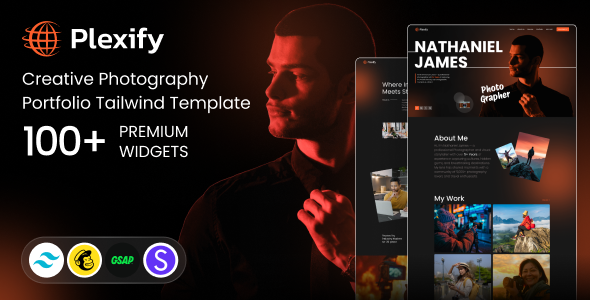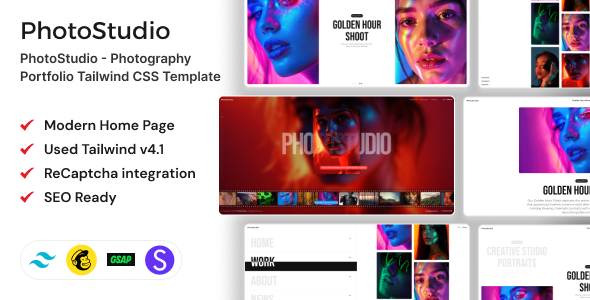
PhotoStudio is a Tailwind CSS template for photography portfolios, suitable for photographers and creatives needing to showcase their work. It offers a clean, image-first design with responsive layouts and animation features.
Showcasing Photography with PhotoStudio
When we’re looking for a new template to build a photography portfolio, especially for clients who want their work to shine without a lot of fuss, we often come across options that are either too generic or overly complicated. PhotoStudio aims to hit that sweet spot. It’s built with Tailwind CSS, which means the styling is handled in a way that’s familiar to developers who work with utility-first frameworks. This template focuses on presenting images cleanly, which is exactly what most photographers are after when they need a new website template.
Workflow Value for Photographers
For photographers, the main goal is to get their best work in front of potential clients quickly and effectively. PhotoStudio tackles this by providing a set of pre-designed layouts that are image-centric. We found the gallery and portfolio sections to be well-organized, allowing for different ways to display images, whether it’s a grid, a carousel, or full-screen displays. The inclusion of GSAP animations adds a layer of polish without being distracting, something we often have to build from scratch or integrate separately.
- Image-focused layouts: The template prioritizes visual content, ensuring your photographs are the main attraction.
- Animation features: GSAP animations are integrated for smooth transitions and visual flair, adding a professional touch.
- Responsive design: The template adapts well to different screen sizes, crucial for viewing portfolios on any device.
Developer Experience and Customization
From a developer’s perspective, working with a Tailwind CSS template like PhotoStudio is generally straightforward. The code structure is clean, and the utility classes make it easy to tweak colors, spacing, and typography to match a client’s branding. We appreciated that it doesn’t rely on heavy JavaScript frameworks, meaning fewer potential conflicts and a lighter overall build. This approach to asset loading is beneficial for site speed and easier maintenance down the line.
However, it's important to note that while customization is possible through Tailwind’s classes, extensive structural changes or adding complex backend functionality would require significant custom development. This isn't a theme builder; it's a front-end template. For those looking to build a simple, visually driven portfolio site, this is a strong contender. If you need intricate booking systems or custom e-commerce features beyond basic product display, you’ll need to look elsewhere or plan for considerable extra work.
Who Should Consider PhotoStudio?
This template is ideal for individual photographers, photo studios, and visual artists who need a professional online presence without a steep learning curve for front-end development. It’s particularly useful for those who want to quickly launch a visually appealing portfolio that emphasizes their photographic work. If you are a freelance web developer looking to offer fast turnaround times for photography clients, this template can significantly speed up the initial setup and styling process. It’s also a good choice for anyone wanting to learn or work with Tailwind CSS in a practical project.
Who Might Want to Look Elsewhere?
PhotoStudio is not the best fit for agencies requiring a highly dynamic or complex website with extensive backend integrations. It’s also not designed for users who prefer drag-and-drop page builders or have no coding knowledge. If your project demands deep custom logic, complex forms, or integration with numerous third-party services, you’ll likely find this template too restrictive without substantial custom coding.
Final Thoughts on PhotoStudio
PhotoStudio delivers on its promise of a clean, image-focused photography portfolio. It provides a solid foundation built with Tailwind CSS, offering a good balance of pre-designed elements and customization potential for developers. For photographers needing a fast, effective way to showcase their portfolios online, this template is a sensible investment that can save significant development time and effort.
FAQ
Is PhotoStudio suitable for someone with no coding experience?
No, basic knowledge of HTML and Tailwind CSS is required to customize and implement this template effectively.
Can I use PhotoStudio for an e-commerce photography store?
While the template is focused on portfolios, you could adapt it for basic e-commerce with custom development, but it's not pre-built with e-commerce features.
How does the animation affect website performance?
The GSAP animations are generally well-optimized, but excessive use or complex sequences could impact loading times on slower connections.
Is the code well-structured for SEO purposes?
Yes, the template is designed with SEO friendly HTML structure and semantic code, which is beneficial for search engine visibility.