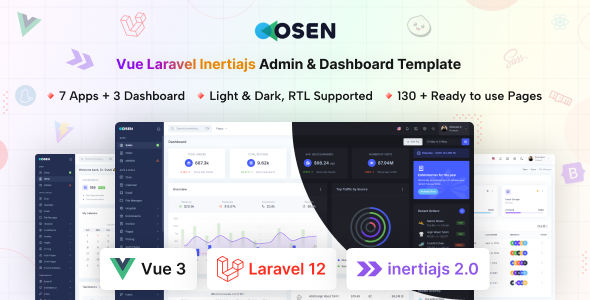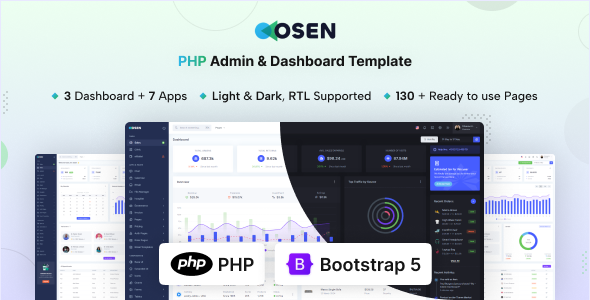
Osen is a PHP admin dashboard template built on Bootstrap, offering 80+ pages and 200+ UI components for rapid backend development. It's ideal for agencies and freelancers.
Osen: A Practical PHP Admin Dashboard Template for Quick Launches
Having used countless UI kits and admin templates over the years, Osen stands out as a solid, no-nonsense PHP admin dashboard template. It’s built with Bootstrap and PHP, providing a comprehensive set of UI elements and pre-built pages. This template is designed to cut down on the initial setup time for any backend management system you need to get off the ground quickly.
The core problem it solves is the repetitive task of building common administrative interfaces from scratch. Instead of spending days on forms, tables, and navigation, you get a well-organized starting point. This means lower development costs and faster delivery times for your clients, which is a clear benefit for any business owner.
Who Benefits Most from This Customizable Admin Panel?
This Osen admin panel is definitely for agencies and freelance developers who need to deliver custom backend interfaces fast. If you're building SaaS dashboards, internal tools, or client-specific content management systems, this template provides a robust foundation.
It’s particularly useful if your project relies on a PHP backend and you appreciate the structure and component library that Bootstrap offers. However, if you need a deeply custom design system that deviates significantly from Bootstrap, or if your project requires highly specialized backend logic that isn't a typical CRUD interface, you might find yourself doing more refactoring than expected. It's not for someone looking for a full, ready-to-deploy application without any custom backend integration work.
Layouts, Pages, and Essential Components
Osen comes packed with a significant number of pre-built pages and UI components. This is where it genuinely saves time. You get all the standard Bootstrap components, plus an array of useful additions.
- Over 80 pages, including authentication flows, error pages, and utility pages like FAQ and pricing.
- More than 200 UI components, covering everything from advanced data tables to drag-and-drop functionality and rich text editors.
- Integrated chart libraries (Chartjs and Apex Charts) which are crucial for any data-heavy dashboard, allowing for quick visualization of business metrics.
- Several built-in app layouts for things like Ecommerce, Hospital management, and a File Manager, offering a head start on niche-specific interfaces.
The inclusion of multiple authentication pages, including 2FA and account deactivation, means you don't have to build these critical security features from scratch. This translates directly to reduced development risk and a more secure initial setup for any user management system.
Code Quality and Developer Experience
From a developer's perspective, the use of SCSS variables for styling is a big plus. It means you can easily customize colors, fonts, and spacing without digging deep into CSS files, which keeps maintenance costs down for the long run. The attribute-based light and dark modes are also a clean implementation, making it easy to offer user preferences without complex JavaScript toggles.
When we tested the kit on a demo site, the file structure felt logical and easy to navigate, which isn't always the case with marketplace templates. The documentation is also quite thorough, which helps new team members get up to speed faster. While the CSS organization is generally clean, like many Bootstrap-based templates, it leans heavily on utility classes. This is standard, but for highly specific, unique styles, you might find yourself overriding a bit more than if it had a more opinionated SASS architecture.
Responsiveness and Technical SEO Readiness
The template is fully responsive, which is expected for any modern web project. It handles different screen sizes well, ensuring that your backend users have a consistent experience whether they are on a desktop or a mobile device. This is critical for accessibility and overall user satisfaction, which indirectly impacts productivity.
Regarding technical SEO, while an admin panel isn't typically public-facing, a clean semantic structure is still important for maintainability and potential future public-facing components. The template's clean HTML structure, combined with its focus on modern web standards, suggests a good foundation. Asset loading feels reasonably optimized, which is important for Core Web Vitals if any part of this dashboard were to become publicly accessible.
Final Thoughts on Osen
Osen is a solid choice if you need to build a PHP admin dashboard template or backend management system quickly and efficiently. It provides a robust set of features, a clean design, and a developer-friendly structure that will save you significant time on boilerplate work.
While it gives you a strong head start, remember it's a UI kit, not a full application. You'll still need to integrate your own backend logic and database. For its price, the sheer volume of components and pages makes it a smart investment for anyone regularly building administrative interfaces, helping you deliver projects faster and more consistently.
FAQ
Is Osen a complete web application with a working backend?No, Osen is a UI kit and frontend template. It provides the visual structure and components for an admin dashboard, but you will need to integrate your own PHP backend logic and database to make it fully functional.
How easy is it to customize the design and branding?Customization is straightforward thanks to its extensive use of SCSS variables. You can quickly change colors, fonts, and other stylistic elements globally, making it easy to match client branding without deep CSS overrides.
Does Osen support multiple user roles and permissions out of the box?The template includes various authentication pages and layouts for user management, but the actual backend logic for defining and enforcing user roles and permissions needs to be implemented on your server-side with your PHP framework.
What's the typical workflow for integrating Osen into an existing PHP project?You would typically copy the Osen frontend assets and page structures into your existing PHP project, then integrate your PHP routing and data fetching logic with the template's HTML and JavaScript components. It serves as the presentation layer for your application.