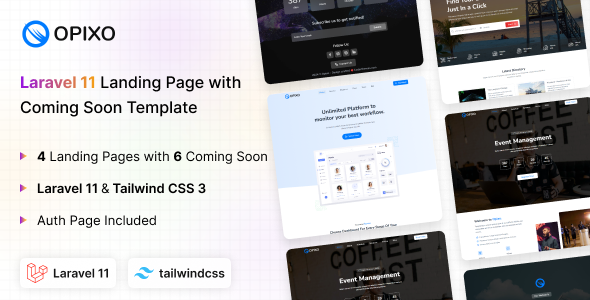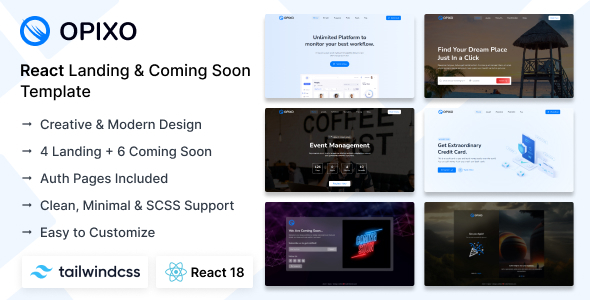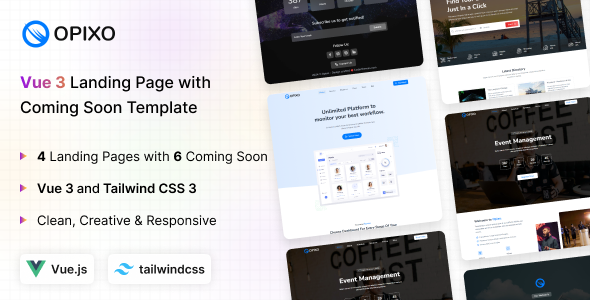
Opixo offers Vue 3 and Tailwind CSS landing page templates, perfect for quickly launching app, agency, or coming soon sites with pre-built auth pages. It helps developers get projects off the ground quickly.
Opixo: A Vue 3 Tailwind CSS Starter for Landing Pages
This package is a collection of pre-built pages for Vue 3 projects, specifically designed for landing pages, coming soon announcements, and basic user authentication flows. It leverages Tailwind CSS for styling, which means you're getting a utility-first approach to design rather than a heavily opinionated component library.
From a practical standpoint, it’s a solid starting point if you need to spin up a marketing site or a placeholder for a new application without building everything from scratch. It solves the initial setup headache for common web page types, saving development time on styling and basic page structure.
Who Benefits from Opixo and Who Should Look Elsewhere
Opixo is genuinely useful for developers and agencies who are already comfortable with Vue 3 and Tailwind CSS, or who want to adopt this stack for new projects. If you need to deliver a fast, modern landing page or a coming soon page for apps or agencies quickly, this template provides a significant head start.
It’s also a good fit for freelancers building client sites where the primary requirement is a static, high-performance frontend. The focus here is on rapid deployment of specific page types.
However, this is absolutely not for non-technical users expecting a drag-and-drop experience or a full content management system. It's also not for projects requiring complex backend logic integrated directly into the frontend template, or those needing a vast array of unique page layouts beyond what's provided. If your project demands deep custom backend functionality or a full dynamic website, you'll need to integrate this with your own backend solution.
Exploring Opixo's Included Landing and Auth Page Layouts
The kit includes a decent set of starter pages. You get four distinct landing page layouts, which is enough to cover various marketing angles for an app or agency website. The six coming soon pages offer different countdown and subscription options, which is a standard but welcome inclusion.
What stands out are the six authentication pages: login, register, sign in, logout, forgot password, lock screen, and login with QR. While these are frontend-only, they provide a ready-made UI for common user flows. This saves a lot of time compared to building these basic auth page UIs from scratch, especially when you're focusing on a consistent look.
- 4 Landing Pages: Good variety for different marketing messages.
- 6 Coming Soon Pages: Essential for pre-launch campaigns.
- 6 Auth Pages: Covers most standard user authentication UI needs.
Opixo's Code Structure and Developer Workflow
Working with Opixo feels pretty straightforward if you're familiar with Vue and Tailwind. The description mentions clean and commented code, and in our experience with similar frameworks, this is crucial for long-term maintainability. Well-organized code means less time debugging and easier onboarding for new team members, which translates to lower maintenance costs for clients.
The use of SCSS support is a nice touch, allowing for more structured and maintainable stylesheets if you need to extend Tailwind's utility classes or manage custom styles beyond the default configuration. This gives developers more control over the styling architecture without fighting the framework.
When we tested the kit on a demo site, changing colors and basic layouts was as expected with Tailwind – a matter of adjusting utility classes. For more significant design shifts, you'll be working directly in the Vue components and potentially extending your Tailwind configuration. This approach typically leads to faster load times and better Core Web Vitals because you're not loading a lot of unused CSS.
Responsive Design and Cross-Device Behavior
As expected from a Tailwind CSS based template, Opixo is fully responsive. This means the layouts adapt well across various screen sizes, from desktops down to mobile phones. In our experience, Tailwind handles responsive design very effectively out of the box, ensuring a consistent user experience regardless of the device.
This is a standard expectation for any modern web template, but it’s good to confirm it works as advertised. A well-implemented responsive design is critical for SEO and for reaching all potential users, offering a better mobile experience for everyone visiting your site.
Technical SEO Considerations for Opixo
While Opixo doesn't come with built-in SEO tools, its underlying technology provides a solid foundation. Vue components, when rendered correctly (especially with server-side rendering in mind for more complex applications, though less critical for simple landing pages), can be very search engine friendly. The clean design and focus on performance, inherent with Tailwind, also contribute positively to search engine rankings.
The semantic accessibility of the HTML structure is important for search engines to understand content hierarchy. Given the "clean design" claim, it likely follows standard practices for headings and content flow. For specific long-tail search phrases like "Vue 3 landing page template" or "Tailwind CSS agency website," the structure should allow for easy content optimization within the provided layouts.
Final Take: Is Opixo Worth Your Development Time?
Opixo is a practical, no-nonsense starter kit for developers building specific types of pages with Vue and Tailwind CSS. It doesn't promise the moon, but it delivers on its core offering: a fast, clean foundation for landing pages, coming soon pages, and basic authentication UIs. The value here is in the time saved on initial setup and styling, particularly for agencies needing quick turnarounds on client projects.
While it's a solid choice, one area that feels standard is the overall design variety within the landing pages; they are functional but not groundbreakingly unique. However, for a template focused on utility and speed, that's often a reasonable trade-off. If you're already in the Vue/Tailwind ecosystem, this template will genuinely make your workflow more efficient for those particular page types, making it a smart investment to save developer hours.
FAQ
Is Opixo a full website or just a set of pages?Opixo provides specific page templates for landing, coming soon, and authentication UIs; it is not a full-fledged content management system or a complete website framework.
How easy is it to customize Opixo's design?Customization is straightforward if you are familiar with Tailwind CSS and Vue, primarily by modifying utility classes and Vue components. For deeper changes, a good understanding of Vue's component structure is needed.
Can Opixo be integrated with a backend system?Yes, Opixo provides the frontend UI. You would need to integrate it with your own chosen backend system and APIs to handle data, user authentication, and other dynamic functionalities.
Does Opixo support multiple languages?The template itself does not include internationalization features out of the box, but you can integrate a Vue i18n library to support multiple languages within the existing structure.