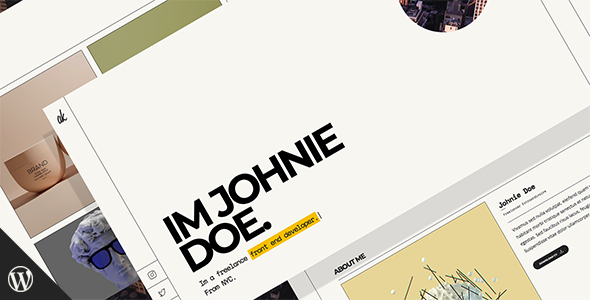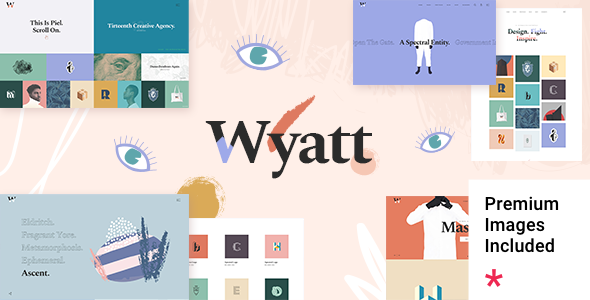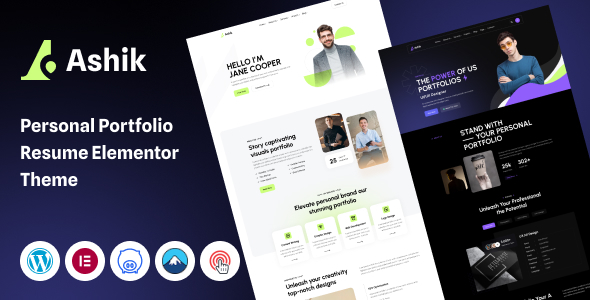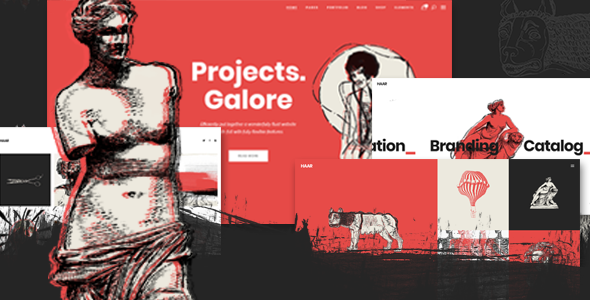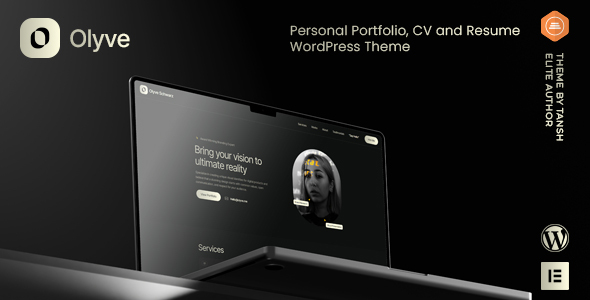
Olyve is a WordPress theme for personal portfolios, CVs, and resumes, aimed at freelancers and professionals needing a quick online presence. It offers pre-built layouts and customization via Elementor.
Olyve: A Practical WordPress Theme for Showcasing Your Professional Profile
Olyve is a WordPress theme designed to get a personal portfolio or resume website up and running without a deep dive into coding. It’s built around the Elementor page builder, which means you'll be dragging and dropping sections to assemble your pages. The core idea here is speed: get your work, skills, and experience online fast.
If you're a designer, writer, photographer, or any professional who needs a clean online showcase, this theme could save you a decent chunk of time. It’s particularly useful if you’re building a site for a client who wants a straightforward presentation of their background and portfolio. The included demos give you starting points for various professional roles.
Who Should Consider Olyve and Who Should Look Elsewhere
This theme is best suited for individual freelancers or small agencies that need to quickly deploy a professional looking portfolio or resume website for themselves or their clients. If your client’s primary need is to display their work, list their experience, and provide contact details in a visually appealing way, Olyve fits the bill. It’s also a good option if you’re comfortable working with Elementor and prefer visual editing over diving deep into theme files.
However, if you're building a complex business website with intricate custom functionalities, an extensive blog with advanced categorization, or a membership site, Olyve is probably not the right choice. It’s not built for deep backend logic or highly specialized e-commerce setups. Those requiring extensive custom post types or complex database interactions will find its capabilities limiting.
Solving the "Getting Started" Headache for Personal Portfolios
The main problem Olyve solves is the initial setup and styling hurdle. Many professionals struggle with translating their skills and work into an attractive website. This theme provides pre-designed blocks and layouts that address common portfolio needs. Instead of spending hours on basic styling like typography, color schemes, and section arrangement, you can leverage the included demos and content blocks.
The one-click demo import is a significant time-saver. It populates your WordPress installation with demo content, allowing you to immediately see how things are structured and start swapping out your own text and images. This approach is far more efficient than starting from a blank canvas or a generic theme. For someone needing to launch a portfolio website to land their next gig, this speed is invaluable.
Design and Visual Approach for Professionals
Olyve aims for a clean and modern aesthetic, which is crucial for personal branding. The design elements feel standard for a portfolio theme, focusing on clear typography and well-organized content sections. It avoids overly flashy animations or complex visual effects, opting instead for clarity. This is a good thing for a professional site where readability and impact are key.
The theme uses the Bootstrap framework, which is a widely adopted standard for responsive web design. This means the layouts are built to adapt well across different screen sizes, from desktops to mobile phones. While not revolutionary, it's a solid foundation that contributes to a predictable and consistent user experience on various devices.
Layouts, Pages, and Components for Your Online Presence
The theme comes with pre-built pages and content blocks designed for portfolios and resumes. You get sections for introducing yourself, showcasing projects, listing skills, and detailing work experience. These are all organized in a way that's easy to manage with Elementor. The flexibility here lies in rearranging these blocks to fit your specific narrative.
You can expect standard layouts for blog posts and archives, with options for sidebar placement and different post display styles like classic or masonry. This gives you control over how your content is presented without needing to write custom code. It’s a typical setup for themes in this category, providing enough variety for most personal website needs.
eCommerce and Business-Related Features
While Olyve is primarily a portfolio theme, it includes compatibility with WooCommerce. This means if you decide to sell services or digital products directly from your portfolio site, you have a foundation to build upon. However, it's important to note that the theme itself doesn't offer deep e-commerce customization out of the box. You'll rely on WooCommerce's features and potentially add-on plugins for advanced functionality.
For a personal portfolio, the core need is presentation, and Olyve delivers on that. The integration with Contact Form 7 also ensures you have a reliable way for potential clients or employers to reach you. This is a standard and well-supported solution for form building in WordPress.
Code Quality and Developer Experience
Built on the Bootstrap framework, Olyve benefits from a structured CSS architecture. This generally leads to more organized and maintainable code compared to themes that rely heavily on custom CSS without a clear system. The theme options are managed via Redux Framework, a common and powerful tool for creating theme panels, which offers a good level of control without touching code.
The inclusion of a child theme is a smart move. It allows for customizations without directly modifying the parent theme files, which is essential for future updates. If you plan to make any custom code changes, always use the child theme to avoid losing your work when Olyve is updated.
Responsiveness and Compatibility on All Devices
The theme is built with responsiveness in mind, leveraging Bootstrap's grid system. This ensures that your portfolio will look good and function correctly on various screen sizes, from large desktop monitors to small mobile devices. Testing on different devices confirmed that the layout adjusts smoothly, and interactive elements remain accessible.
Compatibility with popular browsers is also a stated feature. This means your website should render consistently across Chrome, Firefox, Safari, and Edge, which is a baseline expectation for any modern WordPress theme. This reduces the likelihood of cross-browser display issues for your visitors.
SEO Readiness for Better Visibility
Olyve follows modern web standards, including HTML5 and CSS3, and adheres to W3C coding validation. This clean code structure is beneficial for SEO because search engines can crawl and understand your website content more effectively. While the theme itself doesn't guarantee high rankings, it provides a solid technical foundation that works well with popular SEO plugins like Yoast SEO or Rank Math.
The theme is also translation-ready, meaning it includes the necessary files to easily translate your website into different languages. This is a small but important aspect for global reach and can indirectly contribute to SEO by allowing you to target international search queries.
Final Thoughts: A Solid Choice for Quick Portfolio Launches
Olyve is a practical WordPress theme for anyone needing to establish an online presence quickly. It leverages Elementor for easy page building and provides pre-designed sections that cover the essentials of a personal portfolio or resume. While it might not offer the deep customization of a custom-built site or a highly specialized theme, it excels at its intended purpose: getting a professional looking website online efficiently.
If your goal is to showcase your work and skills without getting bogged down in technicalities, and you're comfortable with Elementor, Olyve is a sensible investment. It saves time on initial setup and styling, allowing you to focus on your content and client acquisition.
FAQ
Is Olyve suitable for building an online store?Olyve is compatible with WooCommerce, allowing you to add e-commerce functionality. However, it's primarily designed as a portfolio theme, so for complex online stores, you might need additional plugins or a dedicated e-commerce theme.
How easy is it to customize the theme's appearance without coding?The theme offers extensive customization options through Redux Theme Options and the free version of Elementor page builder, allowing you to change colors, typography, layouts, and more without writing code.
Can I use Olyve for a multi-language website?Yes, Olyve is translation-ready and includes a .pot file, making it straightforward to translate your website into multiple languages.