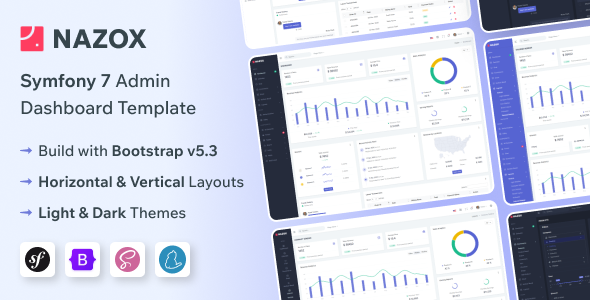
Nazox is a Symfony admin dashboard template built with Bootstrap, offering a solid starting point for web applications requiring a backend interface. It's for developers who need to quickly spin up a functional admin panel without building every component from scratch.
Streamlining Symfony Backend Development Workflows
Setting up an admin panel for a Symfony application usually means a lot of boilerplate work: authentication, navigation, data tables, forms, and basic UI elements. This Nazox Symfony admin dashboard template handles much of that initial setup, letting you focus on the application's core business logic faster. For agencies on tight deadlines, using a pre-built foundation like this can shave off days of initial setup work, making it a smart investment for efficient project delivery.
Analyzing Nazox's Technical Foundations and Code Quality
The value here isn't just in the features, but in their pre-integration within a Symfony context. Instead of spending time wiring up Bootstrap components, data tables, and charting libraries, Nazox provides a functional skeleton. This means less time debugging initial setup and more time on custom features, which directly impacts project profitability and reduces the cost of building a custom Symfony admin dashboard. The included e-commerce pages are a good example of niche logic, providing common layouts for products, orders, and customer management.
- The SCSS architecture is reasonably organized, making it easier to override styles without resorting to `!important` hacks, which helps keep maintenance costs down.
- Mobile navigation handles well; it collapses cleanly and offers a standard toggle, avoiding common layout breaks found in cheaper templates, ensuring a consistent user experience on all devices.
- Asset loading is fairly standard; it's not overly optimized out of the box for Core Web Vitals, but it doesn't introduce immediate performance bottlenecks either, meaning reasonable load times.
- The use of data attributes for layout changes is a practical approach, simplifying global layout adjustments without deep code edits, which saves developer time.
- Semantic accessibility is present in the basic HTML structure, which is a good starting point for further enhancements needed for full compliance and a broader user base.
Nazox's Core Strengths for Rapid Application Development
The biggest strength of Nazox is how much is already integrated and working within a Symfony context. You get a broad set of UI elements and common pages, like authentication flows and error pages, ready to connect to your backend logic. This significantly speeds up front-end development for admin interfaces. The variety of layouts and themes also offers quick customization options for different client branding requirements.
Who Benefits Most from a Pre-built Symfony Admin Panel
This Nazox Symfony admin panel is ideal for agencies or freelance developers building custom SaaS platforms, internal tools, or client portals where a Symfony backend is already chosen. It's particularly useful for those needing to rapidly prototype or deliver an MVP with a professional-looking admin interface. It is not for projects requiring highly unique, custom UI/UX that deviates significantly from Bootstrap's aesthetic, or for developers who prefer to build every component from scratch for absolute control over the entire codebase.
Honest Look at Nazox's Limitations and Average Features
While functional, the overall design aesthetic is quite "Bootstrap standard." It won't win any awards for groundbreaking UI innovation; it feels like many other admin templates on the market. The default form validation is functional but basic, and for complex business rules, you'll still need to implement custom server-side validation. The multilingual support provides a framework for translation, not a complete content management system, so expect to integrate your own translation strings and management.
Final Thoughts: Is it worth it?
For anyone regularly building Symfony applications that need an admin dashboard, Nazox offers a substantial head start. It provides a solid, well-structured foundation that saves significant development hours on boilerplate, allowing you to allocate more time to unique features and business logic. Considering the time saved on initial setup and integration, it's a smart investment for project efficiency and faster time to market.
FAQ
How difficult is it to integrate this template with an existing Symfony application?Integration typically involves moving the template's assets and views into your Symfony project structure and then adapting your routes and controllers to render the provided layouts.
Does this template support different database systems out of the box?The template itself is front-end focused and doesn't dictate your database choice; it's designed to work with whatever ORM (like Doctrine) and database you configure within your Symfony application.
Can I easily change the primary color scheme and branding?Yes, since it uses SCSS, you can override Bootstrap variables and custom SCSS files to adjust the color scheme, fonts, and other branding elements relatively easily.
Is the dashboard suitable for high-traffic applications?The front-end template itself is lightweight, but its suitability for high-traffic applications depends entirely on the performance and optimization of your underlying Symfony backend and database architecture.

.__large_preview.png)