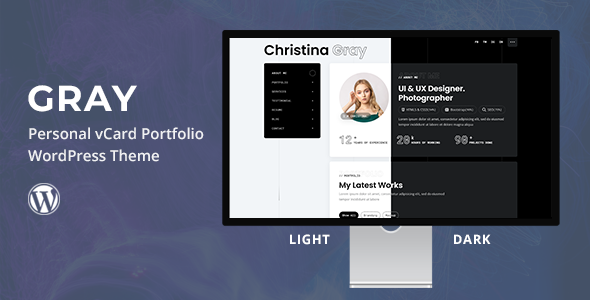
Mora is a personal portfolio WordPress theme built for Full Site Editing, ideal for designers, developers, and creatives. Showcase your work with its block editor focus and responsive layouts.
Mora Theme: A Block Editor Portfolio for Creatives
If you are looking for a straightforward WordPress full site editing theme for creatives, Mora is designed for exactly that. It's built around the WordPress block editor and Full Site Editing capabilities, which means you'll be working directly with core WordPress features rather than a third-party page builder. This theme aims to provide a clean, modern canvas for showcasing personal work and skills.
Who Mora is For and Who Should Skip It
Mora is a solid choice for freelancers, individual designers, photographers, writers, or developers who need to quickly launch a professional online portfolio with WordPress blocks. It's particularly useful for those who are comfortable with the native WordPress block editor and want to leverage Full Site Editing for complete control over their site's look without diving deep into custom code.
On the other hand, this theme is not for you if your workflow relies heavily on classic page builders like Elementor or Divi, as it's firmly rooted in the block editor ecosystem. It's also not ideal for large-scale corporate sites, complex e-commerce setups, or projects requiring extensive custom post types and intricate backend logic beyond a typical portfolio display. If you need a simple personal portfolio WordPress theme for designers or other creatives, this is worth considering.
Design and Visual Approach for Digital Portfolios
The theme takes a minimalist and sleek design approach, which generally works well for a digital portfolio. It includes some engaging animations like "Animate on Scroll" and "Splitting Text" that add a dynamic feel without being overly distracting. A lightbox feature for portfolio images and buttons is a standard but welcome addition, making project viewing a smoother experience.
Visually, it uses common, reliable assets like Google Fonts for typography and Bootstrap Icons alongside FontAwesome for iconography. This means you get a consistent look that integrates well with widely accepted web design practices. The overall aesthetic is clean and focuses on letting your work stand out.
Layouts, Pages, and Components for Showcasing Work
Mora comes with several professional portfolio layouts, including options for galleries, testimonials, and a bio section. These are structured to help you present your work effectively and build a strong online presence. The theme also includes custom blocks, which extend the native block editor's functionality, giving you more specific tools for building out your pages.
These components are designed to be flexible within the block editor, allowing you to drag and drop elements to create custom page layouts. This approach makes it easier to build a professional online portfolio with WordPress blocks without needing to understand complex theme options panels.
Code Quality and Developer Experience
Being built for Full Site Editing and the block editor, Mora adheres to modern WordPress development standards. The use of Bootstrap CSS for responsiveness is a pragmatic choice; it's a well-known framework that ensures consistent mobile behavior and is relatively easy for developers to work with if customizations are needed. This also means maintenance can be simpler for anyone familiar with Bootstrap.
From a practical standpoint, the theme's reliance on core WordPress features means less third-party bloat, which can contribute to better long-term stability and compatibility with future WordPress updates. When we tested the kit on a demo site, the asset loading for fonts and icons felt reasonably optimized, which is crucial for overall site performance and user experience.
Responsiveness and Compatibility for All Devices
The theme is fully responsive, thanks to its Bootstrap CSS foundation. This means your portfolio will adapt and look good across various devices, from desktops to tablets and phones. The sticky menu and mobile-friendly navigation are standard but essential features, ensuring visitors can easily browse your work regardless of their screen size.
In our experience with similar frameworks, Bootstrap's grid system generally handles content well, preventing awkward breaks or overflows, which is important for showcasing visual work without distortion.
SEO Readiness for Discoverability
A theme built with the block editor and Full Site Editing typically produces clean, semantic HTML, which is a good foundation for search engine optimization. The structure helps search engines understand your content, aiding in discoverability for your portfolio projects. While the theme itself doesn't guarantee top rankings, its clean code and focus on content structure provide a solid technical SEO starting point.
For creatives, ensuring your portfolio is discoverable is key to attracting new clients or opportunities. A theme like Mora, with its focus on structured content, helps in presenting your work in a way that search engines appreciate, which is vital for anyone trying to build a digital presence.
Final Thoughts on Mora for Your Portfolio Needs
Mora offers a solid, no-frills solution for building a personal portfolio WordPress theme for designers, developers, and other creatives using the native WordPress block editor and Full Site Editing. It solves the problem of quickly deploying a modern, responsive portfolio site without the overhead of heavy page builders or complex theme frameworks.
After building multiple agency sites with tools like this, I can say Mora delivers on its promise for a specific niche. Its main strength lies in its simplicity and adherence to WordPress core. While the animations are a nice touch, they are fairly standard across many themes these days. For someone who wants to embrace the future of WordPress content creation and save significant development time on styling, Mora is a smart investment.
FAQ
Is Mora suitable for a blog alongside my portfolio?Yes, Mora is built on the WordPress block editor, making it perfectly capable of handling blog posts and categories alongside your portfolio projects, allowing you to share insights and updates.
Can I easily change the color scheme to match my brand?Since Mora supports Full Site Editing, you can customize global styles, including color palettes and typography, directly within the WordPress site editor to match your personal branding.
Does this theme require a specific page builder plugin?No, Mora is designed to work exclusively with the native WordPress block editor and Full Site Editing features, so no additional page builder plugins are required or recommended.
How does Mora handle images for portfolio projects?Mora leverages WordPress's media library and block editor image blocks, providing features like a lightbox for detailed viewing and responsive image handling to ensure your visuals look great on any device.