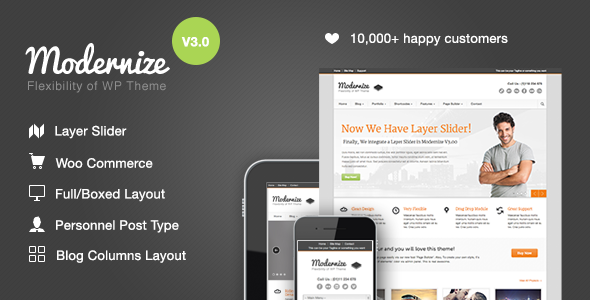
Modernize is a flexible WordPress theme designed for businesses and agencies needing to build corporate or service-based websites quickly. It offers a page builder and extensive customization options for those who want fine control over their site's look and feel.
Building Business Websites with Modernize
When we look at a WordPress theme for a business or corporate site, we're primarily concerned with how quickly we can get a professional-looking site up and running, and how much control we have over the details. Modernize aims to hit both those marks. It comes with a drag-and-drop page builder, which is standard these days but still a big time-saver compared to coding everything from scratch. This is particularly useful for agencies that need to turn around client projects fast. The theme offers a lot of options for styling, including unlimited color choices and font selections from a large library. For a business website, having this level of control over branding is crucial. We also noticed that the theme handles basic SEO practices well, using proper heading tags and ensuring main content appears early in the HTML structure. This is good for search engine visibility, helping clients rank for terms like "best corporate website template."
Customization and Workflow for Agencies
Modernize provides a decent set of tools for customizing layouts and elements. You get features like:
- Unlimited color options allowing for precise brand matching.
- Unlimited sidebar creation to organize content effectively on different pages.
- Over 350 font choices and an uploader for custom fonts, ensuring design consistency.
- Built-in shortcodes for common content elements, speeding up page creation.
The admin panel is where most of the tweaking happens. It's quite comprehensive, giving access to many visual elements. This is a big plus for developers who need to deliver a site that precisely matches a client's vision without writing excessive custom CSS. The inclusion of a built-in translator is also a practical feature for businesses operating internationally.
Considering the Trade-offs
While Modernize offers a lot of flexibility, it's not the lightest theme out there. Some of the more complex features, like the extensive page builder options, can add a bit of overhead. For a very performance-critical site, we might opt for a more minimalist approach, but for most business websites where visual appeal and rapid development are key, it's a reasonable trade-off. One area where it feels a bit standard is in the mobile menu implementation. It works, but it's not particularly groundbreaking. For those looking to build highly specialized business applications or sites requiring complex backend integrations beyond standard content management, this theme might be overkill and not the most direct path. It's best suited for brochure-style business sites, service directories, or basic agency portfolios.
Who Should Use Modernize?
This theme is a solid choice for freelance web designers, small agencies, and business owners who want a feature-rich WordPress theme that allows for significant visual customization without needing to dive deep into code. If you're building a standard business website, an agency portfolio, or a service-based company site and need to launch quickly with a polished look, Modernize is worth a serious look. It’s a good option for finding an "all-in-one WordPress theme for service businesses."
Who Should Avoid Modernize?
If your project demands extreme performance optimization above all else, or if you need a theme with a very minimal code footprint, you might find Modernize a bit more than you need. It's also not ideal for developers building highly custom web applications with unique database interactions or complex user role management.
Final Thoughts on Modernize
Modernize delivers on its promise of flexibility and ease of customization for business websites. It streamlines the process of creating visually appealing sites, saving valuable development time for agencies and business owners alike. While not the absolute lightest option, its extensive features and control over branding make it a sensible investment for anyone looking to establish a strong online presence quickly and effectively.
FAQ
Is Modernize suitable for creating an ecommerce website template?Yes, Modernize includes WooCommerce integration, making it capable of functioning as an ecommerce website template for small to medium online stores.
How does the page builder impact site speed for a corporate website?Page builders can add overhead, but Modernize appears to manage assets reasonably well. For critical speed, we recommend optimizing images and caching.
Can Modernize handle a lot of different service categories for an HVAC service layout?Yes, the theme's structure and page builder allow for creating distinct pages and layouts to showcase various services effectively, suitable for an HVAC service layout or similar niche.
Is the theme's code clean for SEO best practices?The theme explicitly mentions using proper heading tags and content ordering for SEO, which is a good starting point for search engine optimization.
How easy is it to update the theme and its plugins?Theme updates are typically managed through the WordPress dashboard, and the theme includes essential plugins, which should also be updated via WordPress or their respective sources.